Add a Stable Diffusion API key to SCM and every article image comes from Stable Diffusion, 3c each. 25 free credits when you sign up, so the first 8 are free.
Stability AI is the company behind Stable Diffusion. This is their hosted API, no GPU needed.
Why use this?
- You get the official Stable Diffusion models without installing anything or owning a graphics card
- Costs 3c an image on Stable Image Core, which is fine for blog images that sit next to text
- Pay as you go. Buy $10 of credits and it lasts 300 images
- Pick the model, aspect ratio and style once in API Logins. Every task uses them
Requires a Stability AI account with credits. The 25 free ones run out after 8 images.
Runware and ComfyUI are in the same tab. Runware is cheaper per image and ComfyUI is free on your own PC.
Notes
- 1 credit is 1c. Stable Image Core is 3 credits, Ultra is 8
- 1 image per request. Ask for 5 images in a task and SCM sends 5 requests
- Images come back as webp
- Swap the Url to the ultra endpoint if you want the better model at 8c
Core is enough for article images.
Where to get Stability AI
Stability AI Platform:
Sign up, then create a key under API Keys.
Credits are under Billing. $10 is the smallest top up.
How to connect Stability AI
Settings > API Logins > AI Image > Stable Diffusion
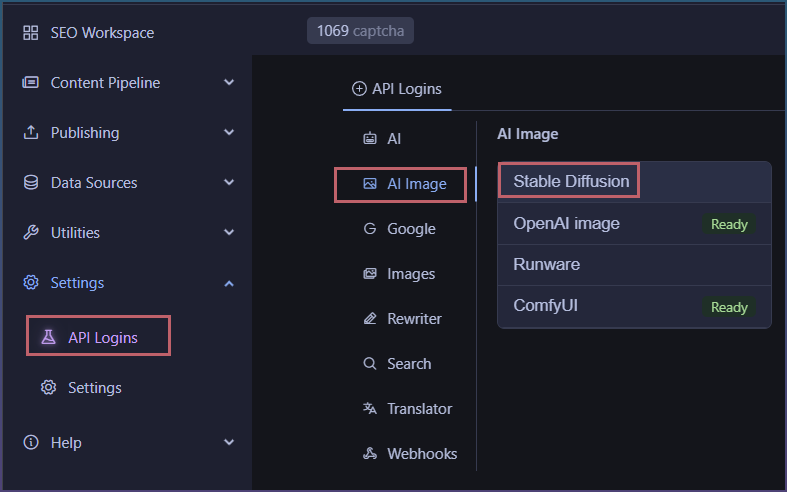
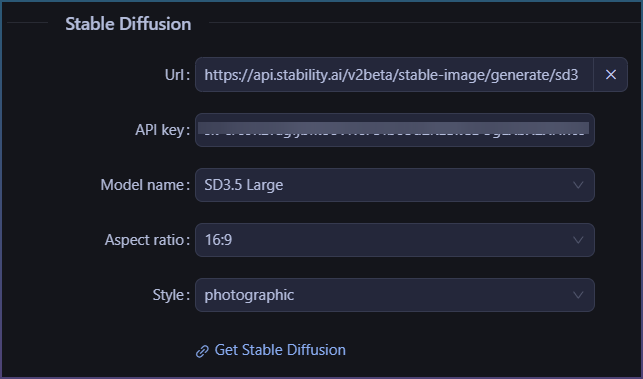
Leave the URL as is. The X button resets it.
Paste in your API key.
You get full control on the:
- Model name
- Aspect ratio
- Style
Want to try Stable Diffusion in SEO Content Machine? Start SEO Content Machine free trial
How to use Stable Diffusion in the image downloader
Data sources > Images

Select the ‘AI image’ chip, then Stable Diffusion.
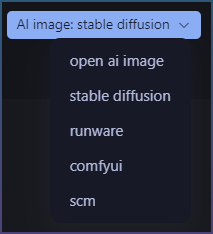
Type a search and press enter.
How to use Stable Diffusion to generate article images in bulk
Page pipeline
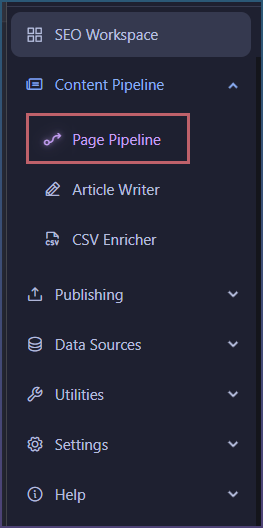
Inserts > Image
Enable it

Enable AI image and select Stable Diffusion.
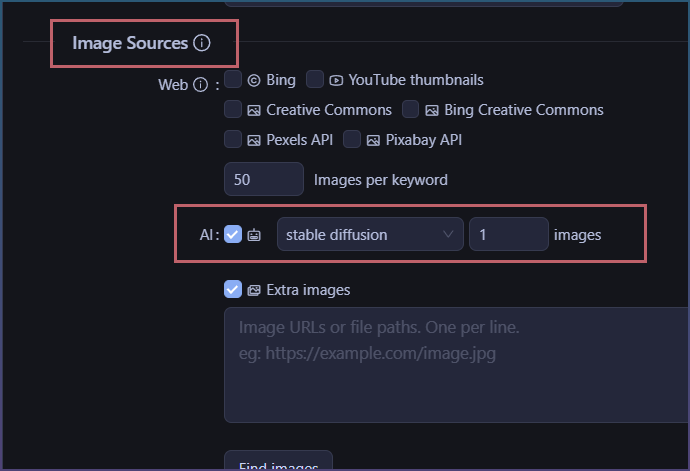
Every page the pipeline writes gets its images from Stability AI.