I have some credits at Azure GPT
It’s GPT 4o mini endpoint is like below.
How to configure it in SEO Content Machine to use it?
https://instance-azure-outreach.openai.azure.com/
The endpoint should be for chat completions.
So what you got is the url of the server but you need to find and paste in the full url for chat.
I would check the azure docs for openai and specifically find the chat completions endpoint.
Eg
https://instance-azure-outreach.openai.azure.com/openai/deployments/gpt-4o-mini/chat/completions?api-version=2025-01-01-preview
The full URL is like this above.
So I just paste this into the AI setting?
That looks correct.
Did you try it?
Hi Tim,
It works like a charm.
Your setting as azure ai.
I just enter the endpoint and API key, and it can generate articles.
How to feed SEO content machine 1000 keywords, and let it keeps on generating articles 1 for each keyword?
Is there an API to do so?
I found that in article keyword list, if I enter 2 keywords, then it will write 2 articles.
Is there an API to create such tasks?
Use article creator.
Paste in 1000 keywords.
Set ai article to make 1 article.
There is an api.
You may also be interested in code less automation via n8n
Thank you, the Postman API is great.
SCM is such an amazing suite of tools!
I am creating articles using GPT AI, and will upload them to WordPress
Is there anyway to create WordPress Categories using AI?
And I see SCM support pexels and pixelbay API.
Since there are so many articles being generated
The API will likely to run out of free credits.
Is there anyway to re-use the images in the articles?
Each task will have the same niche.
As long as you use scm wp poster, you can write the category of the article inside a my cat tag.
The poster ui allows you to detect cat using this tag when posting.
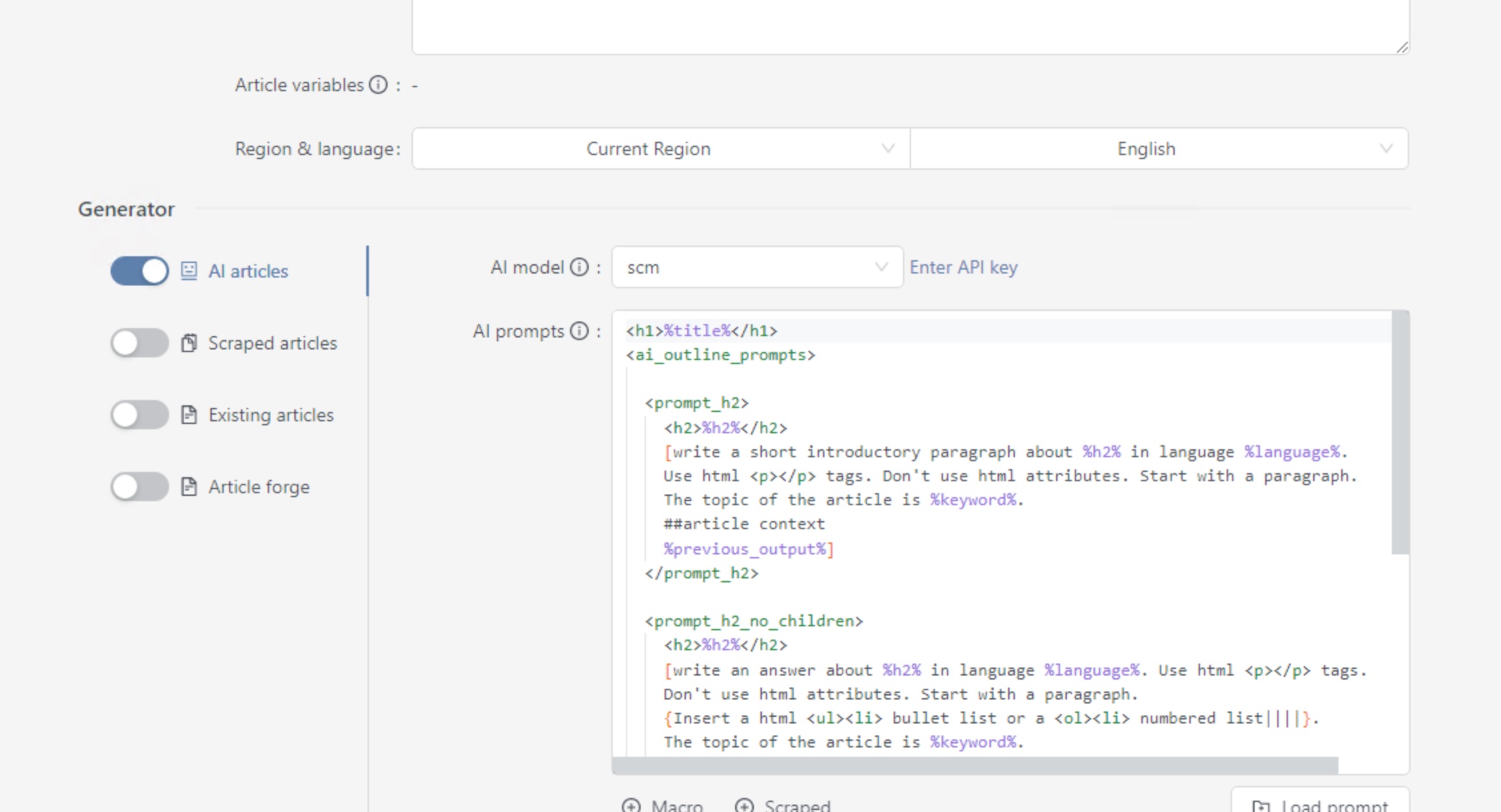
All you need to do then is have this category tag in your ai template and use an ai prompt to fill it out.
To reuse images over multiple keywords, you need to use image scraper and download images to your hard drive first.
Then in insert image, there is option of inserting images from a folder on your hard drive.
That way all keywords will reuse same images.
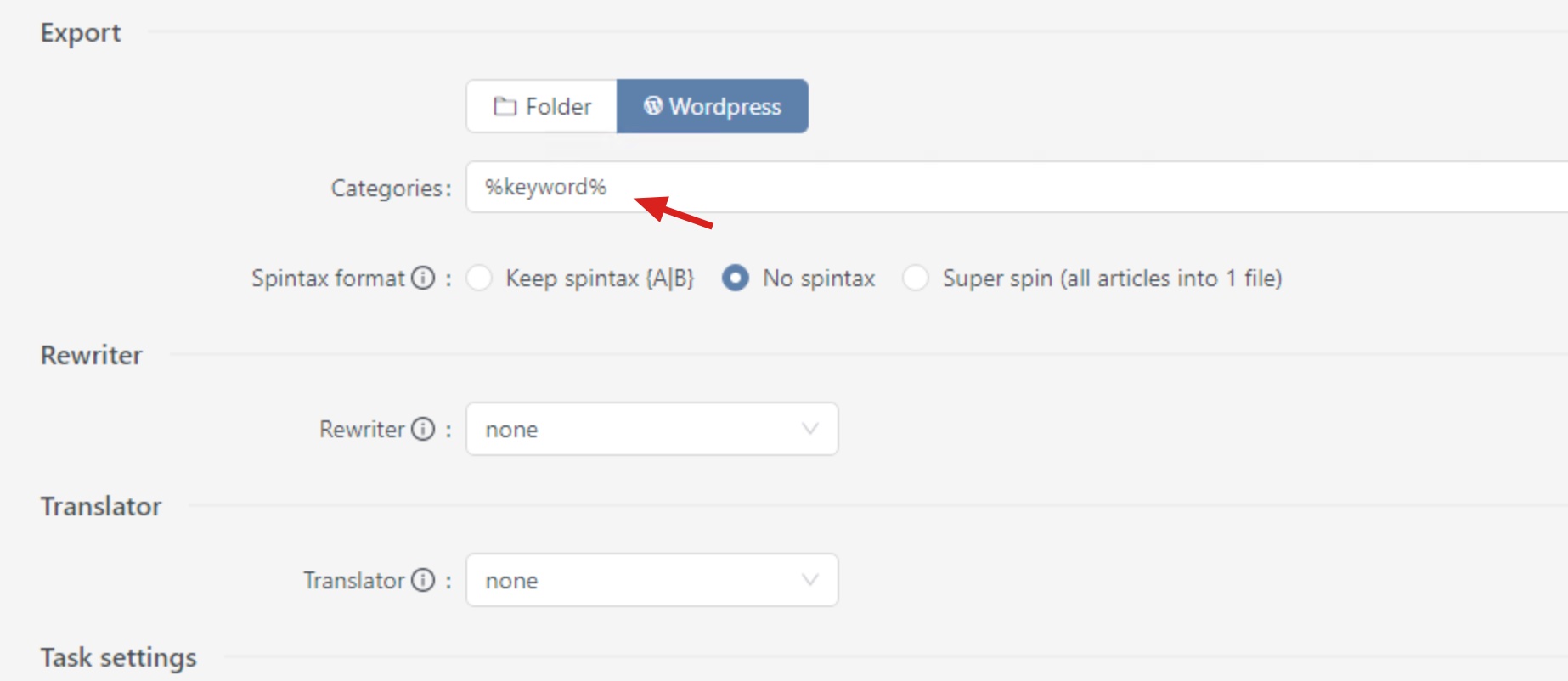
Ignore that and export as folder.
Then add category tag to your ai prompts.
Once you got that let me know.
If you not sure send me your current ai prompt.
Hold on a day or 2, I will write up a proper tutorial for you with pics.
Export folder as in the tab above, can be clicked.
I mean generate content with category tag in it.
Which means editing your ai prompt with category in it.
You will need to use scm poster though to detect this.
I have some free credits running out this month.
I will just let AI to generate as many articles as possible.
Then work on the category later, that’s ok?
Yes no problems.
Thankyou.
Here is the write up.
Let me know if you need any extra clarification.
Thank you for the follow up Tim!
My current question is how to let it re-use some of the categories it generates?
Otherwise 1000 articles would end up in 1000 categories.