The AI rewriter tool built into SCM sends each paragraph or article to Claude, OpenAI, Gemini or DeepSeek. Rewrites as cheap as 0.4c an article.
Spinners still exist ie rewrite using thesaurus or service and is an alternative to using LLMs.
Why use this?
- 1 article in 1 request. The model reads the whole article, so rewrites make sense across paragraphs
- Unique selection of models and services for each task, you choose effort and quality
- Cheap on your own key. A 1,500 word article is about 0.4c on DeepSeek V4 Flash, 4c on Claude, free on the Gemini free tier
- No SCM credits used. This uses your own keys
- Custom rewrite prompt. Edit the paragraph and article prompts from the Rewriter dropdown
- Spintax output. Rewrite count 3 gives {a|b|c} per paragraph. You don’t lose uniqueness.
Requires an AI service set up in API Logins. SCM AI credits work too but no model selection.
Notes
Paragraph mode is the default everywhere the Rewriter dropdown appears.
- Text is split into lines. Each line goes to the AI as one request
- Lines under 5 characters are skipped
- Rewrite count is how many rewrites per line. More than 1 and each rewrite is added as a variant to the spintax
- Remove original drops the initial text. Use if original text is not unique
- Word rewriter runs a spinner tool over the AI output after again
If a line fails, SCM logs it and keeps the original.
How to turn on the AI rewriter
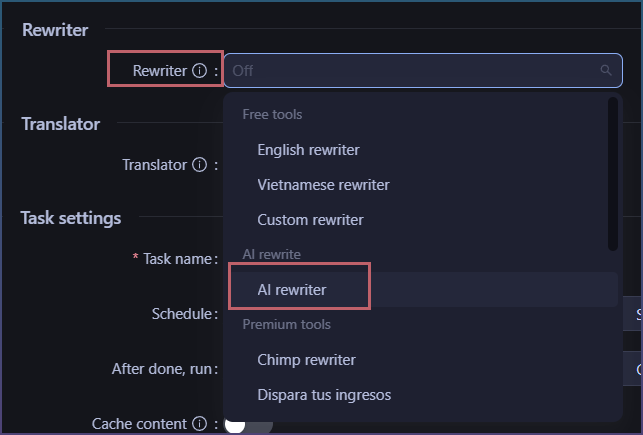
Rewriter dropdown in any task, eg Page pipeline > Content

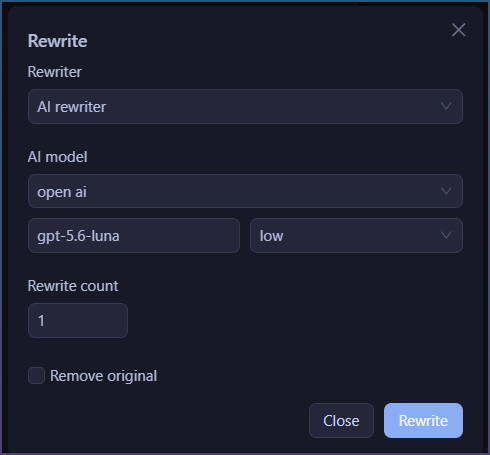
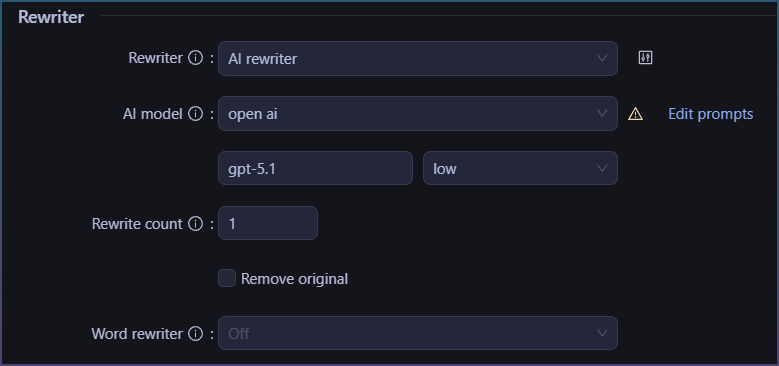
Select ‘AI rewriter’.
Pick the AI service and model. Same list as API Logins.
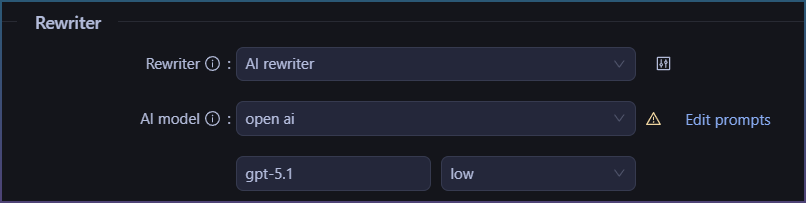
Set Rewrite count. 1 for a clean rewrite, 2 or more for spintax.

How to edit the prompts
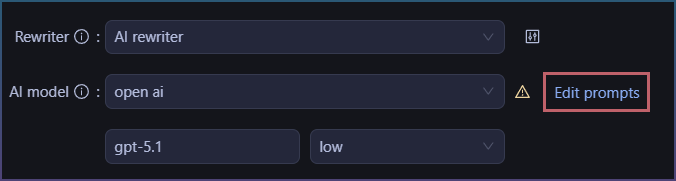
Click ‘Edit prompts’ next to the model.
These are the default prompts used to rewrite.
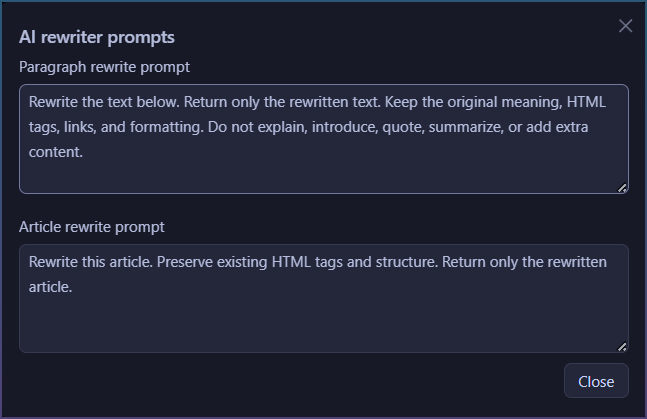
1 for rewriting paragraphs ie ''Extracted content"
1 for articles ie “AI pages” or “Existing pages”
Default paragraph prompt:
Rewrite the text below. Return only the rewritten text. Keep the original meaning, HTML tags, links, and formatting. Do not explain, introduce, quote, summarize, or add extra content.
Change it to set tone, language or length. Keep the ‘return only’ part or the model will chat back.
How to rewrite a folder of articles
If you need to bulk rewrite a bunch of articles. Use Rewrite & Translate
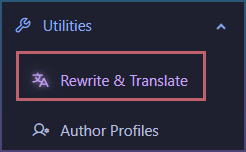
Point Article location at a folder of txt files. Select ‘AI rewriter’.

Output goes to the save location, one file per input. Translate runs first if you set one.

Want to try the AI rewriter in SEO Content Machine? Start SEO Content Machine free trial
How to rewrite one article
If you just need to rewrite 1 article, you can do it via our other tools. This is a non bulk path.
Article preview

Open the article.
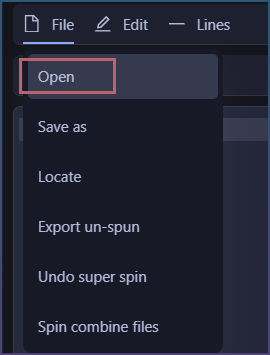
Edit > Rewrite
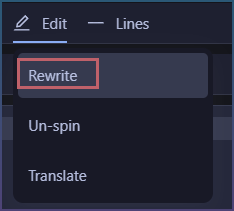
Same dropdown in a popup. Rewrites the open article in place. The Polish tab in the writing canvas does the same.
How to rewrite whole articles in Page pipeline
Page pipeline > Content > Rewriter
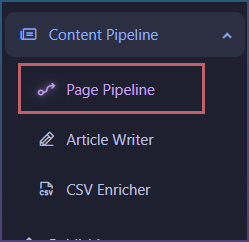

Select ‘AI rewriter’ and the pipeline sends each article in one request.
Check the log. It says ‘Rewriting article’ with the word count when it is in whole article mode, and ‘Spinning sentences’ when it is per line.