A Claude Pro or Max subscription can drive SCM directly through the Claude Code tab, so you stop paying per token and use the plan you already have. Connect the account once and every article and agent run uses your plan.
Why use this?
- Your Claude subscription is a flat monthly fee. API credits bill per token, and bulk article writing burns tokens fast
- If you already pay for Claude Pro or Max, the marginal cost of using it in SCM is nothing
- No API key to create, no billing account, no credit card on file at Anthropic
- Access to frontier models like Fable and Opus 5
- No credit balance to top up, so no job dies halfway because credits ran out
Requires a paid Claude Pro or Max plan. A free Claude account will not work.
Not the same as the Claude AI tab, which takes an Anthropic API key and bills per token. This one uses your subscription.
Where to get Claude Code
Claude Code:
https://claude.ai/
How to connect Claude Code
Settings > API Logins > Claude Code
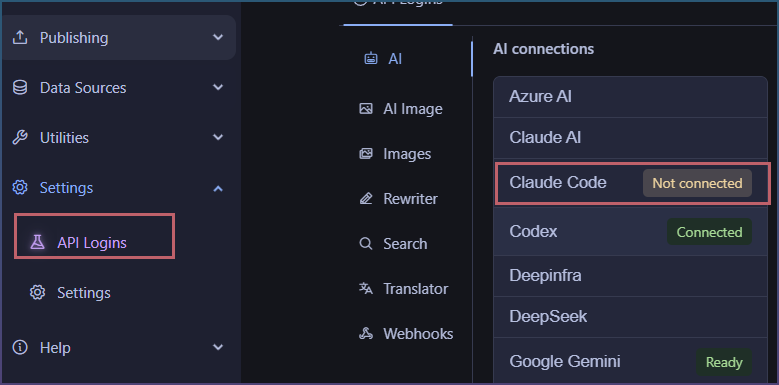
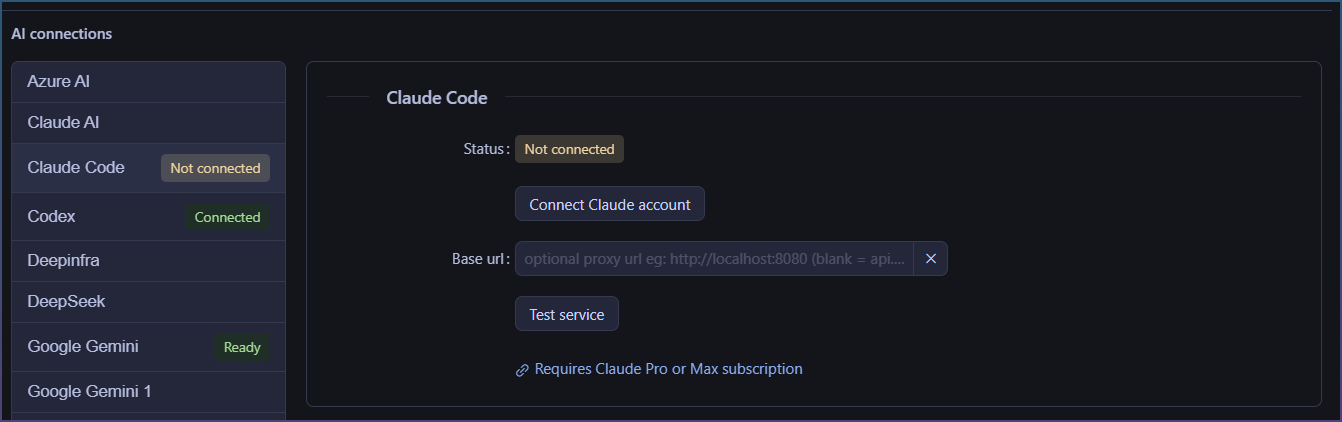
Click on Connect Claude account
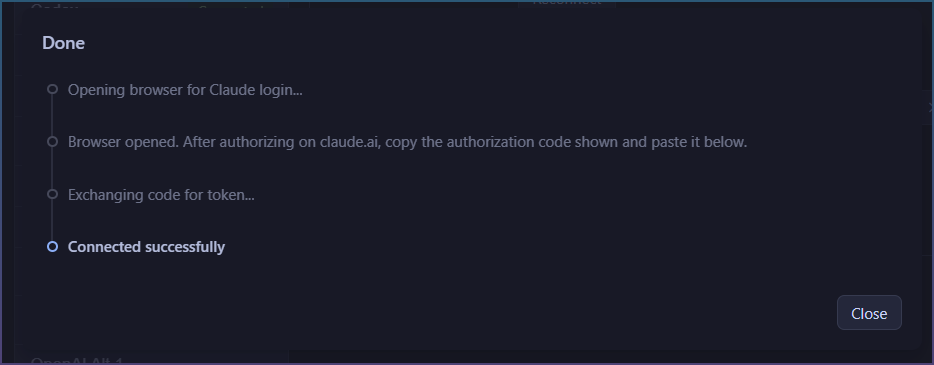
You will be taken to a browser window and asked to login.
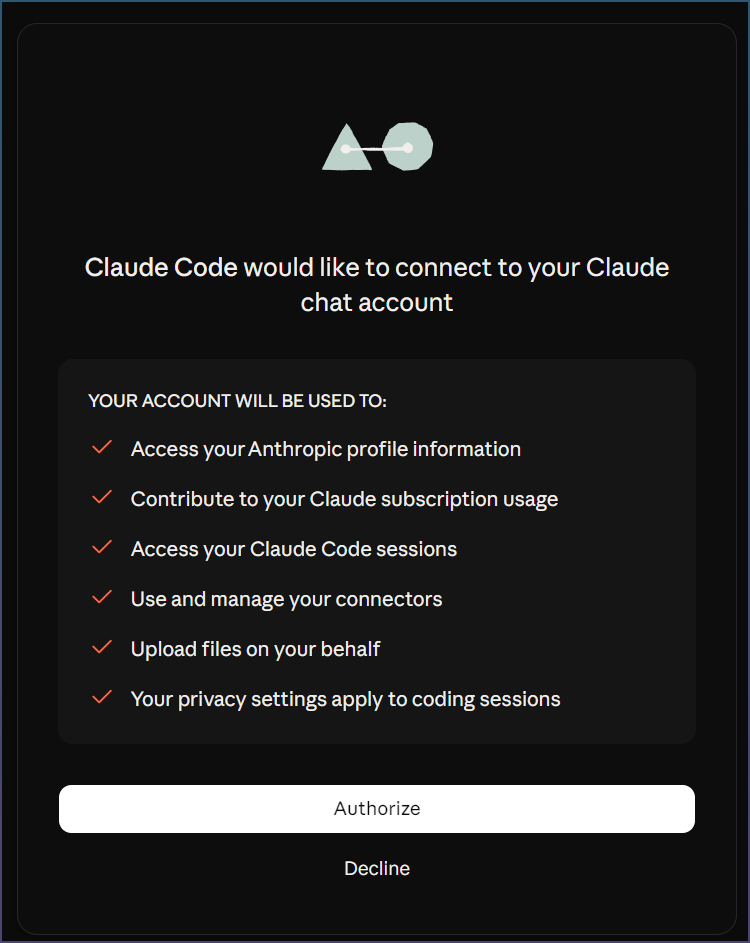
Once you authorize
Click copy code

Back to SCM and paste in the code
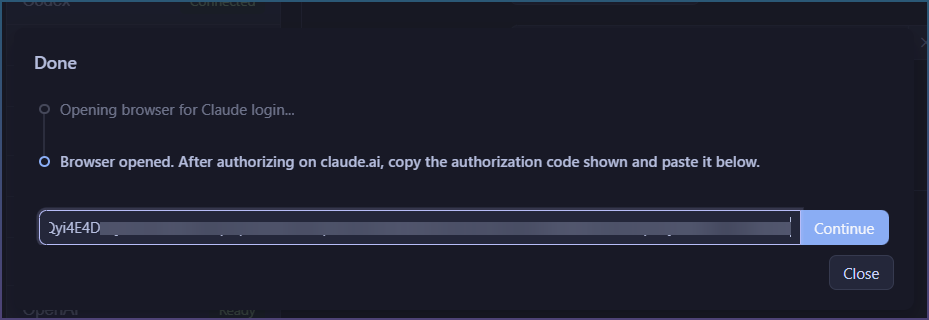
It works once test passes
How to test the connection
Click Test service
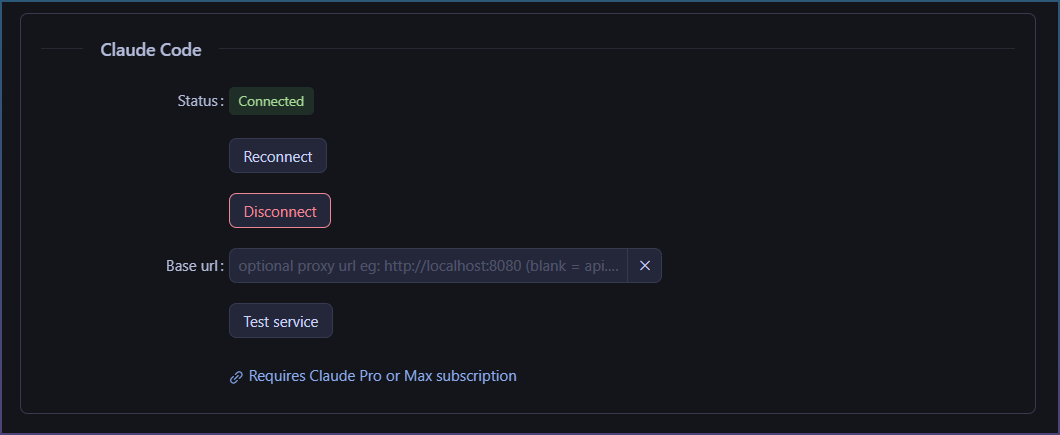
Wait for confirmation

Status says 'connected 'as well

Ready to use.
How to use Claude Code in a SEO Workspace
SEO Workspaces is Agent driven and the primary place for it.
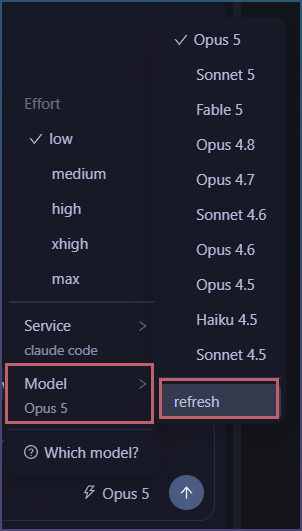
Click model in the chat input.
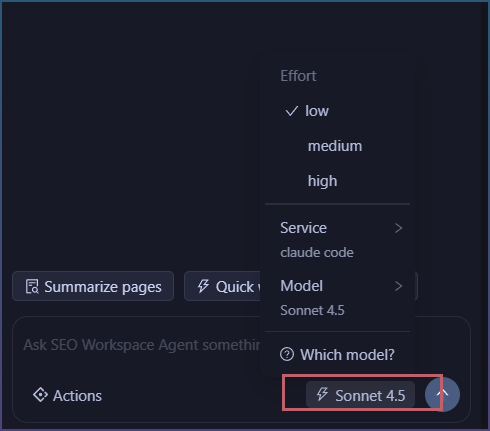
Find Claude code
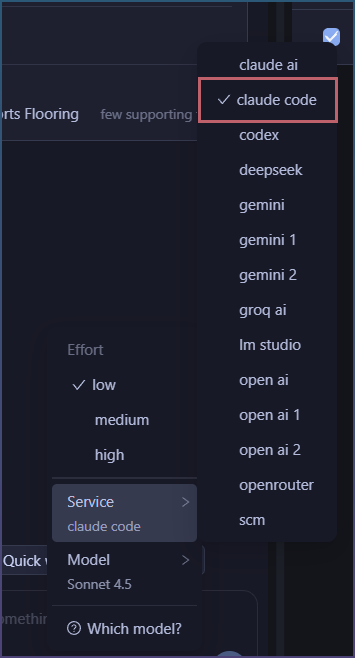
Choose a model and effort.
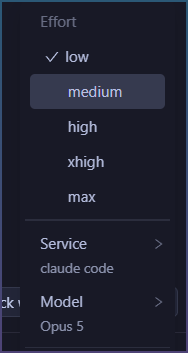
This list can be refreshed as new models are added and removed.
Want to try this with your own Claude subscription?
Start SEO Content Machine free trial
How to use Claude code to generate articles
In addition to use as an Agent, you can use it to generate content as well.
Page pipeline > AI model
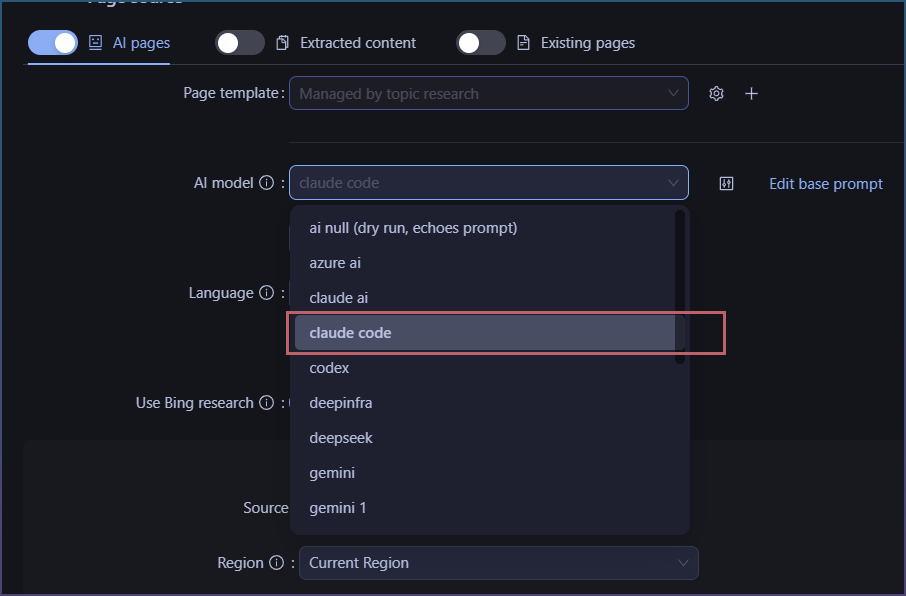
The exact same models are available
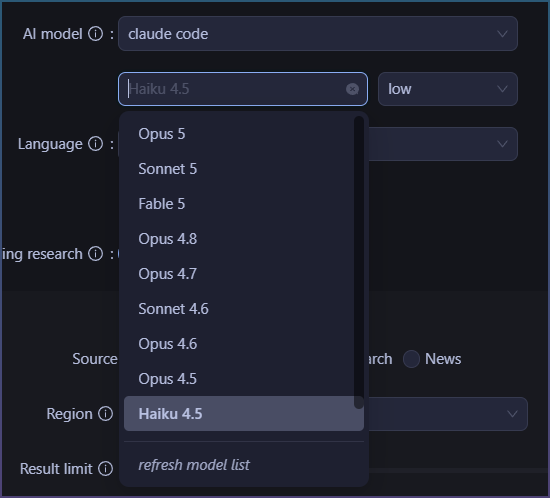
1 account, usable as both agent and generator.