ComfyUI runs on your desktop. It loads free open source image models. Connect it to SCM via API for basically free always relevant images.
Most hosted image APIs like OpenAI cost 4 to 8 cents an image.
Why use this?
- Free. No credits, no per image charge, runs on your GPU
- SCM supports all models. Every checkpoint in your ComfyUI models folder shows up in the SCM dropdown, including anything from Civitai
- No key to manage. SCM talks to the local server at 127.0.0.1:8188 out of the box
- Unlimited volume. A page pipeline run generating 500 images costs nothing but time
- Private. Prompts and images never leave your machine
Requires ComfyUI installed and running with at least one checkpoint in its models folder, and an NVIDIA GPU with 4GB VRAM or more.
Not the same as Runware or Stable Diffusion in the same tab, which are hosted and you pay per image.
No GPU? Use Runware instead, same models, hosted:
Runware for AI article images at a fraction of a cent each
Notes
What SCM sends to ComfyUI, so you know what to expect.
- One image per request. Ask for 10 images and SCM queues 10 runs
- Seven sizes, 512x512 up to 1024x1024. Bigger needs more VRAM and takes longer
- Steps default to 20, range 1 to 150. More steps is slower and rarely better past 30
- Euler sampler, CFG 8, random seed each run. No negative prompt
- SCM waits up to 300 seconds per image. A slow card on 1024x1024 at high steps can hit that
VRAM decides which checkpoints you can run.
- SD 1.5 models, 4GB. Fast, fine for blog images at 512
- SDXL models, 8GB minimum, 12 comfortable. Better hands and text
- FLUX, 12GB with fp8 or GGUF builds, 24GB for the full model
Start with an SD 1.5 checkpoint at 512x512 and 20 steps. Move up once that works.
Where to get ComfyUI
ComfyUI:
Download the portable build and unzip it anywhere.
Run run_nvidia_gpu.bat. A browser opens at 127.0.0.1:8188, and that address is the API too, nothing to enable.
Put checkpoint files in ComfyUI\models\checkpoints. The docs start you on v1-5-pruned-emaonly-fp16.safetensors, about 2GB.
Restart ComfyUI after adding a model.
How to connect ComfyUI
Settings > API Logins > AI Image > ComfyUI
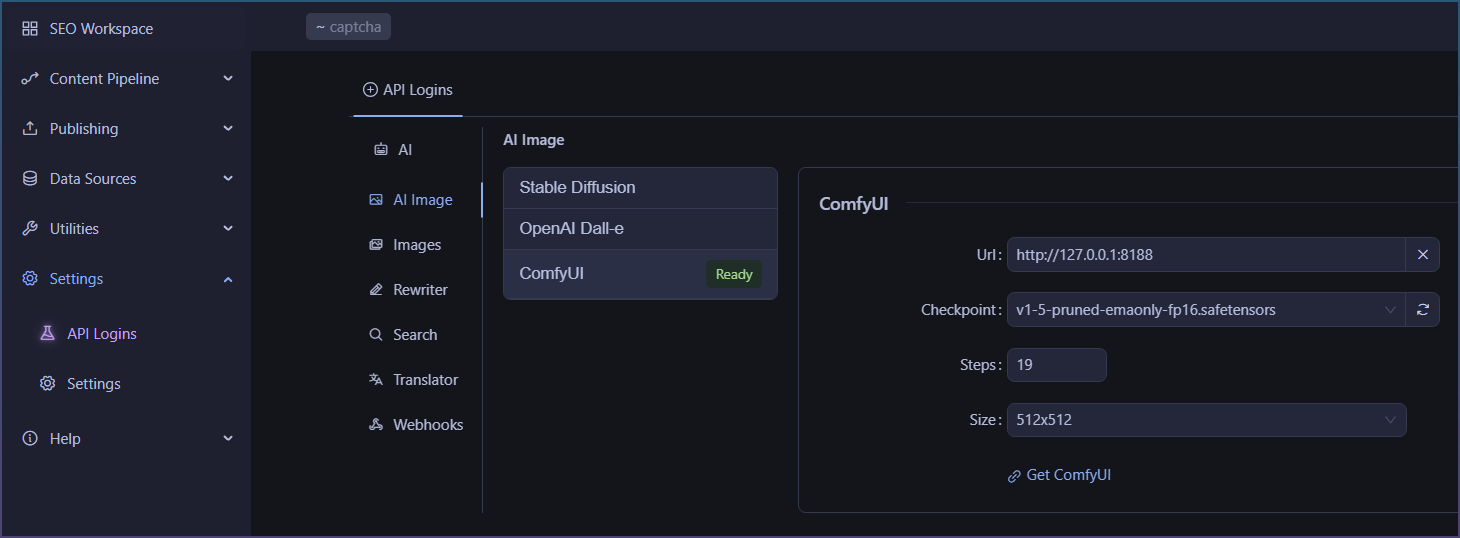
Leave the Url as is. The X button resets it to 127.0.0.1:8188 if you ever change it.
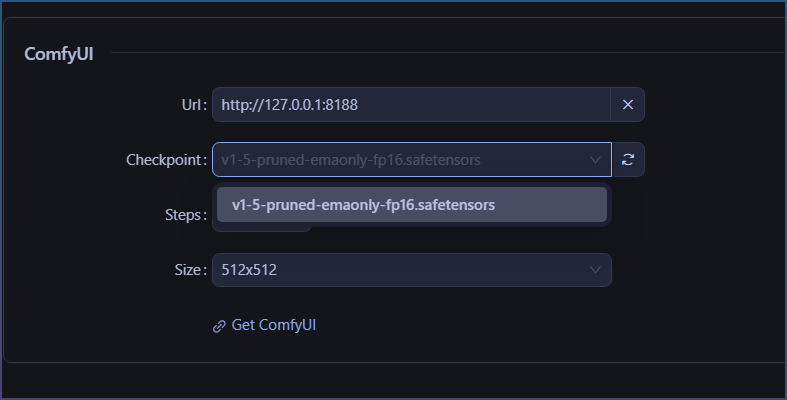
Click refresh, then pick a checkpoint from the dropdown. No copy paste.
Set Steps and Size. 20 and 512x512 to start.
If the dropdown is empty, ComfyUI is not running or has no checkpoints yet.
How to use ComfyUI in the image downloader
Data sources > Images
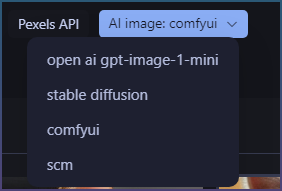
Select the ‘AI image’ chip.
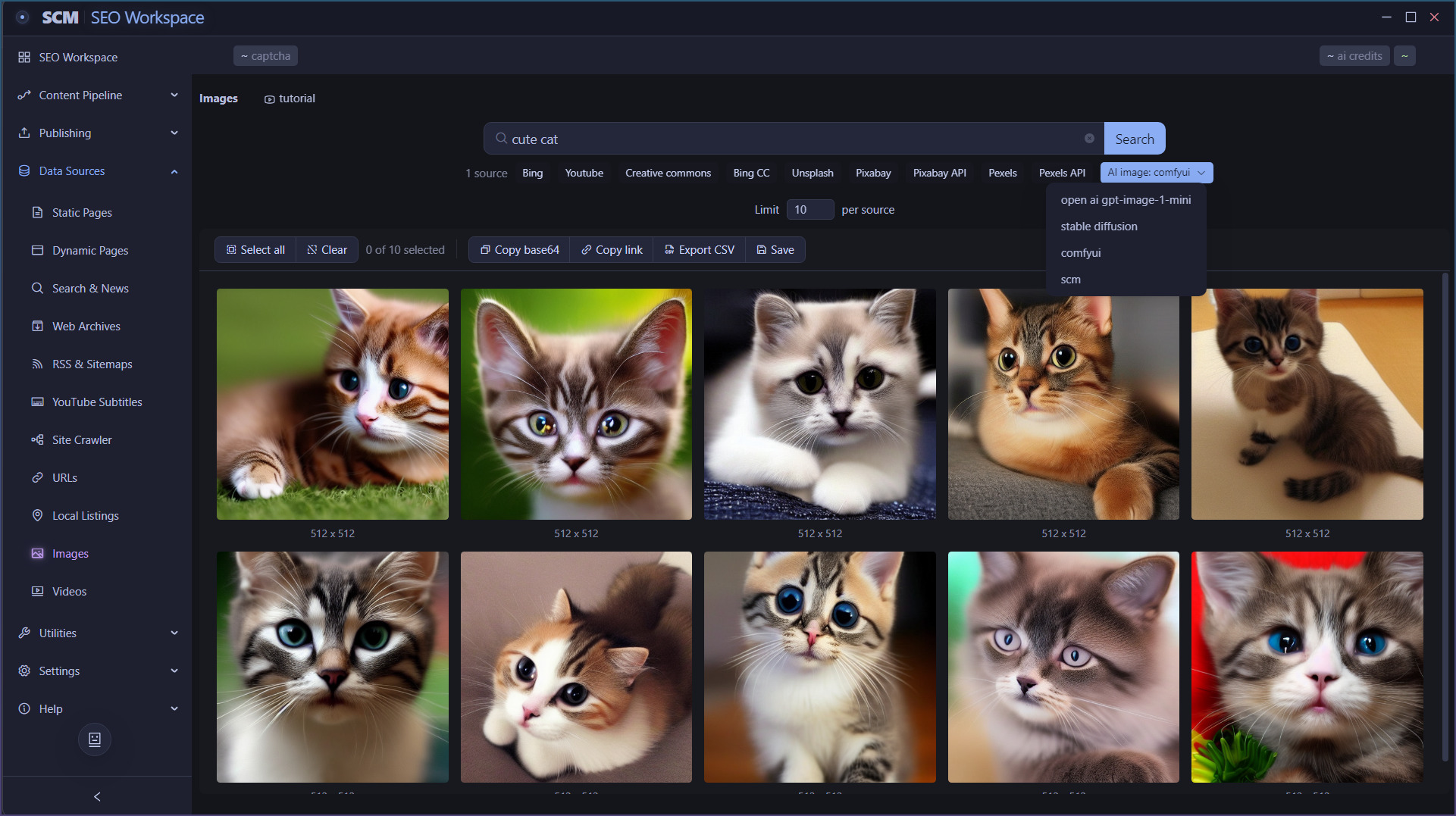
Select ComfyUI from the dropdown.
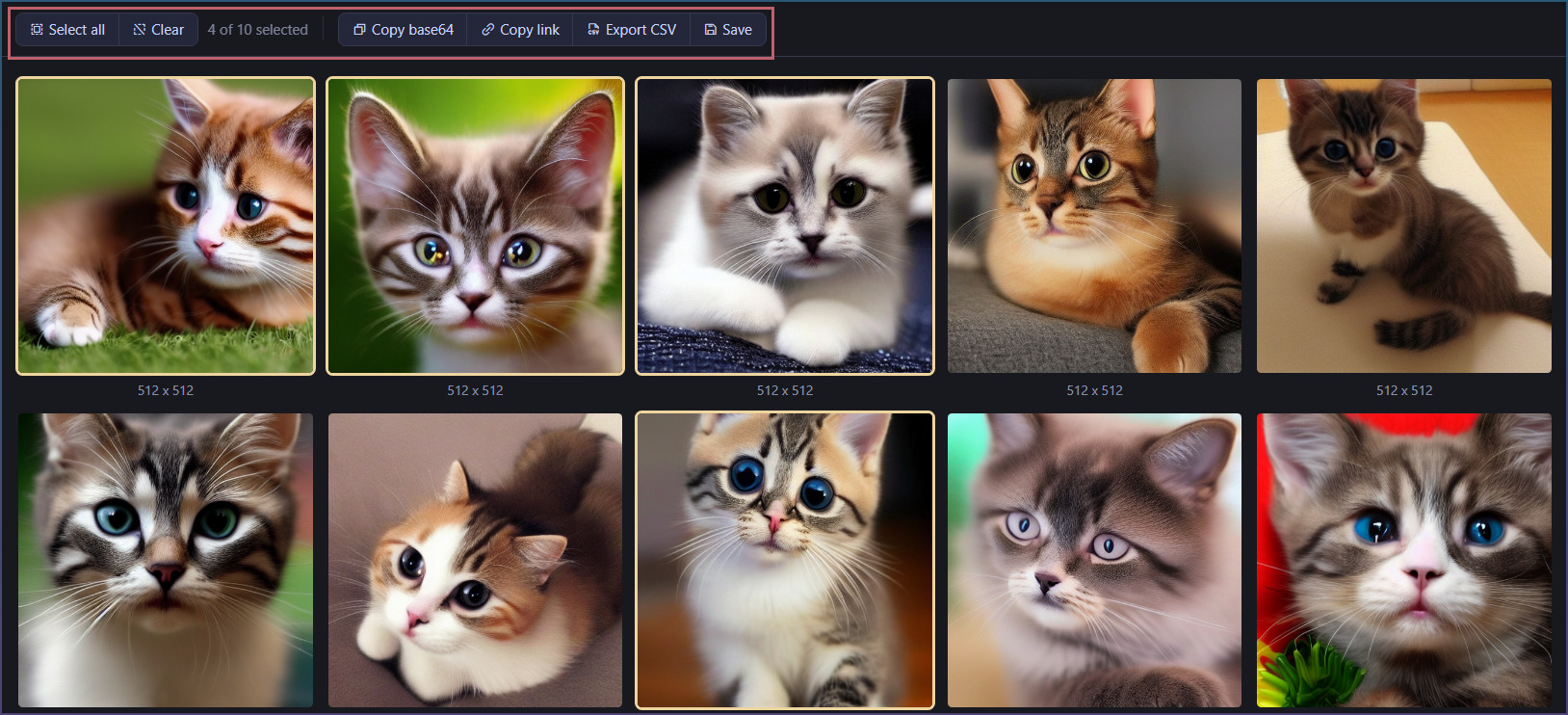
Type a search and press enter. Results appear below with full select and export controls.
Want to try ComfyUI in SEO Content Machine? Start SEO Content Machine free trial
How to use ComfyUI to generate article images in bulk
Page pipeline > Inserts > Image
Enable AI image and select ComfyUI.
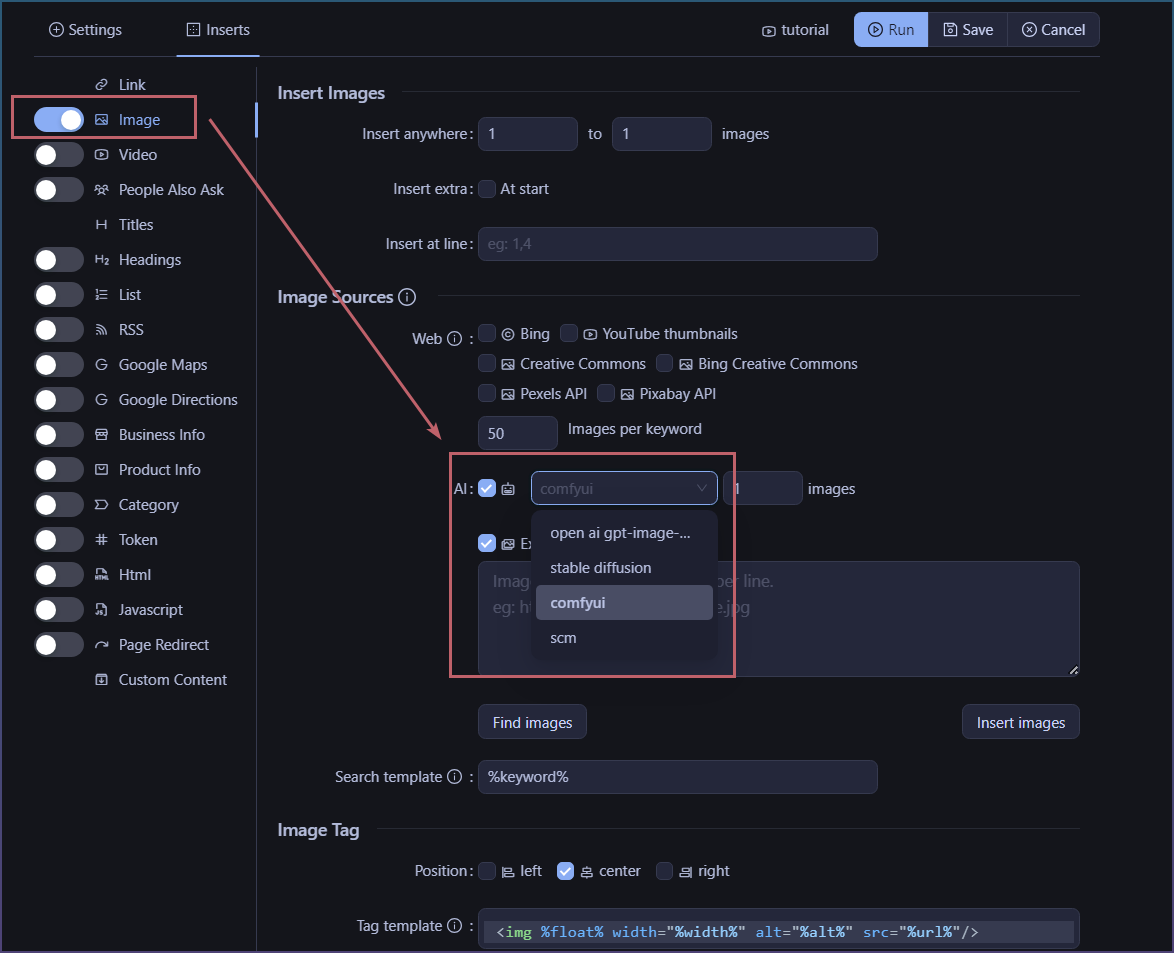
Now every page the pipeline writes gets its images from your own machine.
Watch the ComfyUI window while it runs. If a prompt fails there, the SCM log shows the node error.