The SEO workspace & Agent workflow I wish existed (So I'm building it)

Current state of things:

  • We have topic clustering, but no real repeatable system. Also not very actionable as I start adding new data connectors
  • After I added the extra data connectors, Site data (crawl results, GSC rankings) sits in silos, disconnected from content planning

The problem

  • Keyword tools give flat lists, no context about what a site already ranks for
  • GSC data and site audits live in separate tools, forcing manual cross-referencing
  • No feedback loop between “what I have” and “what to build next”

The what to do now?

  • If you are not a SEO strategist, its hard to know how to stitch data sources together
  • Running a site scan, importing GSC, and building clusters requires 3 different tools and expertise
  • Every project starts from scratch. No guided workflow, no memory of where you left off

The idea

New system approach

  • AI-guided workflow with a finite state machine, the system knows what data you have and what to do next
  • Three data layers combined: site crawl + GSC rankings + autocomplete/SERP expansion

This is important

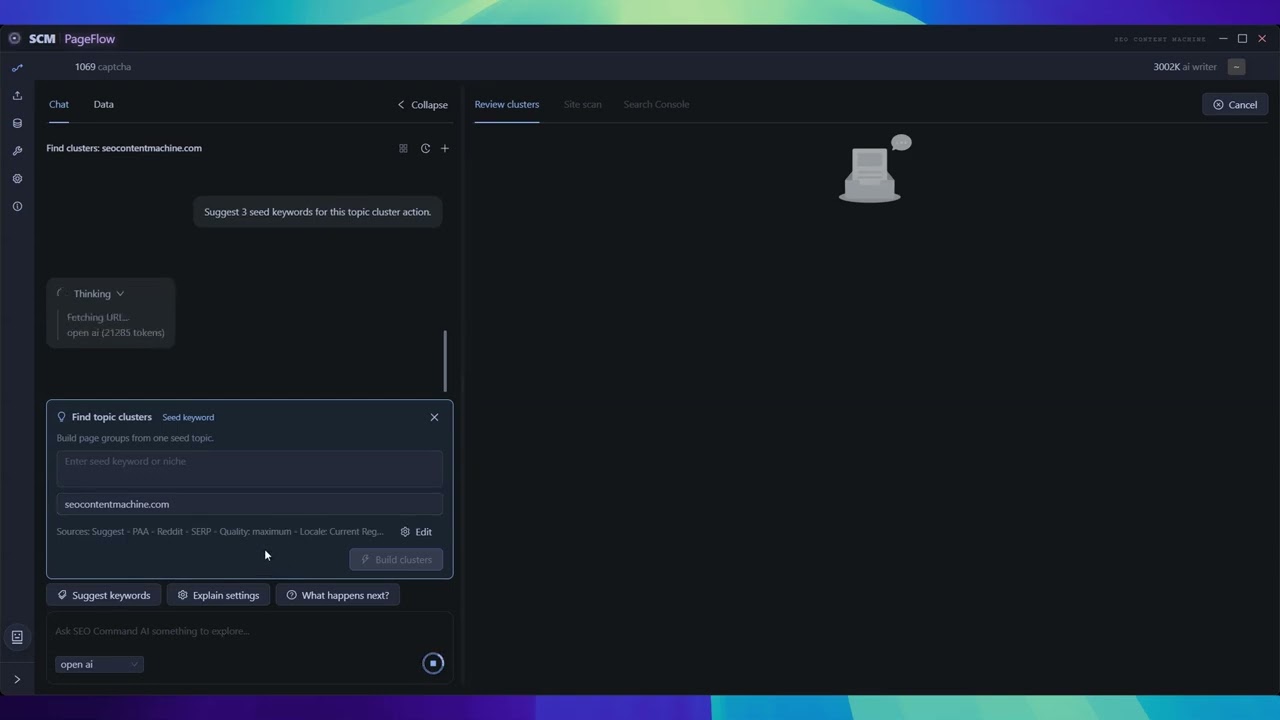
Chat-driven interface: AI suggests next action based on actual project state, not generic advice

The problem with SCM UI is that its all buttons and labels, its hard to know ‘what to press next’ or how does this help?

But we can combine AI to sit on top of it.

An AI first driven user experience

This is easy to figure out where you should start.
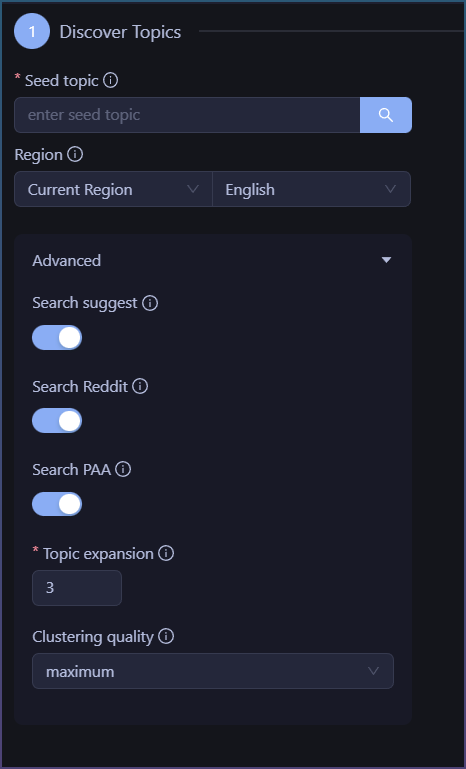
Just input a word and press the button.

The bigger problem is it doesn’t tell you WHY you should do that.

The problem is compounded when later I add new tools like gsc import, site scan.

The question then becomes which tool should I use?

Which unless you are a seasoned seo pro, you probably don’t know where to start at.


Now we have this:
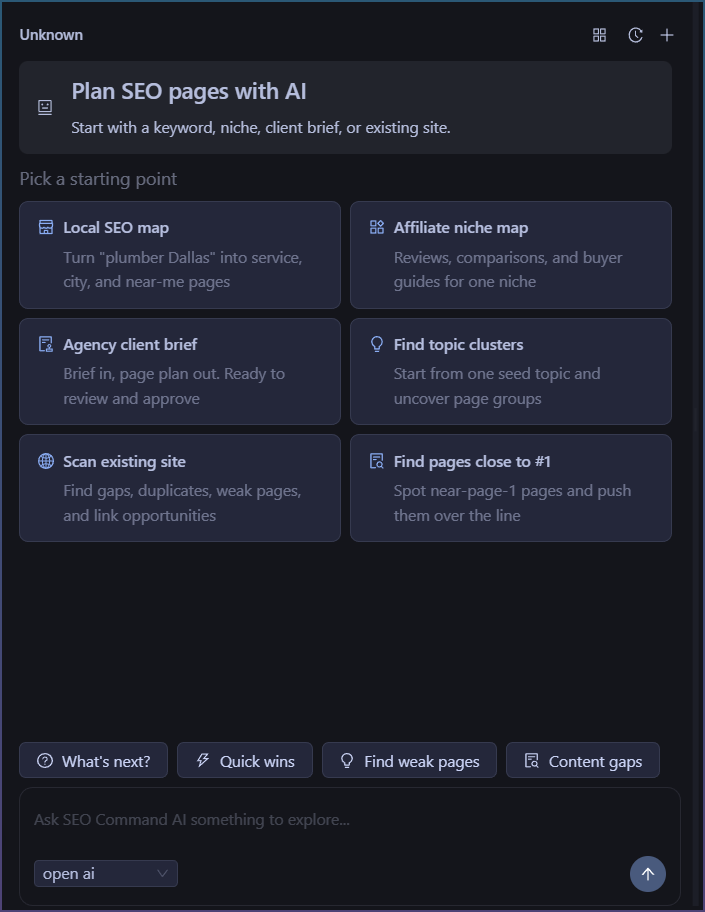
You don’'t need to know upfront the UI, you start with your desired goal!

Future implications

  • AI first driven UI, with all data in one pool, it is very easy now to get real insights by asking AI.
  • The chat window means you can ask it to ‘suggest keywords’ and it can do it properly without guessing as you tell it your website etc
  • Turn 3 large data dumps of topic clusters + gsc data + site scan data into actual actionable advice by having an LLM read all the data and synthesize it for you into action plans.

This is a completely different UX model to what we ever had in SCM.

Although there has been an AI chat window always, it was a go at it yourself tool.

But now we marry AI chat + site data, so you can finally ask it real questions like ‘what is #1 traffic page for this month’

Even if you are not an seo expert, the tool will guide and hold your hand. Best of all it can give you actionable advice.

This also isn’t a one and done ai writing tool, the chat has memory and you can ask it multiple follow up questions and it remembers.

If you have played with agentic coding tools, this is future of this tool, plan, write, call scm tools, all with normal written language.

Even now it is capable of fetching pages, doing searches and using a Web browser but I imagine a future where the llm can start calling scm tools like WordPress poster to upload and event edit content.
3 Likes

This looks great…thank you !!!

1 Like

As I started working more on this, I realized that the basic AI + Data integration although nice, was lacking.

Specifically, I realized I wanted the AI to do more than a 1 shot piece of advice.

What I started with

The AI can suggest actions to bring information into the workspace.

Ie, Click ‘‘help me’’ and AI says, to get started try GSC Import or Cluster Tool.

So its like a really smart workflow wizard! Nice, but it stops there.

Then I realized what I wanted was something … Agentic. Ie it can shuffle me through the process and tell me why along the way.

What its turning into

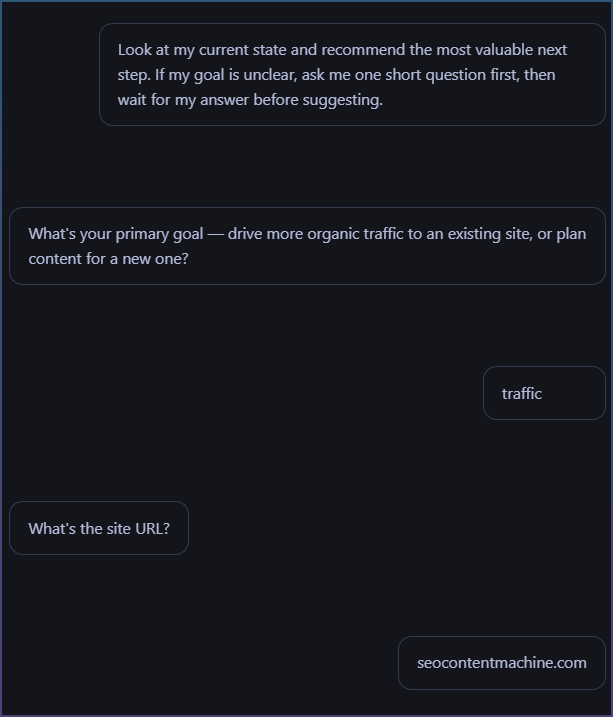
So after more tweaking the AI now does this.

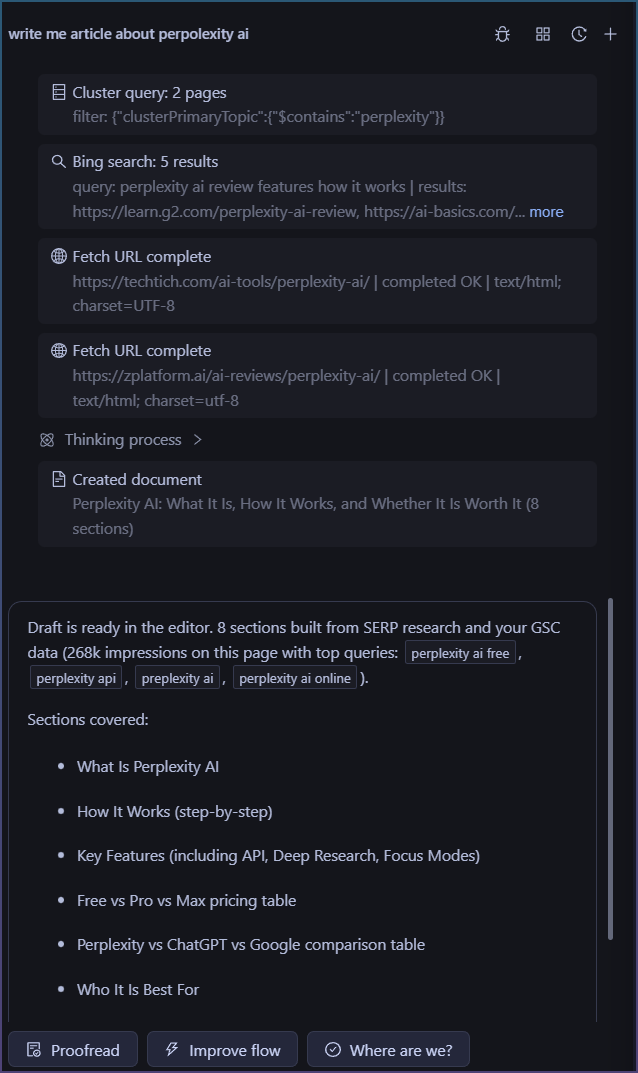
So its able to query me on my site and my goals.

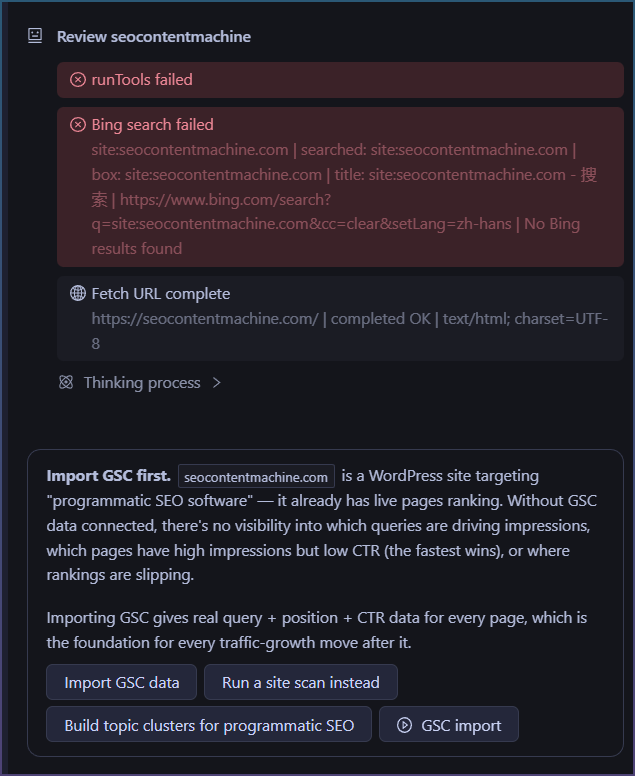
Then it actual goes online and fetches my site and then tells me what to do!

Notice I didn’t have to tell it first.

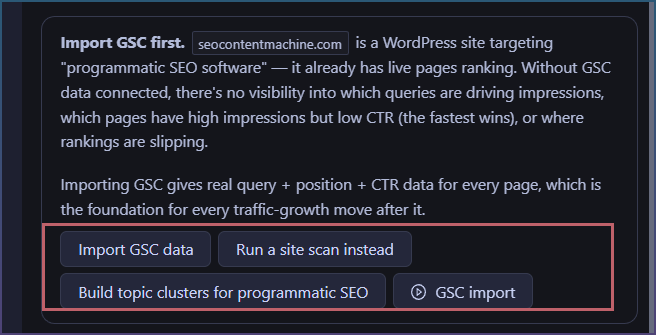
It also didn’t try to give me generic SEO advice, about importing GSC etc.

It took my info, then ran tools to give me a reasoned answer.

Then the most cool part.

Importing GSC gives real query + position + CTR data for every page, which is the foundation for every traffic-growth move after it.

Oh so it explains WHY I need to do what I want.

Why its different?

So previous, the AI was there to shuffle tools to you.

Import GSC, or run this Topic Cluster tool to get started.

But now the AI can reason, grab info it requires and then give you the next steps.

Notice how after the AI reply, it gives you next actions?

You just click on it. You don’t need to ask it.

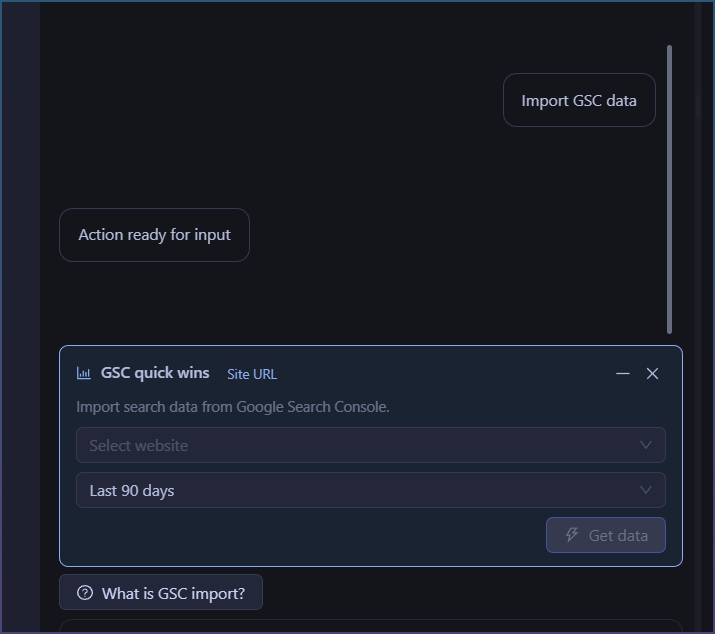
If I click '‘Import GSC data’ …

It now opens the correct action form.

What happens after I run the action?

Check it out!

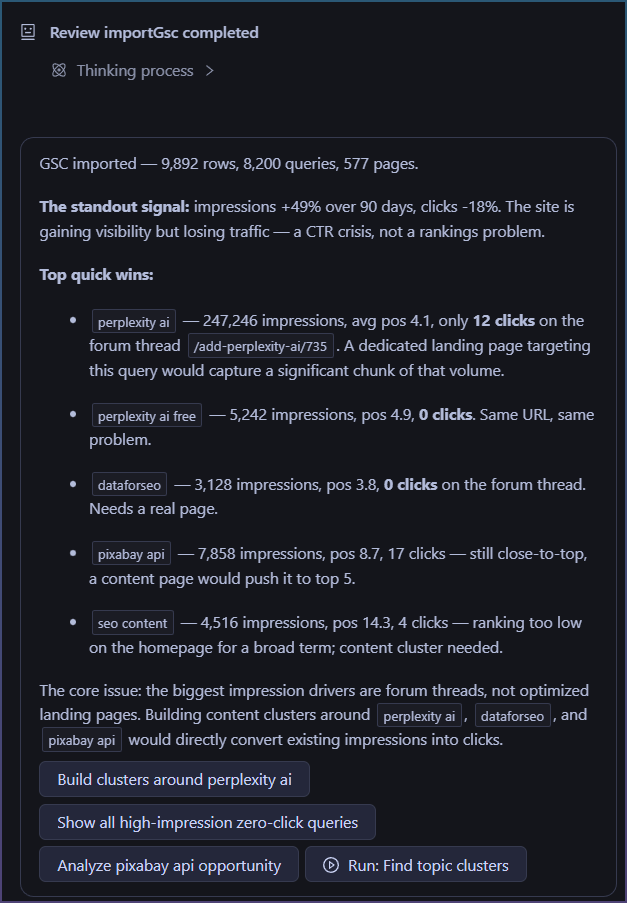
The AI responds automatically after the GSC import.

  • It tells me basic import stats
  • Already suggesting quick wins!
  • Then gives advice at the bottom.
  • Then gives you the NEXT steps to take. This is powerful. Do I want to start with ''building clusters around perplexity ai?"

Now this is more than basic AI report, blip bloop. Its actions you can take.

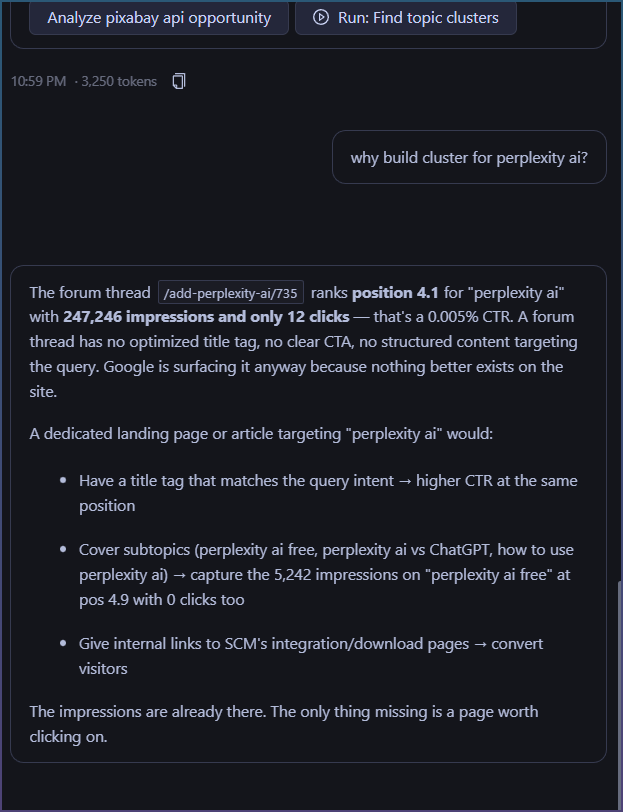
If you want to know why, you can ask it too.

Did you notice something?

Most AI tools are, send message => AI answers
Next message AI forgot what you asked, starts new.

Here the AI has memory "“context” and you can continue with basic queries.

What is next?

So the build was basic AI over reporting, now its transforming into AI + Tools + Memory, so this thing can actually do some real step by step work with you.

The power isn’t that the AI can write suggestions for you, rather its that the process is wrapped in 1 workflow.

During the whole exchange, I didn’t have to open my browser and copy paste html data for it, I didnt have to export and paste in GSC page data, I didn’t even have to think about “what the AI needs” to work.

One workflow. No copy-paste. The AI gets what it needs.

Now I am testing this workflow out more, finding gaps and moving onto a kind of collaborative doc editing for when you ask “write me an article” or “suggest edits to my current page”

Coming next…

Something interesting I ran into while working the SEO Agent.

The Agent was missing some data to draft article.

It replied with.

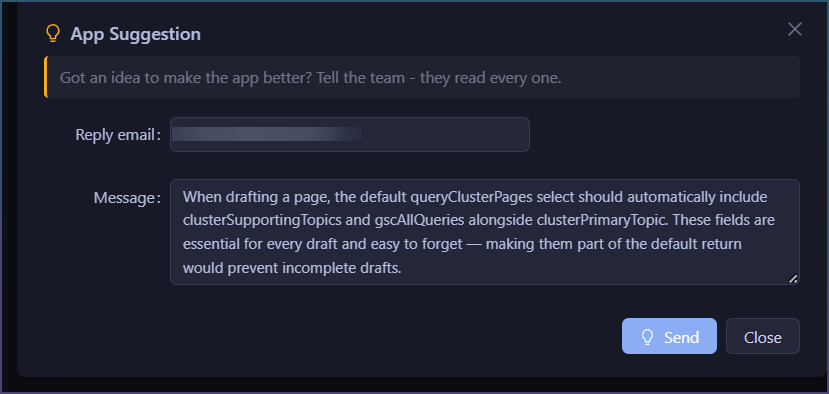
The cleanest fix is a tool-level default: add clusterSupportingTopics and gscAllQueries to the default select fields returned by queryClusterPages when no select is specified. That way the data is always in the response without anyone needing to remember to ask for it.

Want me to flag that as a product suggestion to the SCM team?

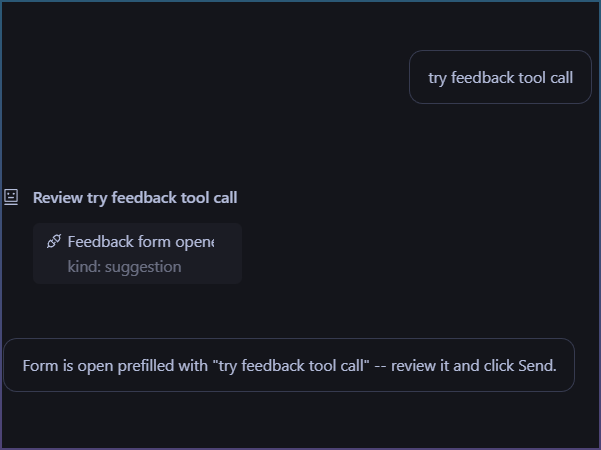
I then realized, the agent doesn’'t actually have a way to send product suggestions.

So I added it!

That is the interesting thing about working with LLM, you can ask it to sort of debug itself when something doesn’t work.

Why it takes so long to build an SEO Agentic system

Its been almost a week and I haven’t shipped any code yet.

Most of it is due to scope creep, you just find something new that can be done better once you have the tool in your hand.

Eg, I designed topic cluster and stuck AI chat to it. But discovered you need to give AI access to information on the table for basic reporting and advice. Then I realized, actually it needs tool access like fetch your page urls or opening search browser so it can give even BETTER advice.

However this is what I learned.

The LLM you use is not the real secret to it working.

In fact you can substitute it with any decent AI model.

The problem is the tools, data and workflow you design around it that makes the system work well or not.

Problem 1 - Data sync

Data sync, it takes some trial and error to decide what the AI can see and what you can see.

Ditto if you let the user change the data, then want the AI to read those changes.

But double the work now if you want the AI to read and write the data, and the user to do the same and have it all in sync, without the UI going stale or the AI context going stale.

Typical issue.

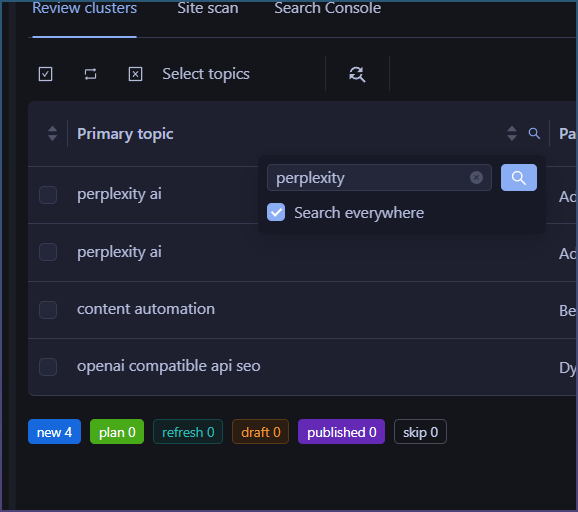
I filter table to show perplexity rows.

But then AI didn’t have access to filters and rows, so it doesn’t know what I see.

So I can’t ask it ‘give me advice on the rows in see in cluster table’

Then later, if you want to ask AI to ‘show me rows with pexels as a topic’ you need to give it same tools to be able to do that.

Seems basic, but keeping things in sync is a pitfall.

Problem 2 - Tool growth.

The more useful you want the AI to be, the more actions and tools you need to give it.

Basic stuff like searching the web and fetching urls

Why?

If you ask it to ‘draft an article about xxx’’

Instead of relying on AI own training data and making stuff up, we give it tools.

Ideally the AI does something like this:

Even to get to this part where it can synthesize data from multiple sources requires giving it tools AND also telling it to use them.

This is the magic of an agent though, so lots of extra time polishing it. AI chat is cool and all, but a AI that can loop and achieve a goal is GOLD.

Problem 3 - Logistics

Most of this covers behind the scenes stuff.

You don’t actually know how much things you need to build for an agent to be “smart” and not dumb.

  • Things like handling context size and auto compaction
  • Giving it a project “rules” so that you can lay down basic things like “use this tone of voice”
  • A place for memory ie, where AI can take notes on things it does so that it can remember it months down the line
  • A prompt injection builder that gives the AI what it needs per prompt so it can both remember and also know what it can do within your system

Some status update on whats happening with the tool.

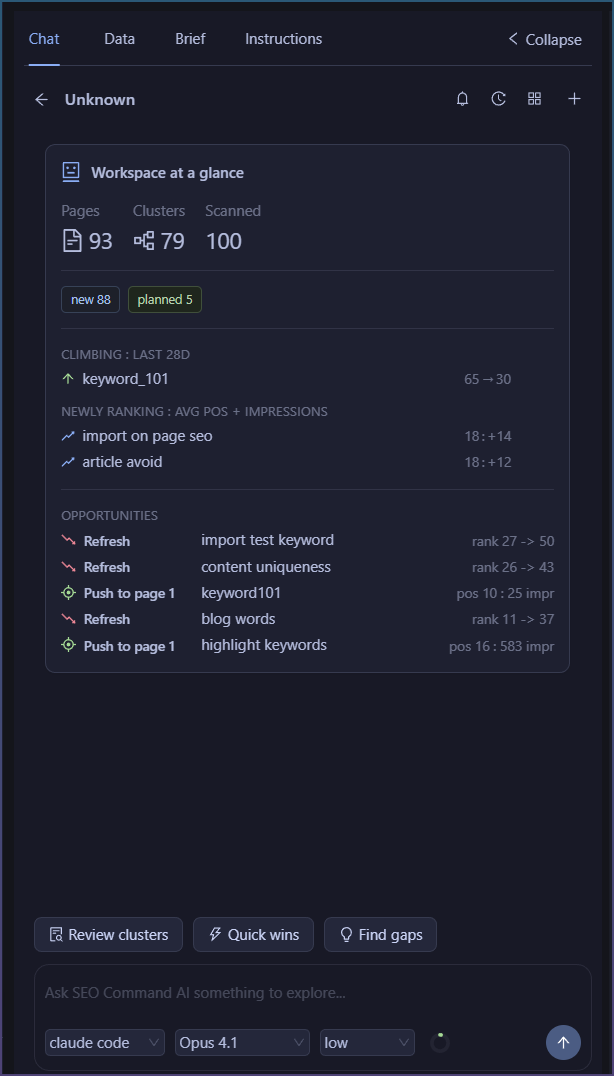
Added dashboard lite display once you connect GSC

At glance see what is ranking, and opportunities.

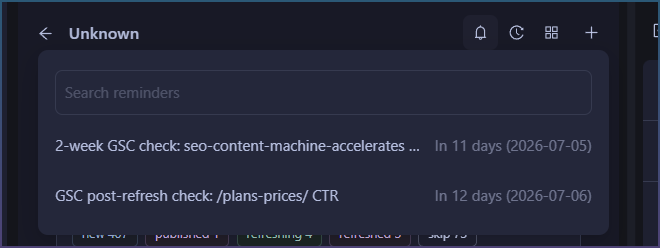
Added reminders

As you update and add content, you can set reminders.
Reminders are sent to Agent, so they can be prompted on due date to check up for you.

SEO Workspaces

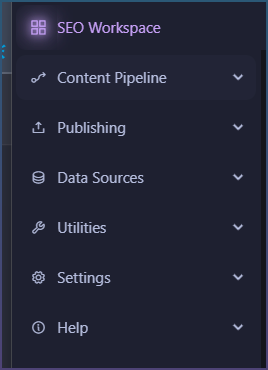
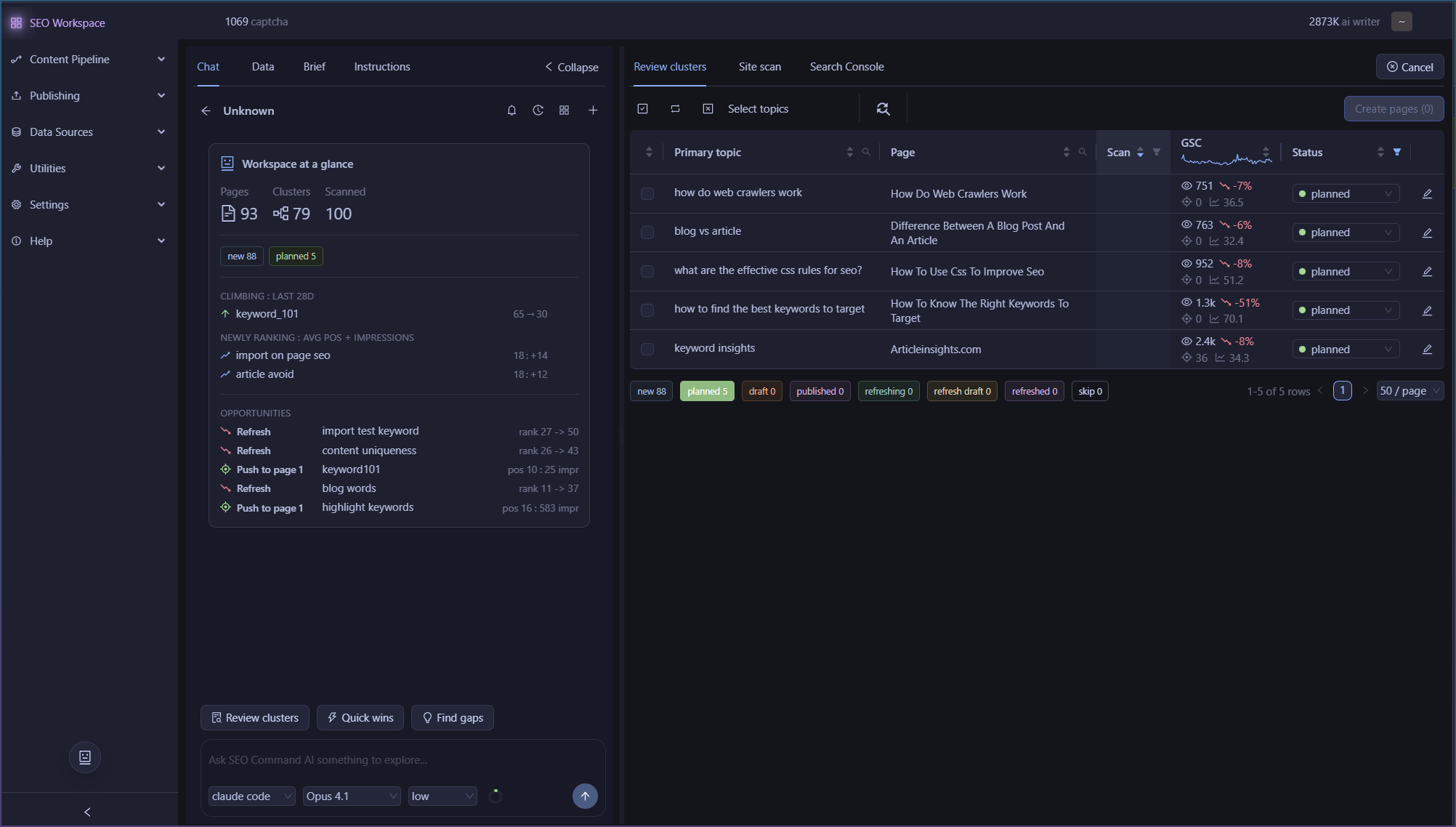
Topic cluster has been removed and now the entire UI is promoted to SEO Workspaces.

The workspace looks like this

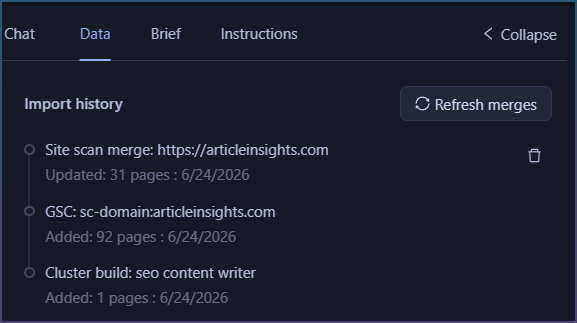
Exhaustive import history

See when you import or data merge happens.

There is delete so you can always undo a bad import.

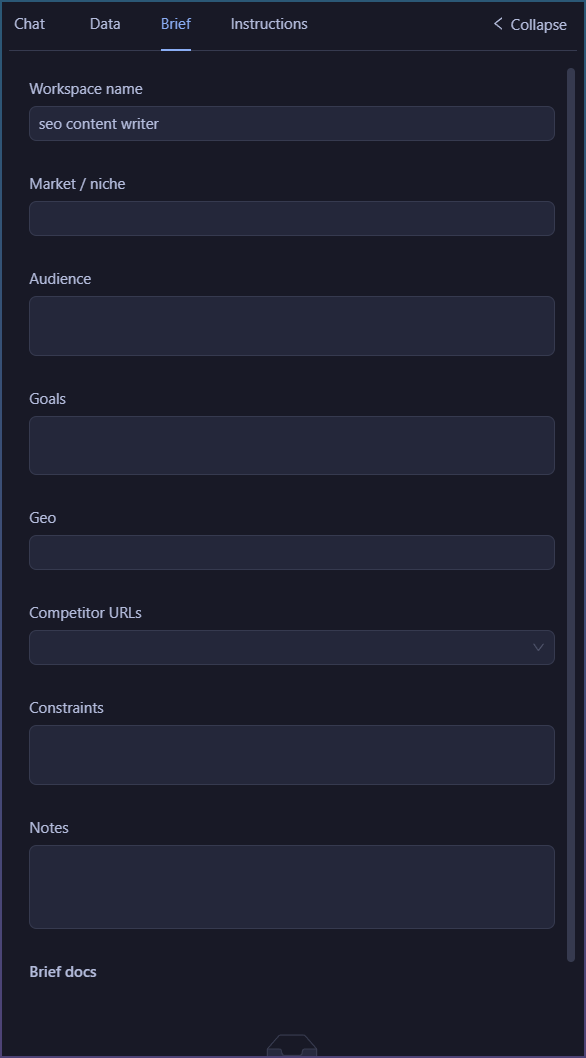
Briefs for Agency

Dedicated section for Agency type workflows.

The data you input here goes to the Agent automatically.

It means Agent chat doesn’t ever start cold, its primed with info from the brief.

Finally, I’m working on the last connector that goes from topic clusters => page pipeline to write bulk content.
This takes some extra attention as I need to give Agents access to AI templates and let them customize and create new ones!

Means I can ship 5 default ones, and the AI can tailor it specific to your topic.

Which solves that issue of 5 templates being too generic for everyone, but a great baseline to start from.

Quick updates.

Not really adding anymore features now.

Instead I’m taking 3 customer stories and battle testing scm against that.

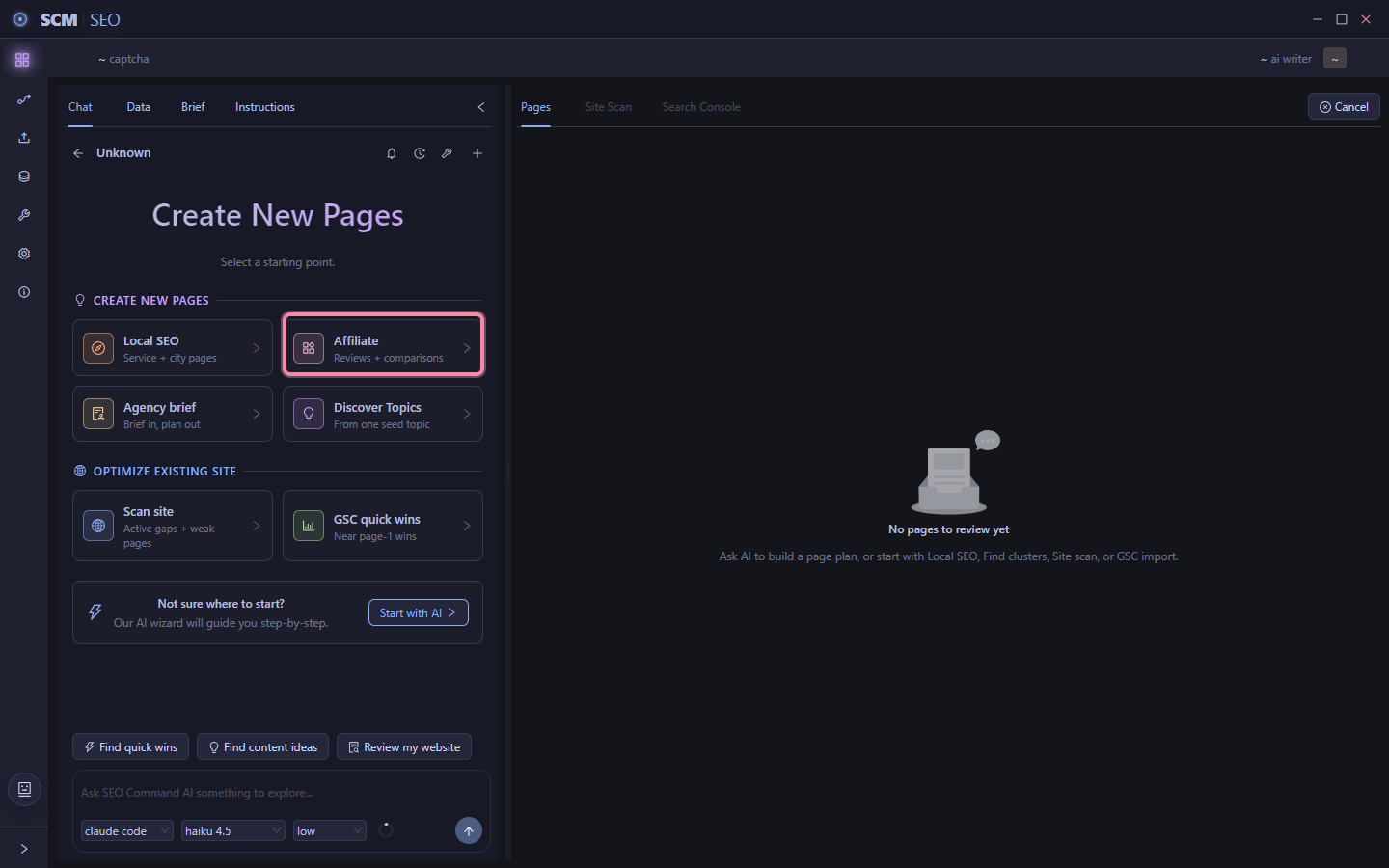
  1. Local seo
  2. Agency
  3. Affiliate marketer

On old parlance this is the user validation acceptance testing.

Instead of real users, I use chatgpt and get it to role-play.

So far some learnings are.

  1. Where possible some pathways can be finished without blocking on ai. Ie local seo can be done without any llm.
  2. Some other areas a llm makes life easier. Eg agency briefs, it’s easy for you to copy and paste in client req docs and have llm fill out the briefs form than for you to manually copy and paste it.
  3. Some technical jargon in ui is getting dropped, noticeably the idea of topic clusters will be less visible on the ui.
  4. A lot of the new ui flow will be less confusing and flow on with each other better.

So now is crushing bugs and refinement.
Affiliates - Niche in, 69 buyer topics out, test 1 page before you scale

If you’re running review and comparison sites off your own niches, this ones for you.

Whats always been the hard part with affiliate sites isn’t writing.

Its knowing where to even start.

You pick a niche and then what, 10 pages, 100 pages, which ones first?

This is the new SEO Workspace I built it so you just give it the niche and it hands you back an actual plan.

Eg, robot vacuum.

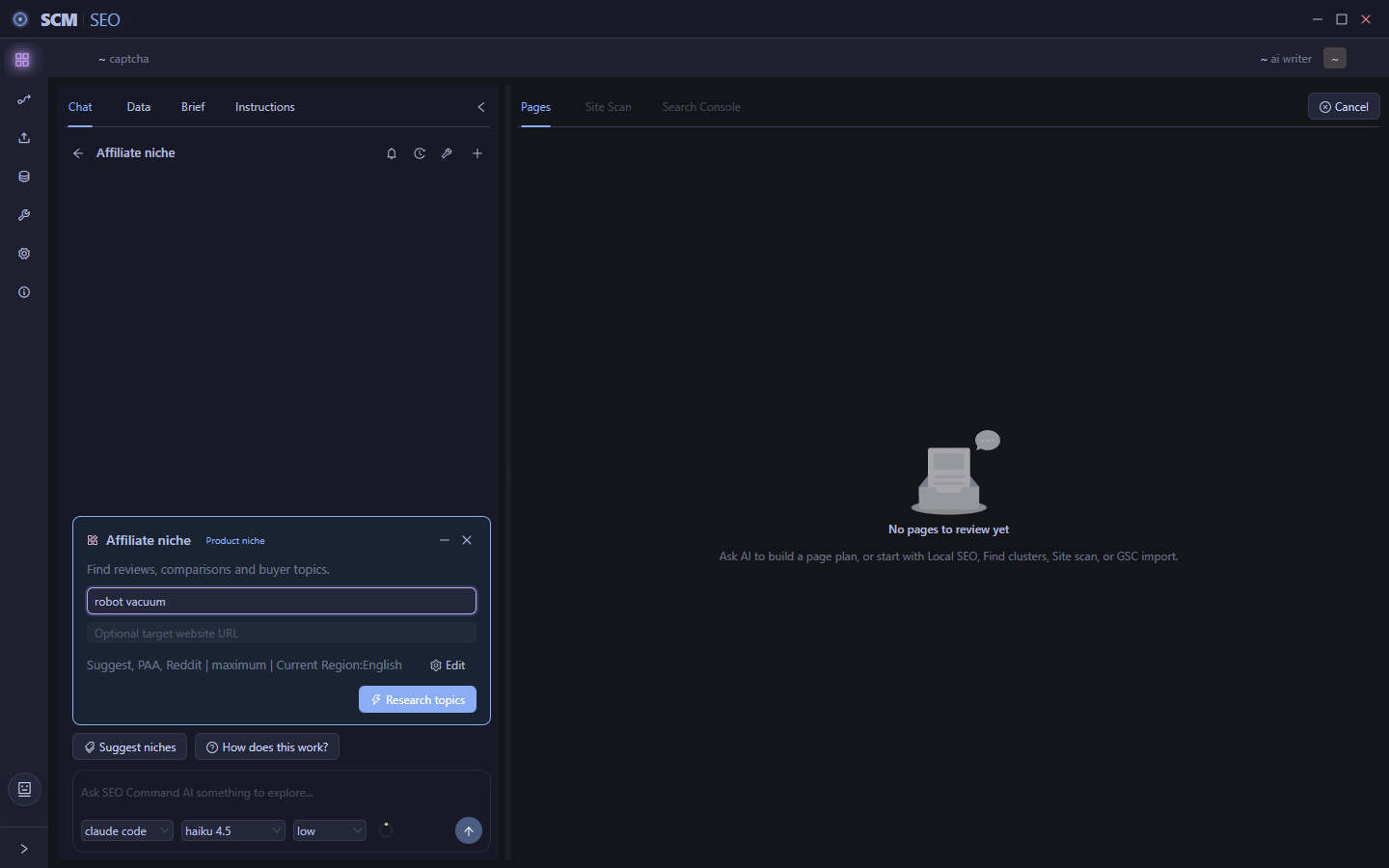
1. Pick Affiliate. Its built specifically for review and comparison sites.

2. Give it the niche. That’s it, that’s the whole input needed to unlock research.

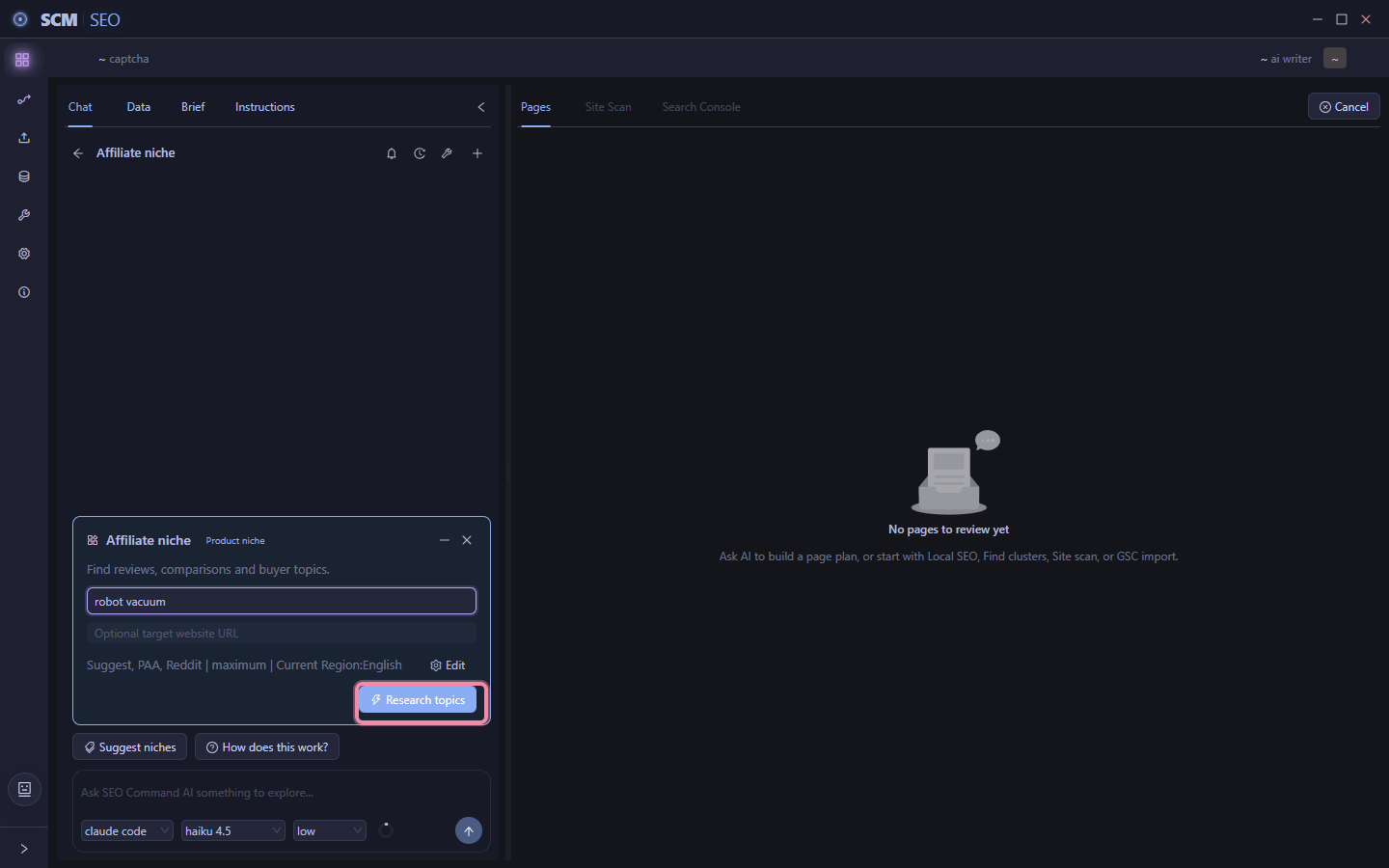
3. Let it research. Click research topics and it goes and finds what people actually search for.

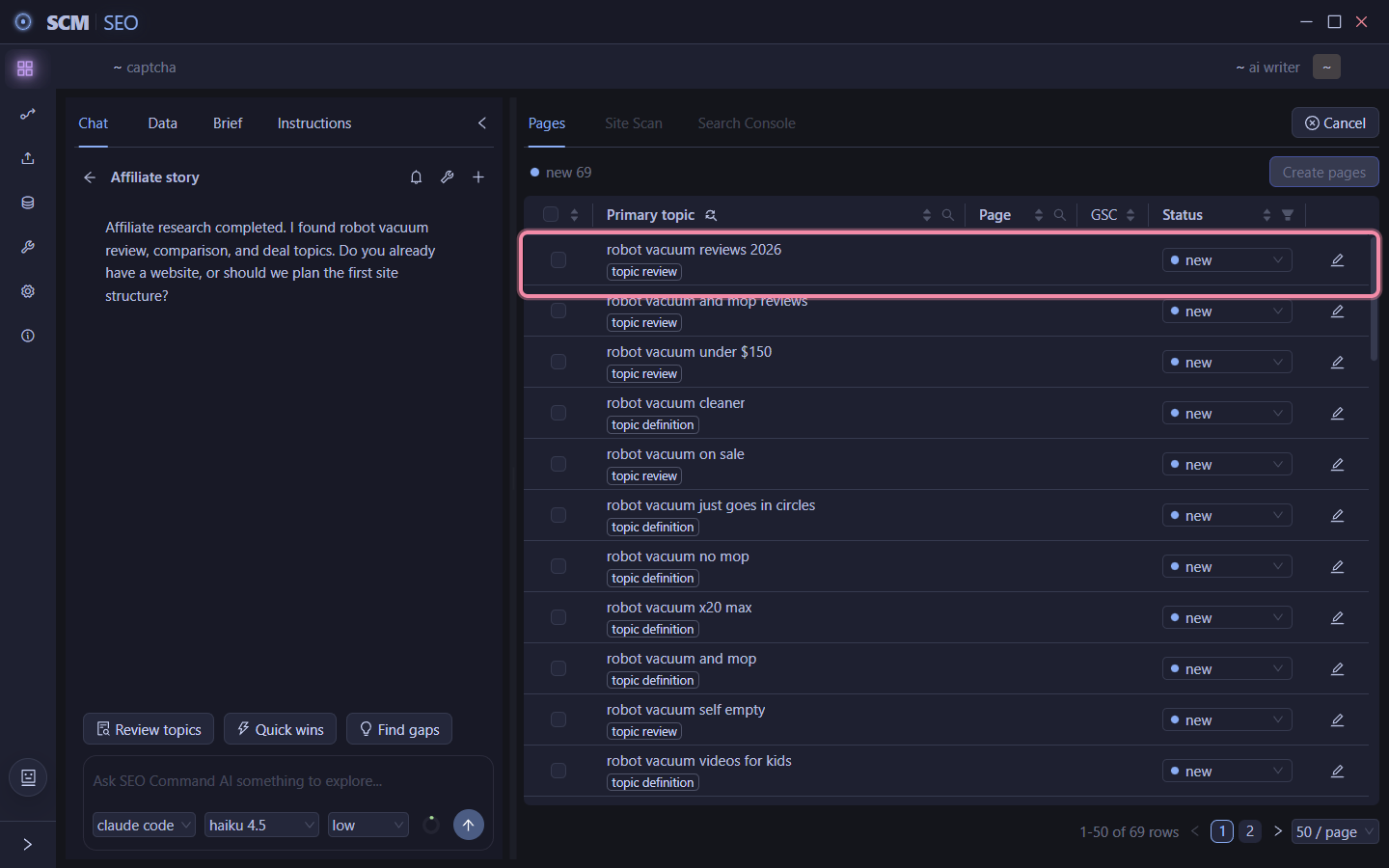
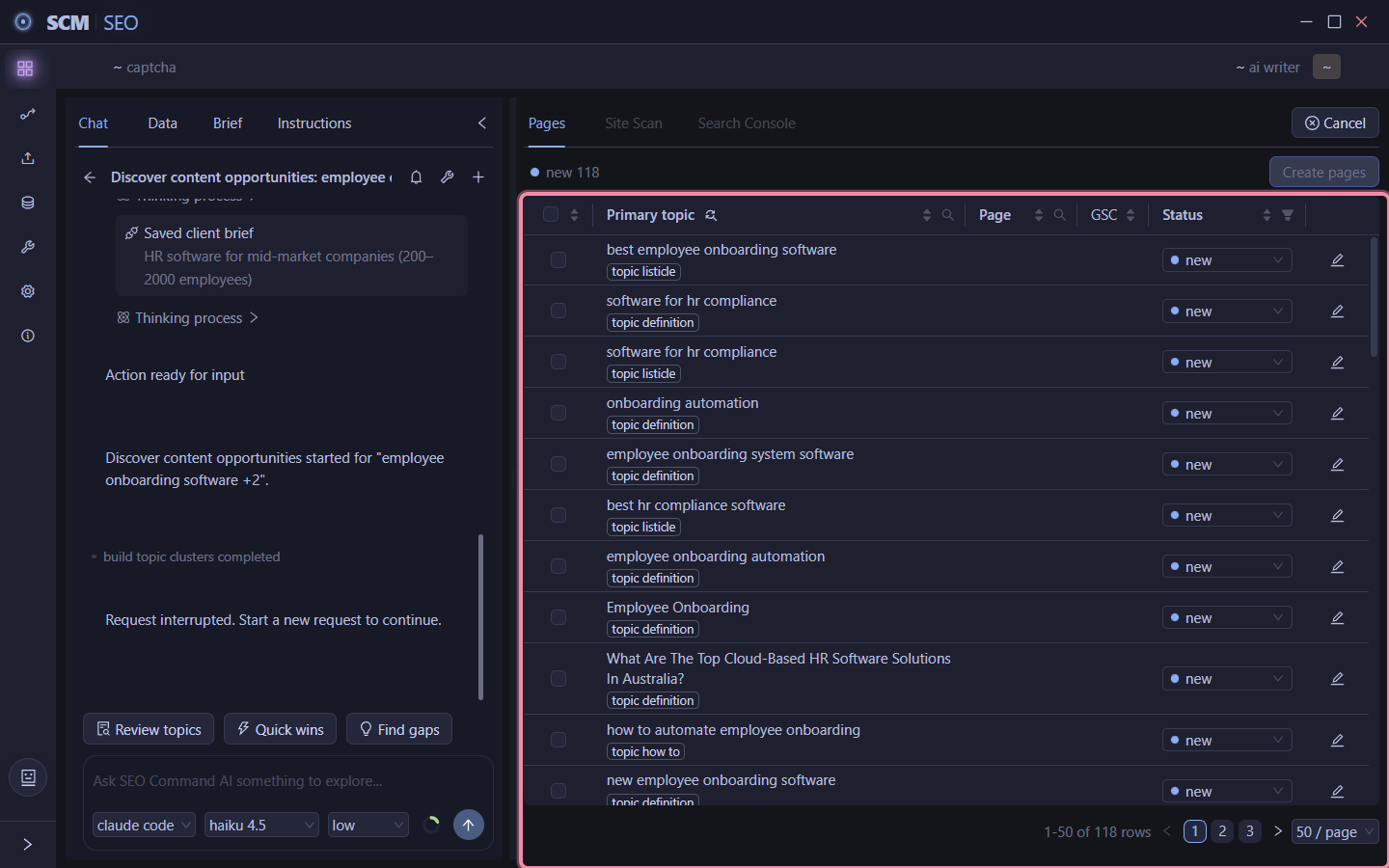
4. 69 topics come back. Real buyer queries, review stuff, comparison stuff, deal stuff. It asks if you already have a site or want it to figure out the structure for you.

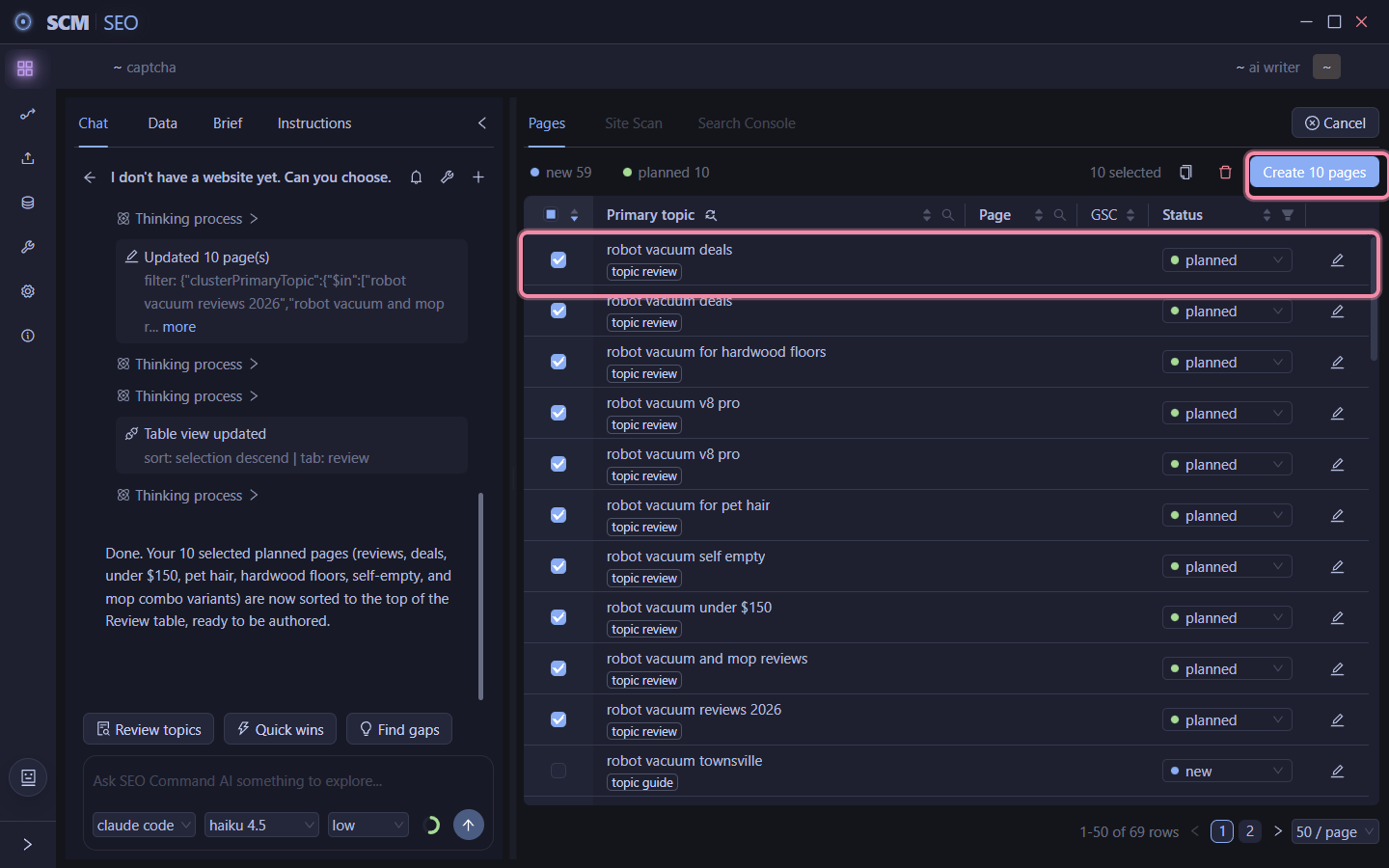
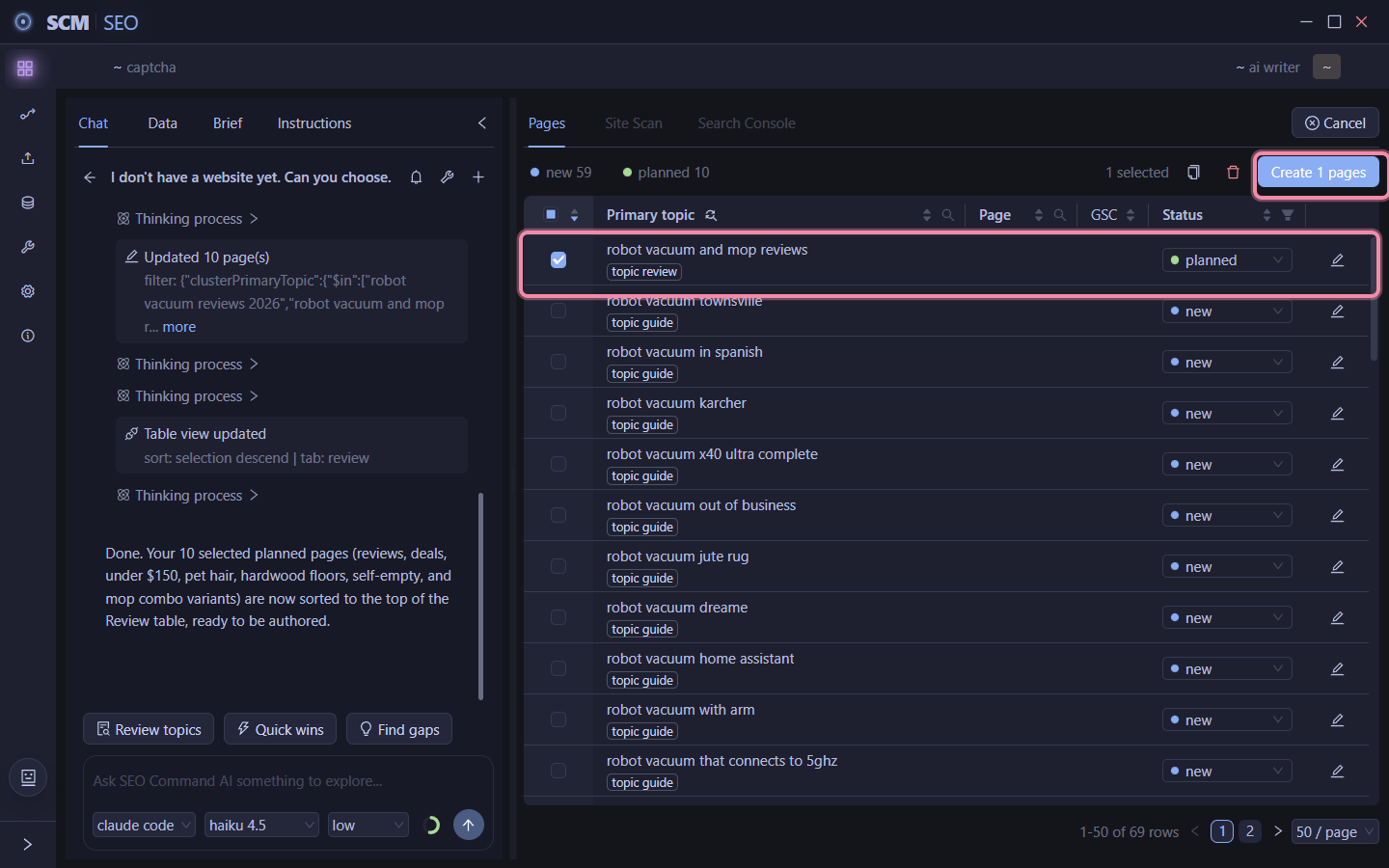
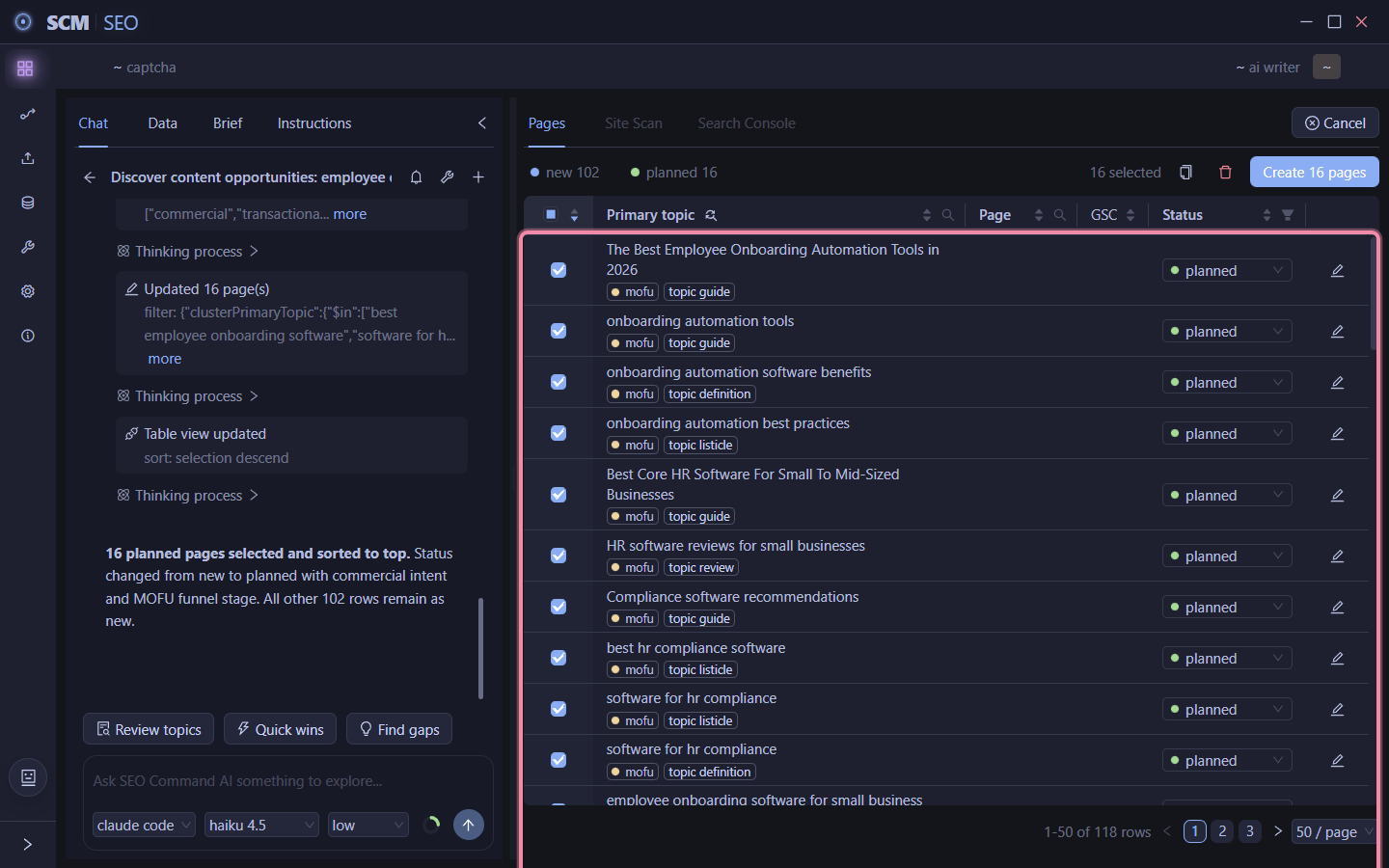
5. No site yet? Just tell it. It picks the first 10 worth building and sorts them to the top.

6. Test 1 before the batch. I always want to test 1 page before committing to a whole batch, so deselect the rest.

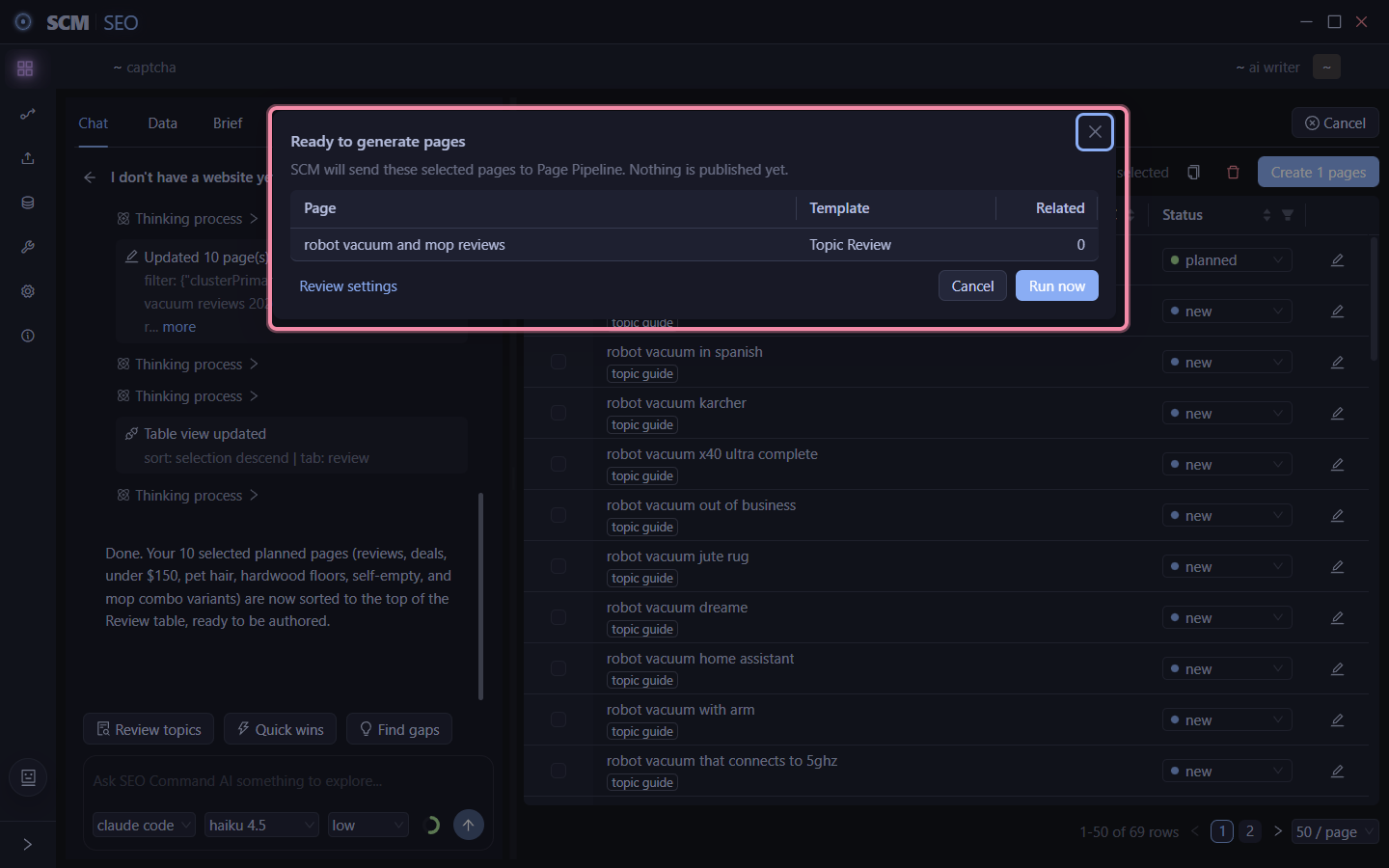
7. Create just that one. Now it only shows create 1 page. Click it, opens the draft dialog for that single page.

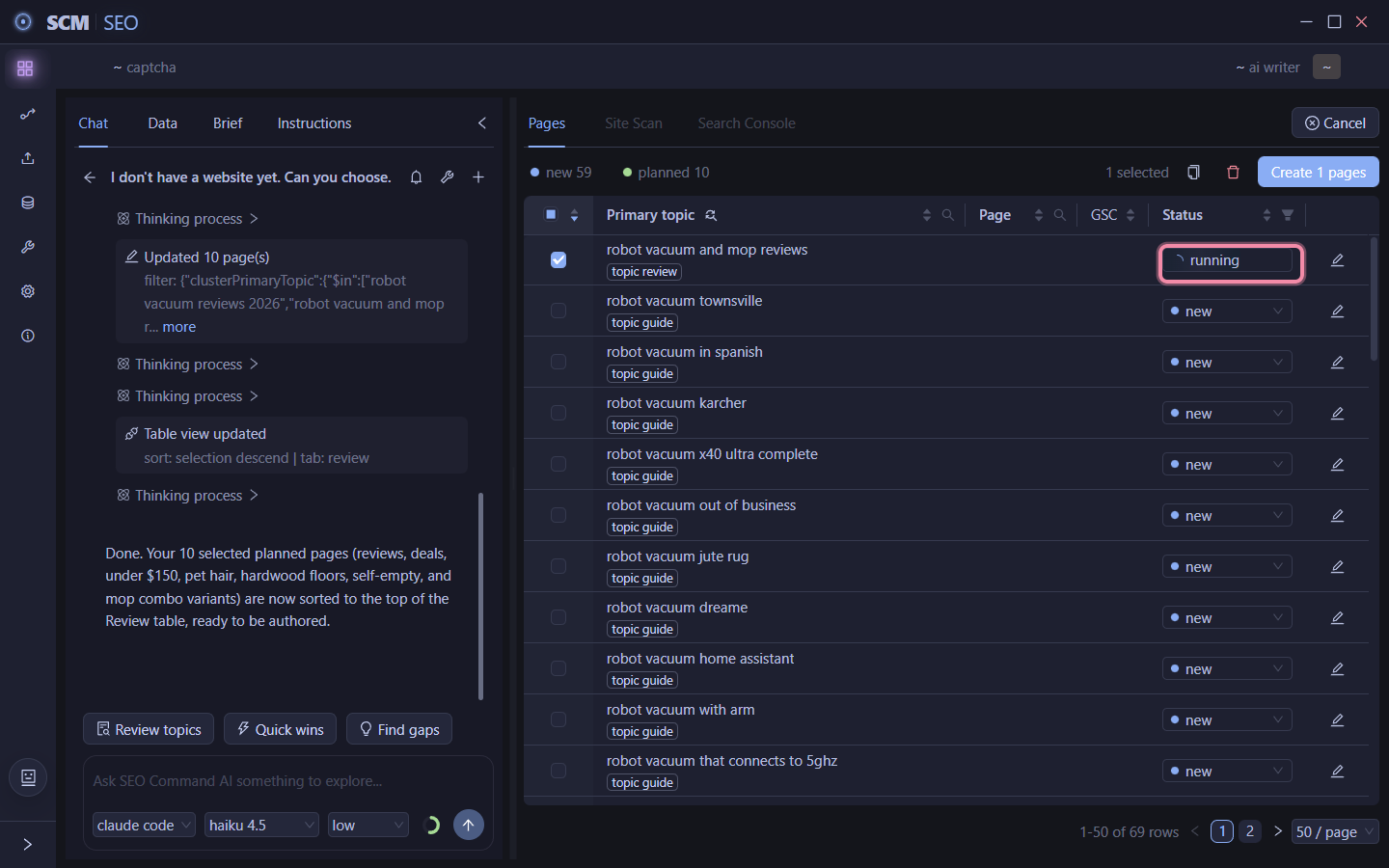
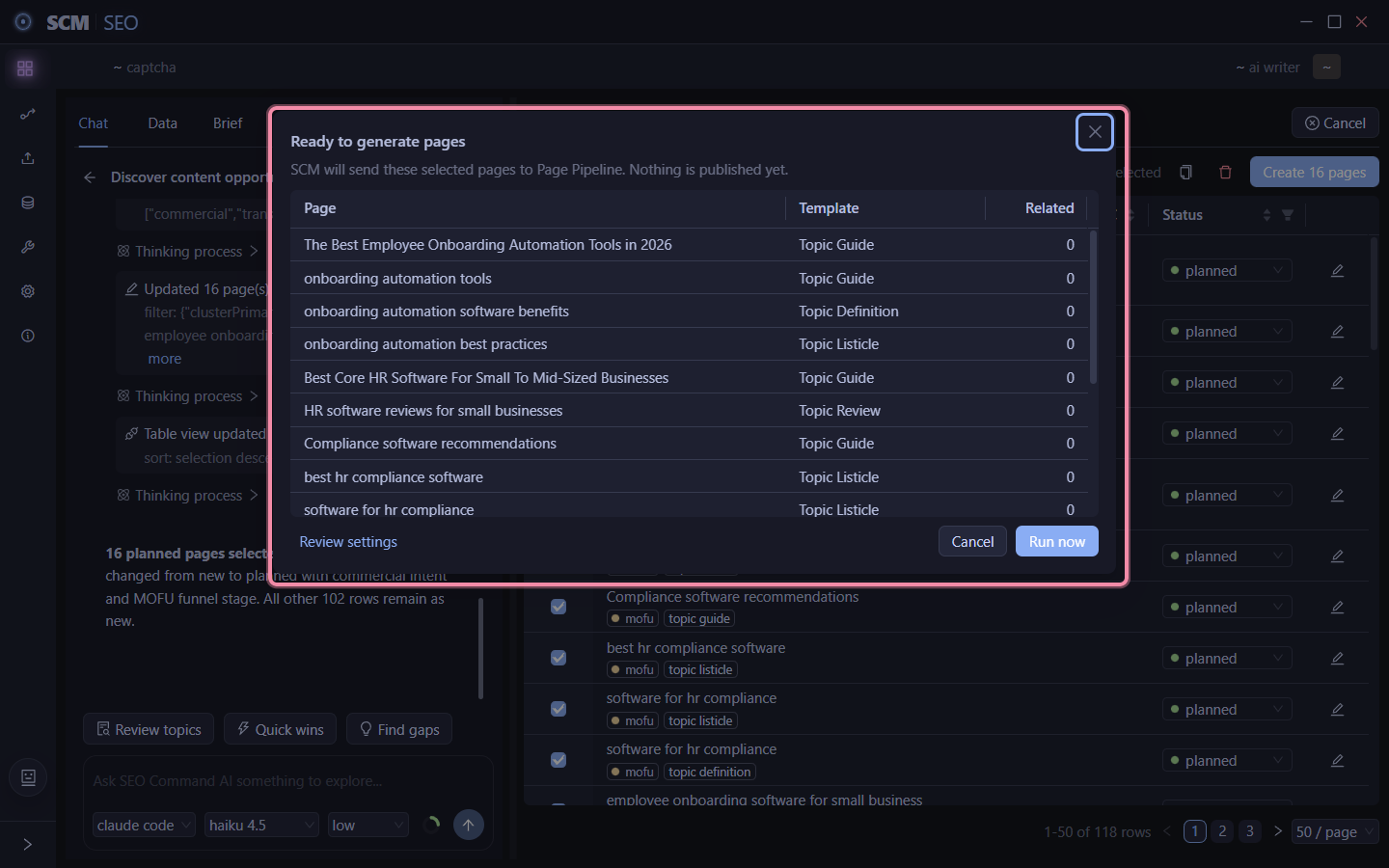
8. Run now. Nothing published, just a draft, watch it generate live.

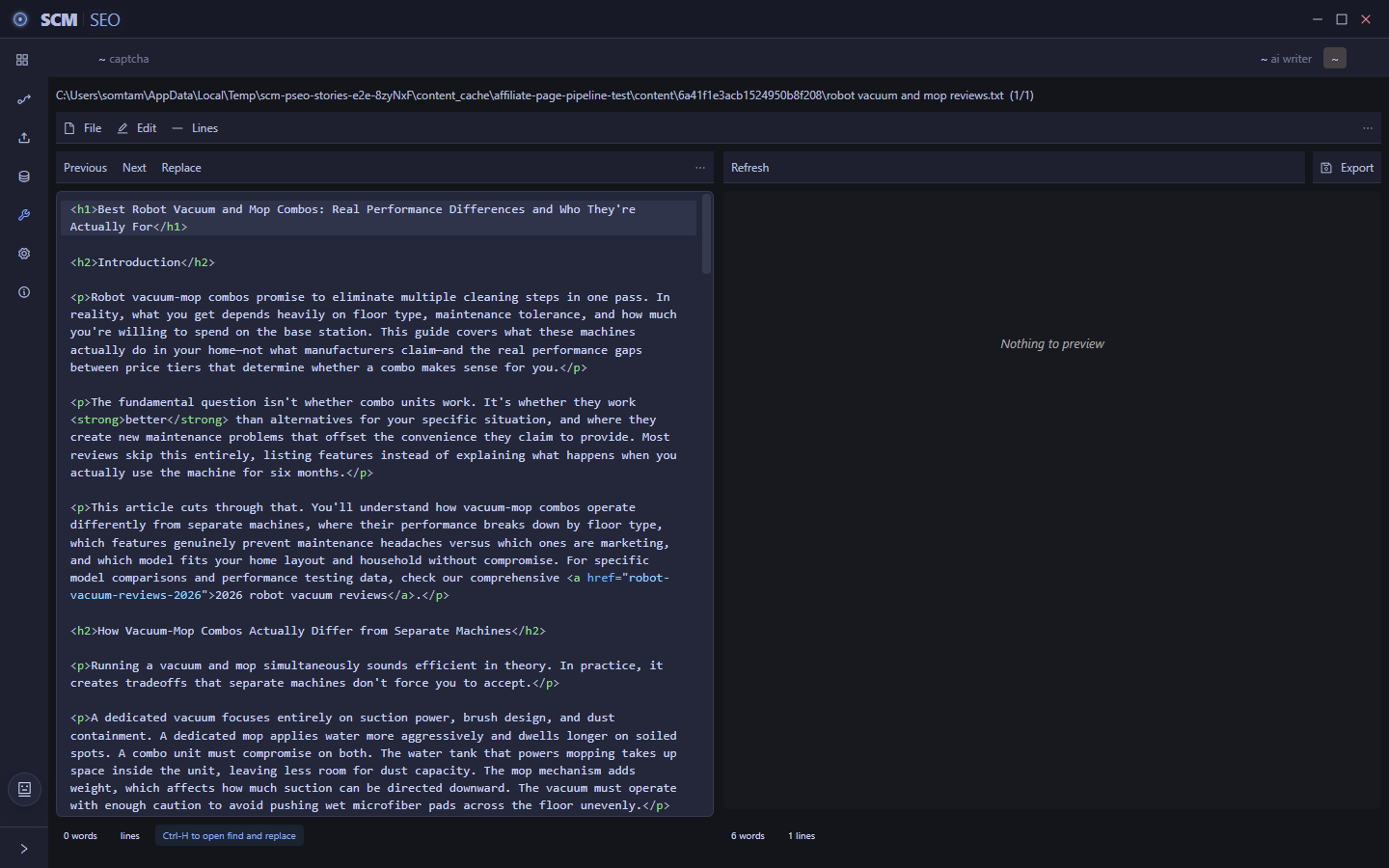
9. Read it before you scale. Open the finished draft and actually read it before you run the rest.

That’s niche in, 69 buyer topic ideas out, one real test draft to check before you run the other 9 or 68.

Curious how many niches you guys are actually running right now. And would you rather it plan the whole site up front or feed you pages in small batches like this?

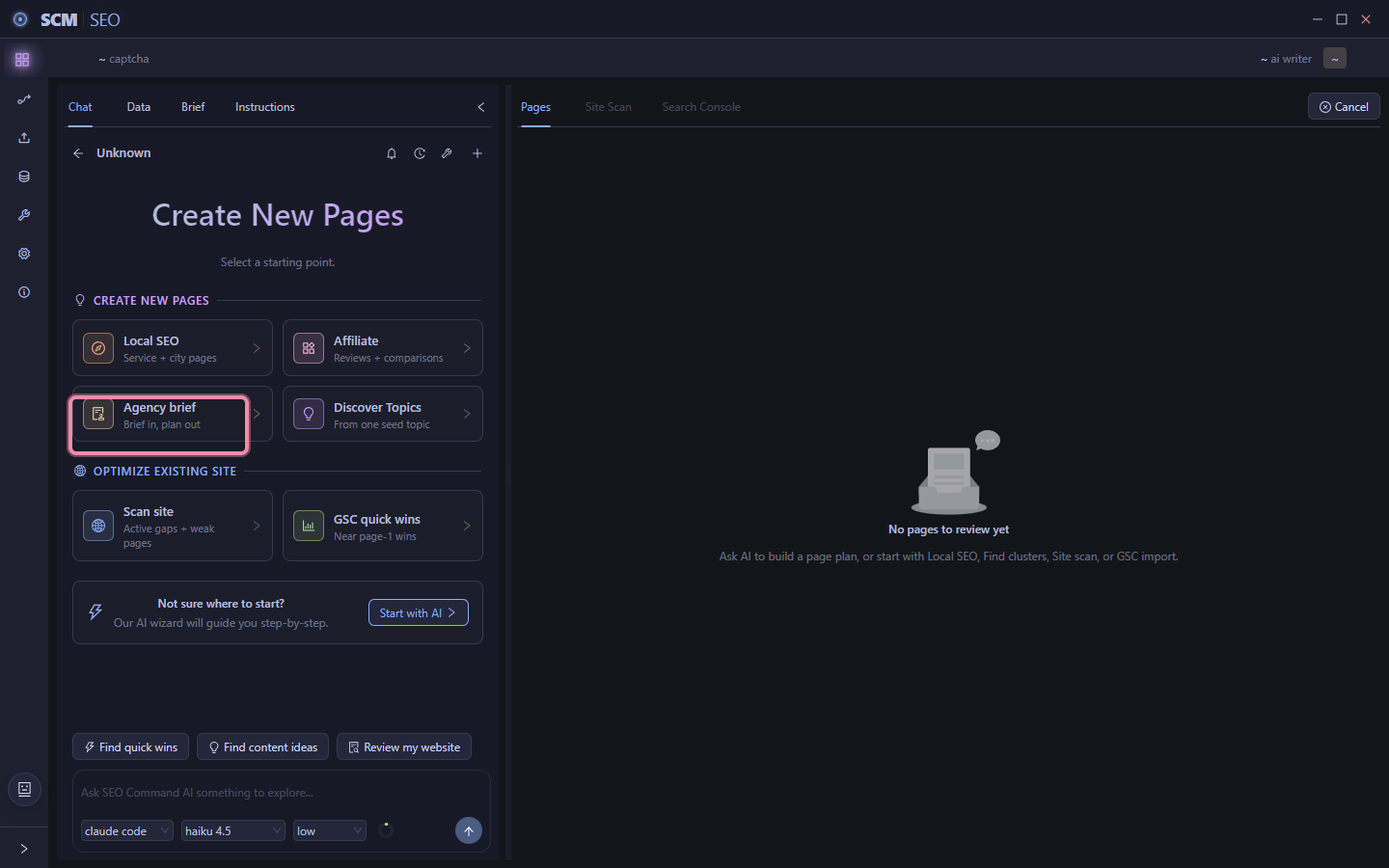
Agency - Client notes in, structured brief and content plan out, one conversation

If you’re running SEO for other peoples sites, this ones for you.

The annoying part of a new client isn’t the pages, its everything before the pages. Writing down their market, their audience, their competitors, then translating that into actual topics somebody has to sit down and think through.

So I built it so you describe a client ONCE and it does that translation for you.

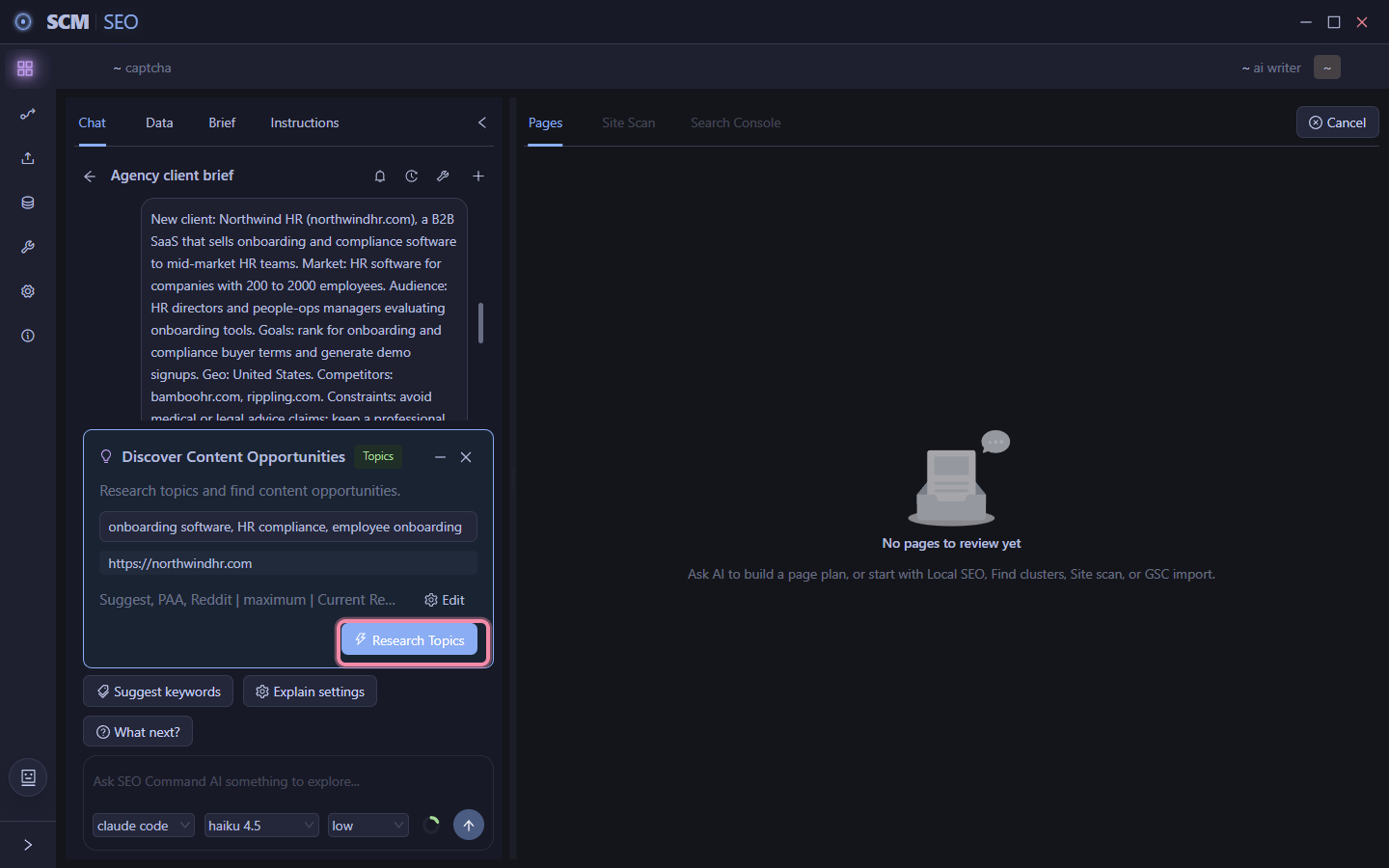
1. Start an Agency Brief. One button, built to get SCM up to speed on a new client before it recommends anything.

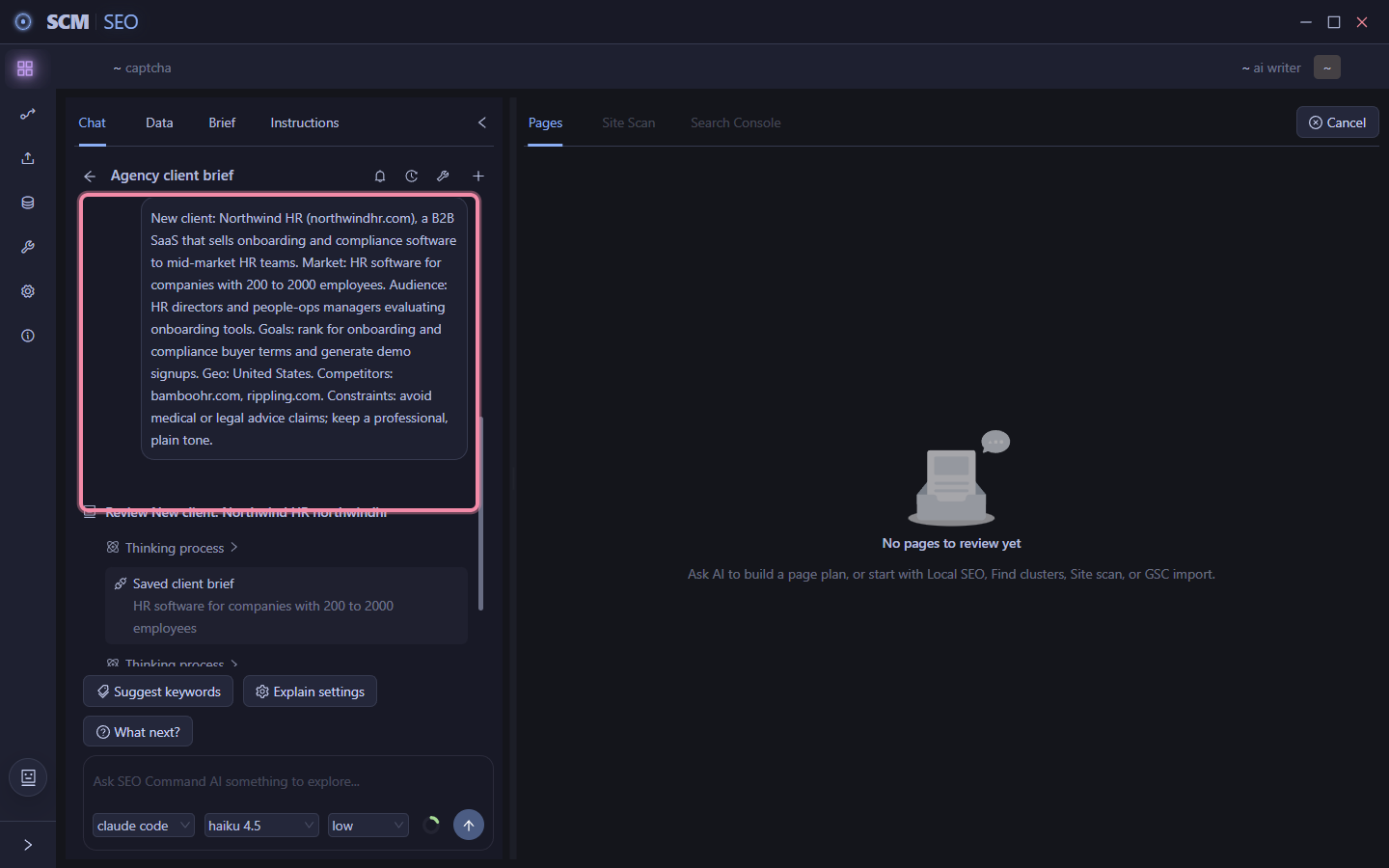
2. Paste your onboarding notes. Market, audience, goals, geography, competitors, constraints. Whatever you’d normally write down for yourself, just tell it that.

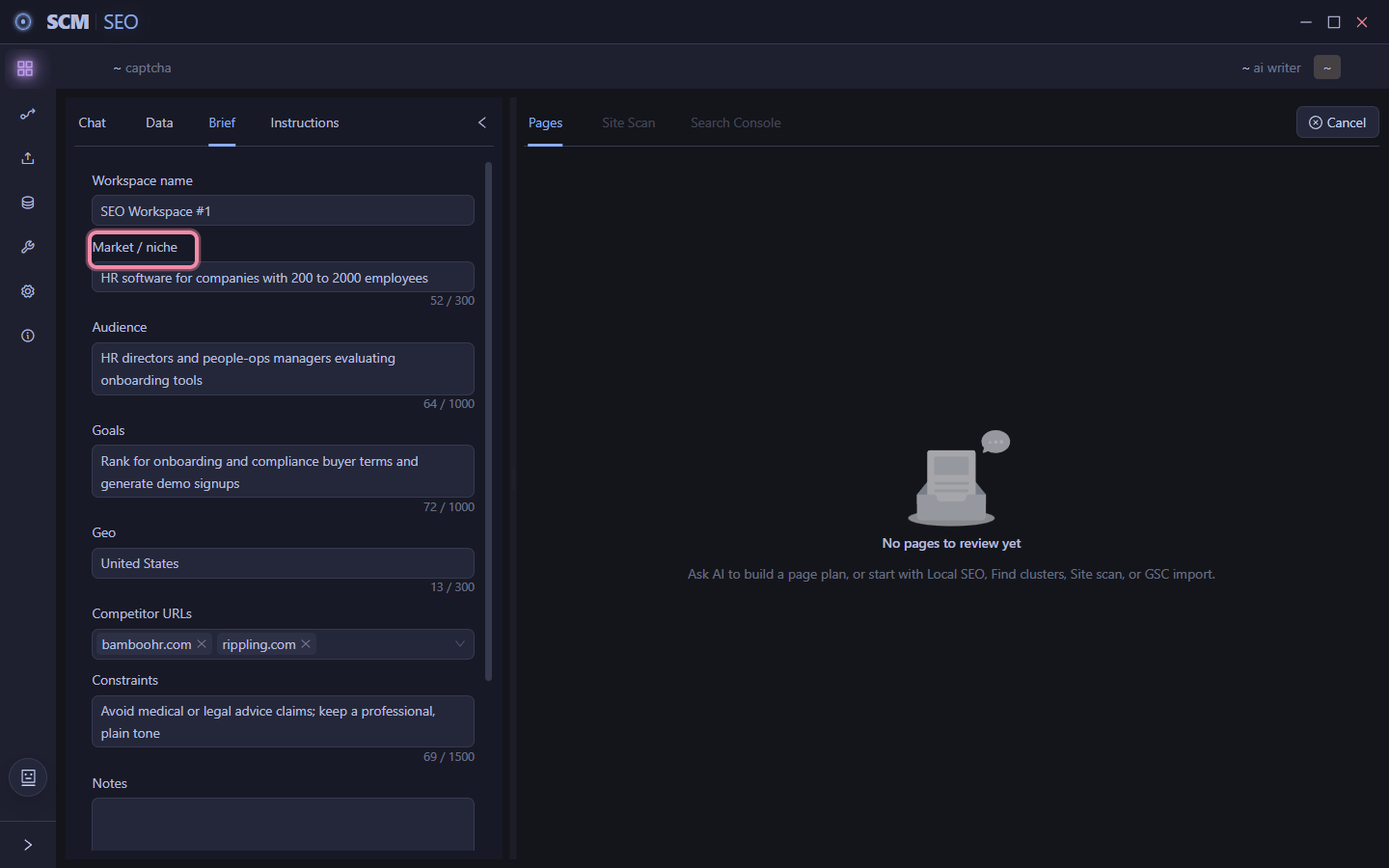
3. It hands you back a structured brief. Reads like a strategist took your notes and organized them. Fix anything it got wrong, confirm, move on.

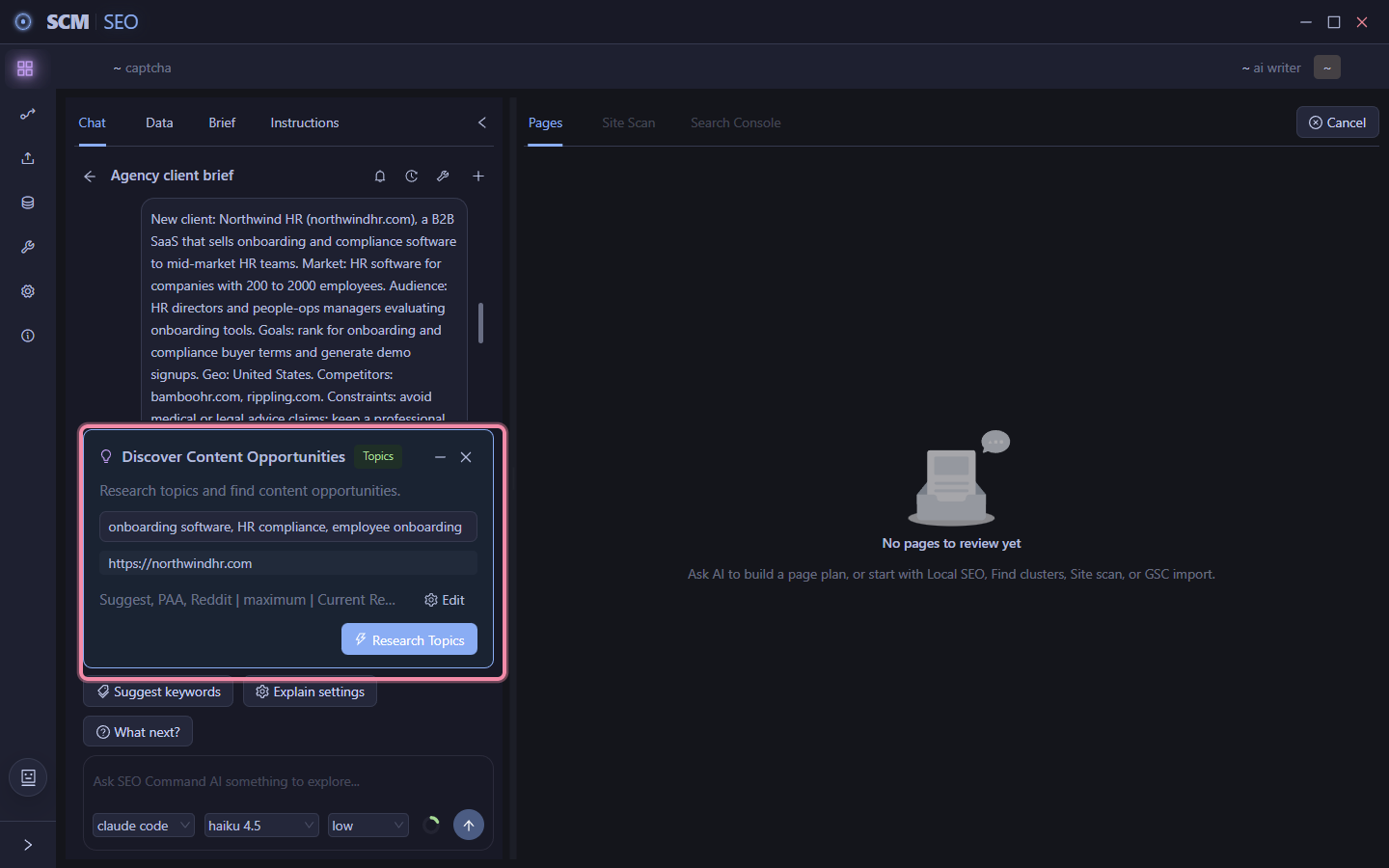
4. Topics already worked out. From that brief alone its filled in the clients site and proposed the primary topics. You’re not starting from a blank keyword list.

5. Research runs against the real market. Click Research Topics and it checks competitors and pulls in whats actually being searched.

6. Results come back prioritized. Every idea starts as New. It tells you in chat which ones it’d start with and why, grouped by what role they play for the client.
7. It builds the actual content plan. The recommended rows move from New to Planned, already selected, already assigned a prompt template, search intent, and funnel stage. The rest wait as New for later.

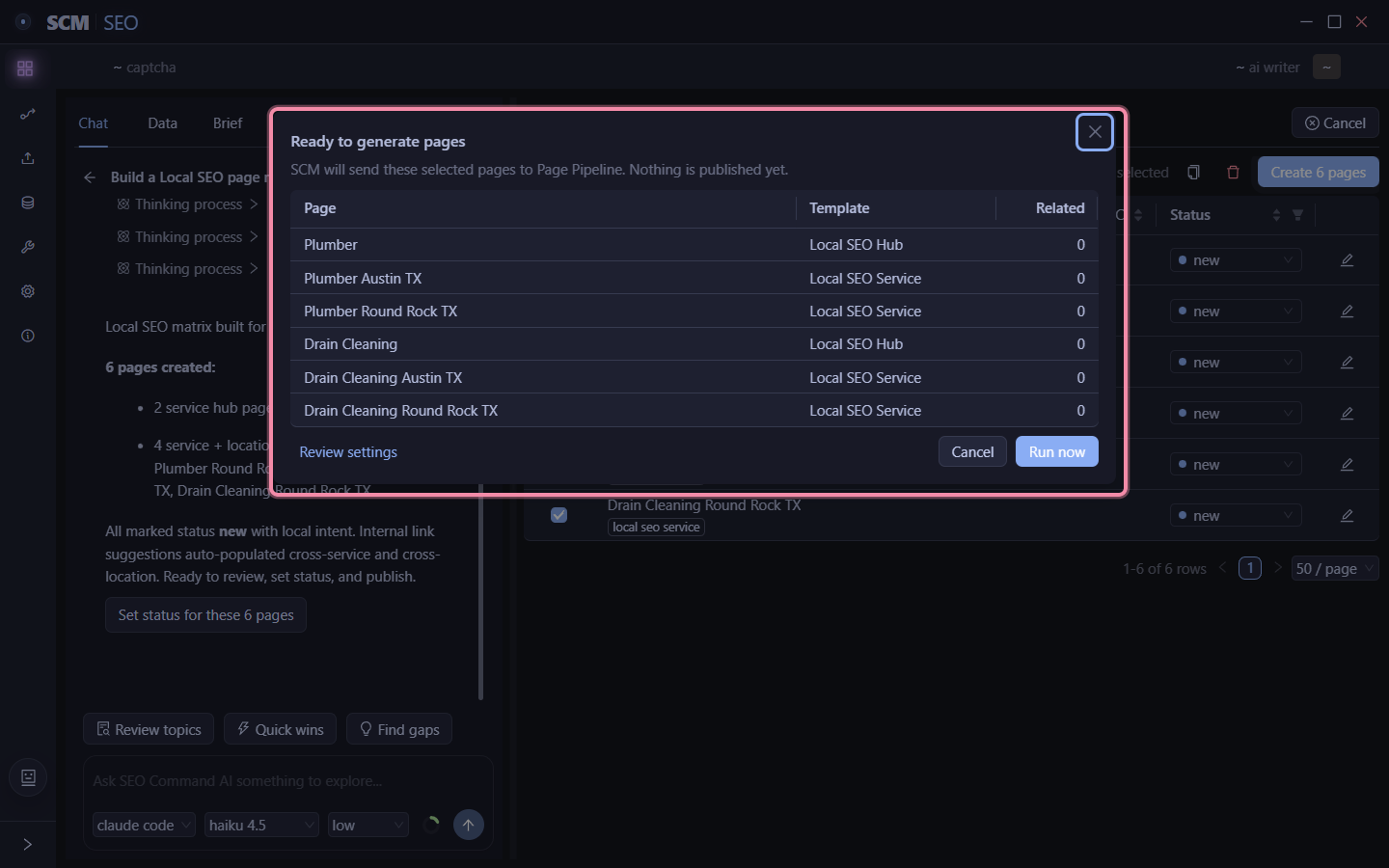
8. Confirm before anything generates. Click Create N pages, it shows you exactly whats about to run, nothing published yet. Run now when you’re ready.
That’s client notes in, a structured brief, a prioritized content plan, and pages ready to generate, all from one conversation.

The important thing here is the Brief Tab.

Even if you aren’t doing Agency work, you can fill it out as it helps the AI agent give you better advice with planning SEO pages.

Local SEO - Services and cities in, whole page matrix planned, one pass

If you do local SEO, this ones for you.

This is the grindy part.

Every service times every city is its own page. Plumber in 20 towns, 5 services each, thats 100 pages you gotta hand build and they all basically say the same thing.

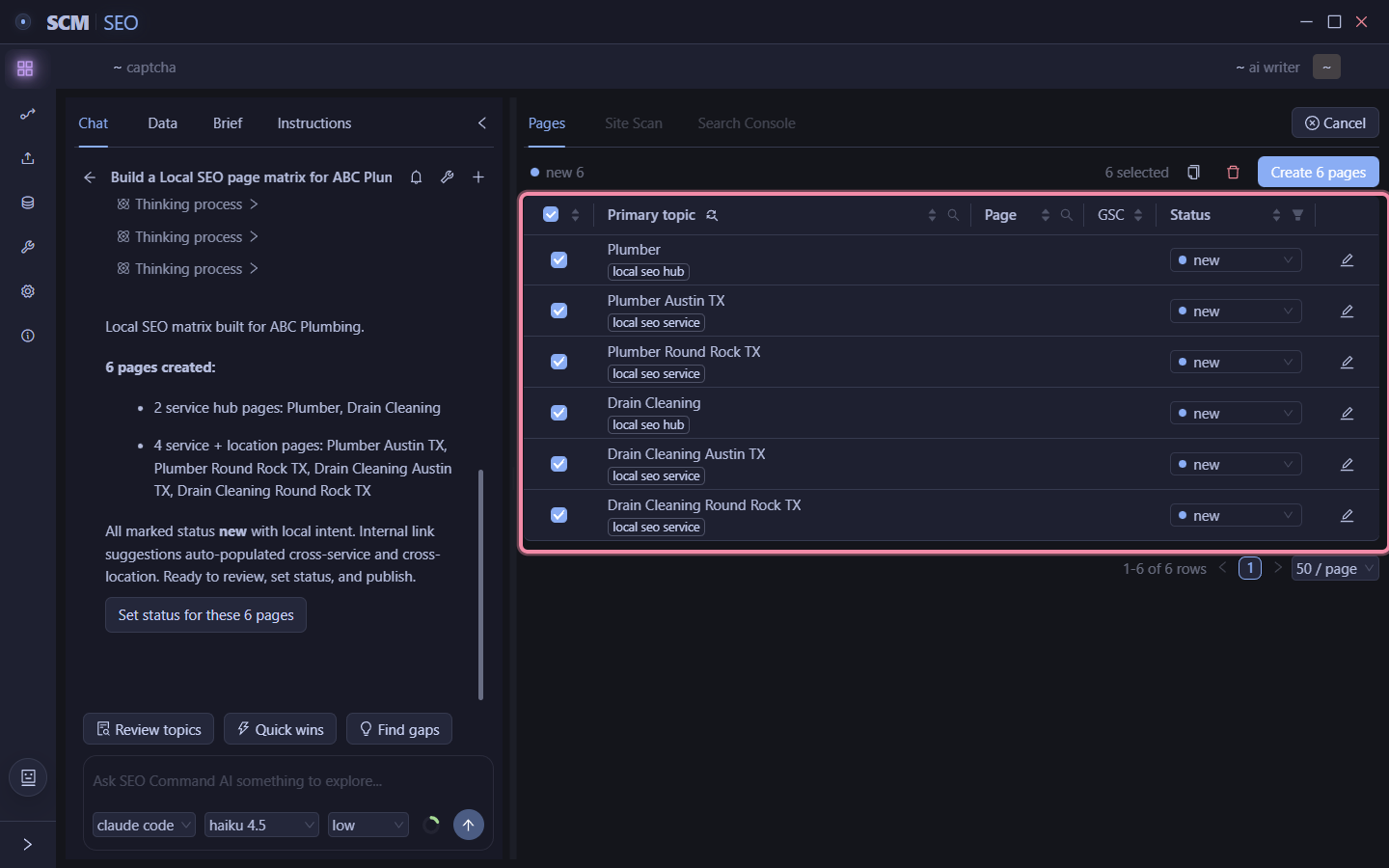
Here is a tool that you give it your services and locations ONCE and it plans the whole matrix. Eg, ABC Plumbing.

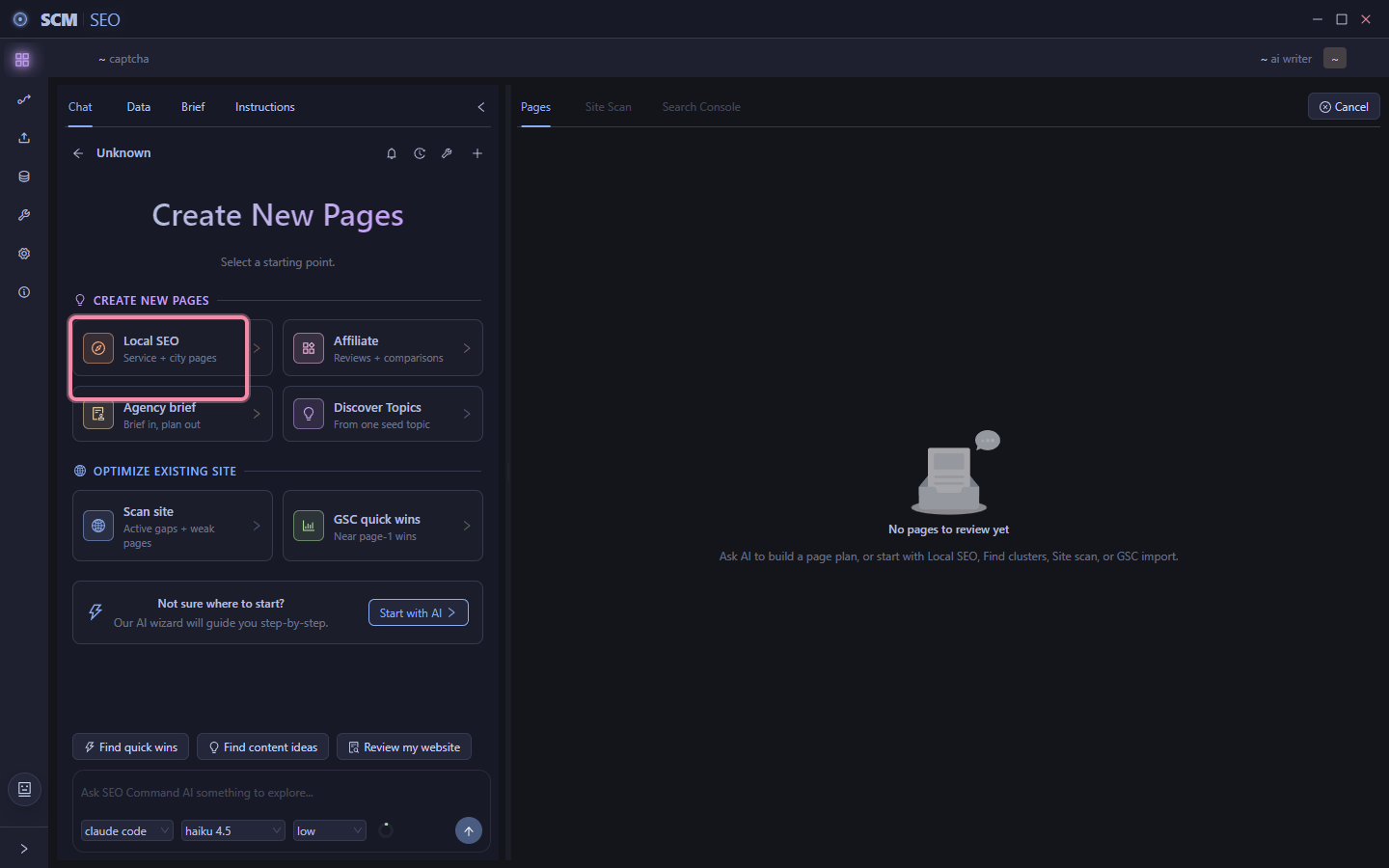
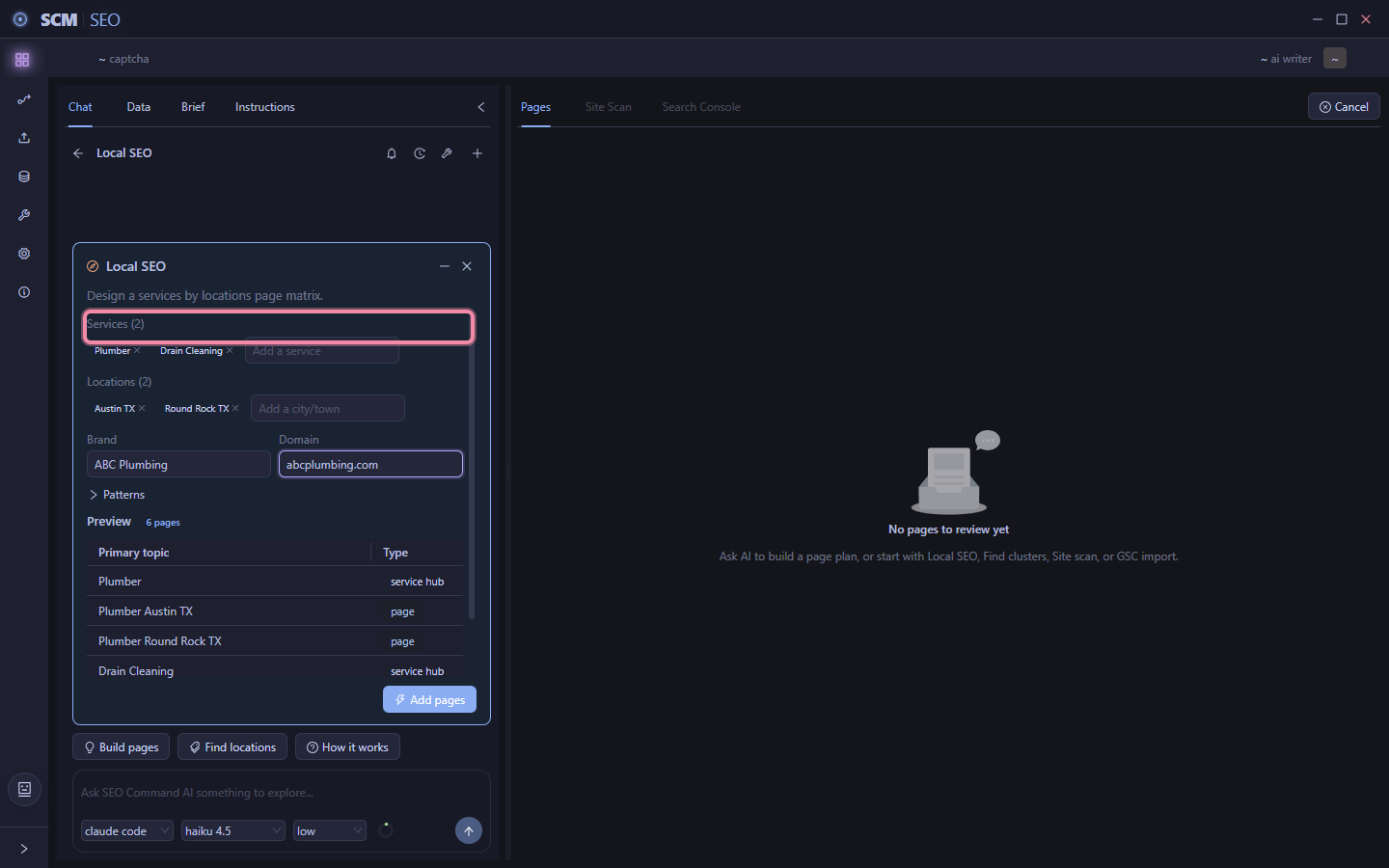
1. Start a local campaign. It knows straight away youre planning local pages not a blog.

2. Tell it about the business. Services, locations, business name, website. Thats the entire input. No spreadsheet.

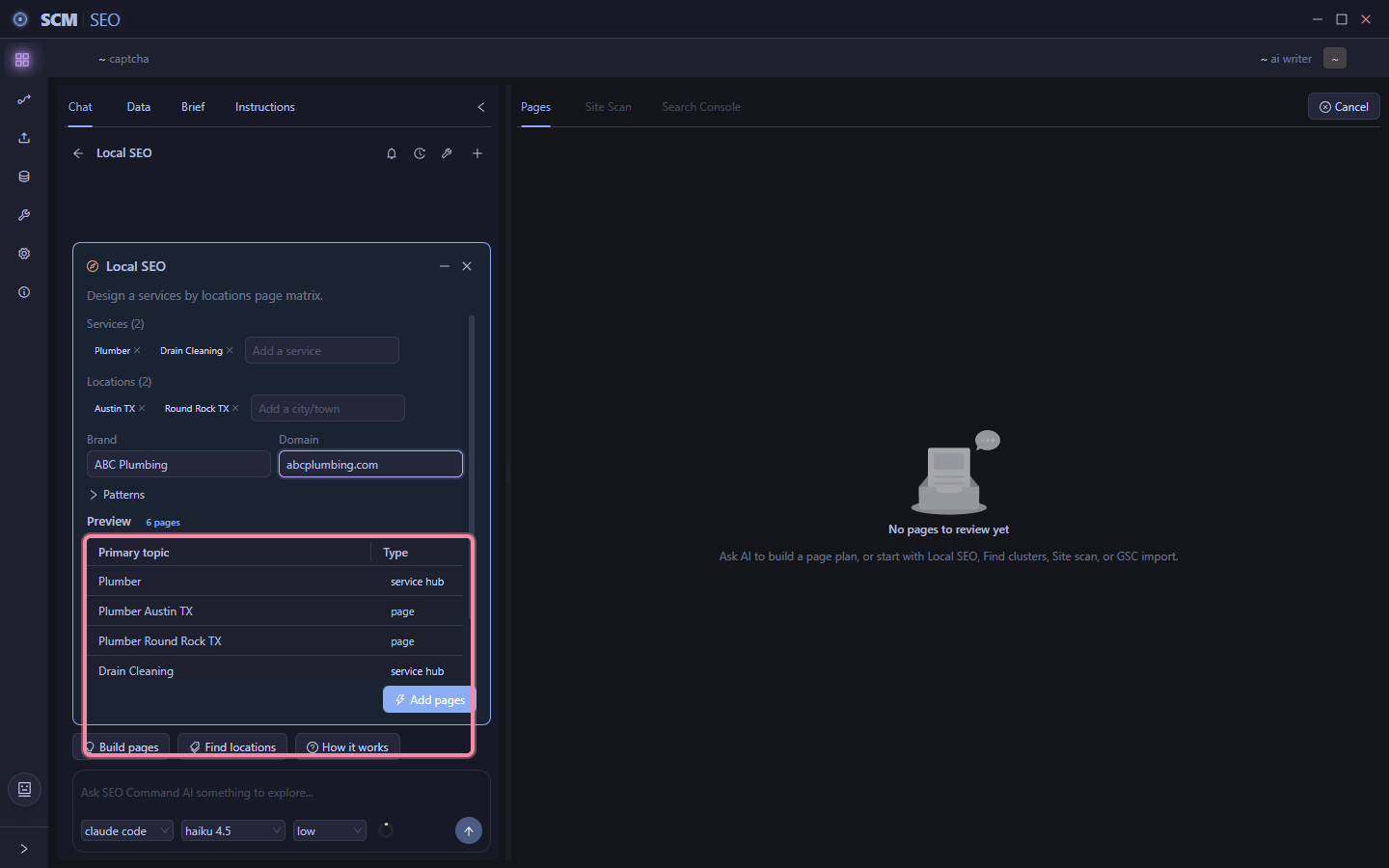
3. Watch it build the matrix live. Add a service, add a city, watch it update instantly, so you see the full matrix before you commit to anything.

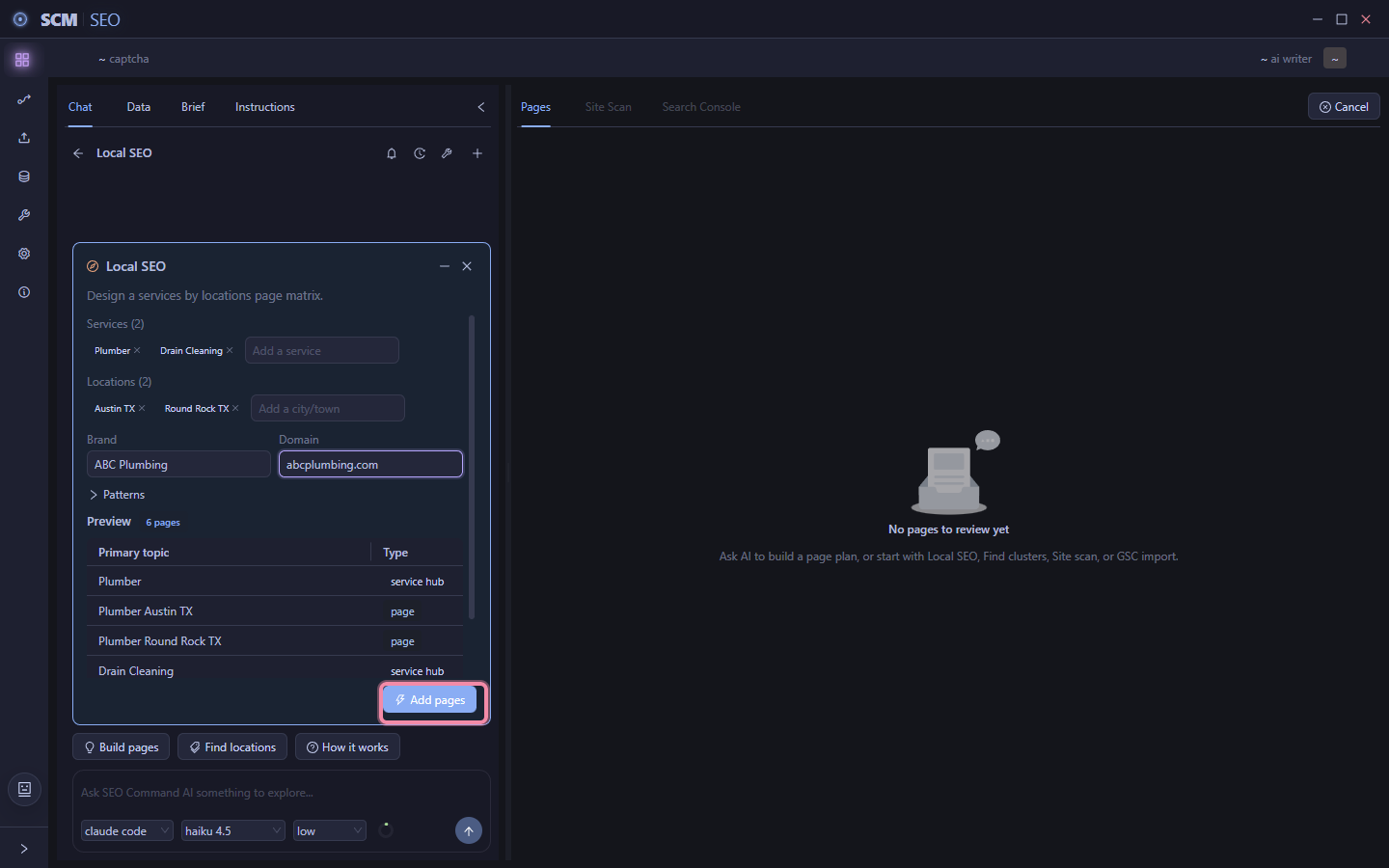
4. Drop them into the project. Click add pages, and the table fills with every page, tagged as either a service page or a location hub, all already selected.

5. Trim if you want. Everything’s selected by default but you can trim it. The button tracks the count so you always know what you’re about to build.

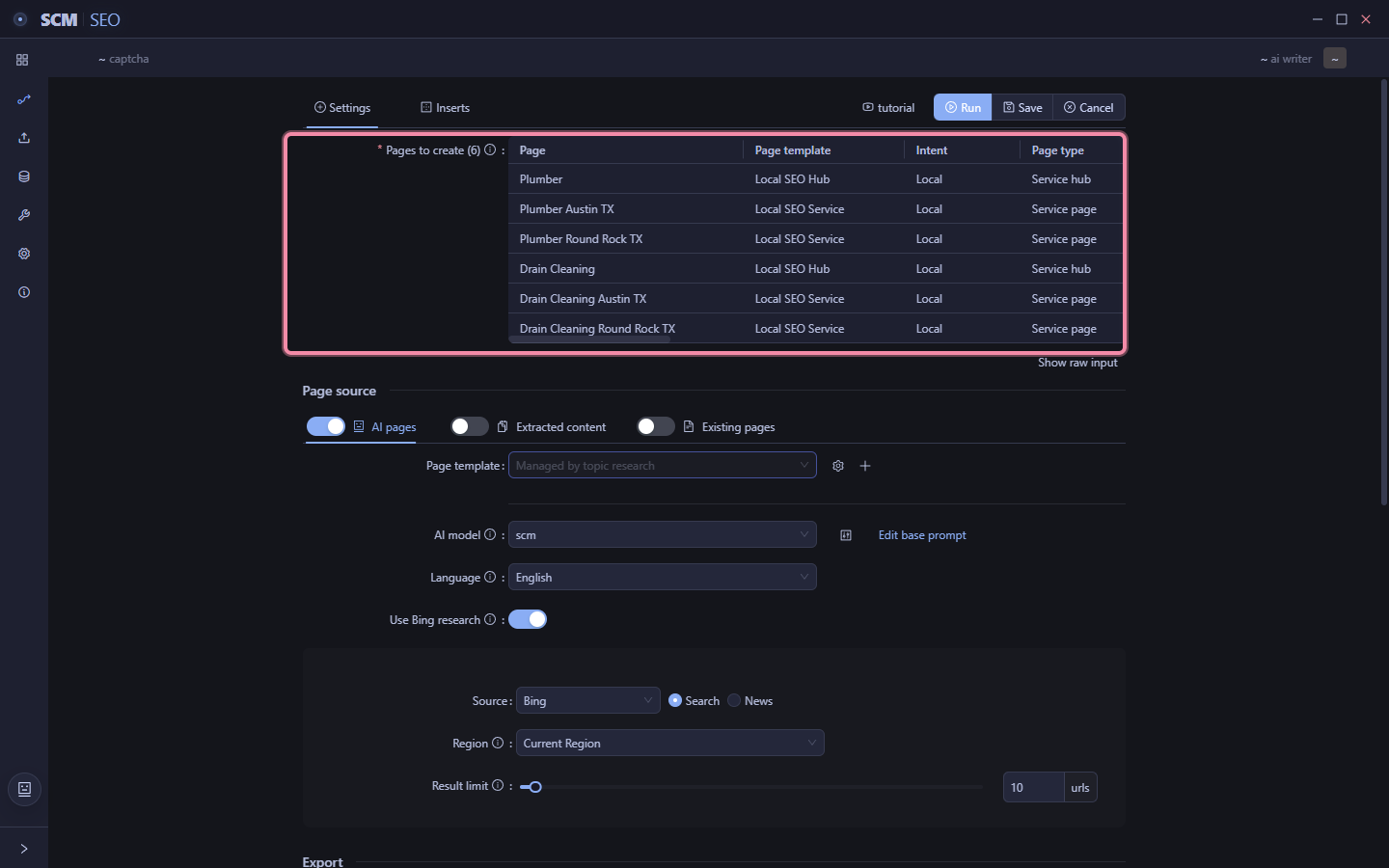
6. Hit create. It shows you exactly whats about to generate. Run now or check the pipeline settings first, your call.

7. Full control if you want it. Every page that’ll get generated is listed here, already configured off the campaign. Advanced stuff but its there.

Just a simple tool to turn services and cities into a bunch of combo pages.

The accelerator here is not that you get these pages auto done, but its that you can ask SCM to find locations and services that your competitors offer to provide extra insights.

2 Likes

That’s really cool, thanks, Tim! Looking forward to trying the new features.

1 Like

That looks good, looking forward to test this out, when its going to release?

1 Like

I’m tuning, but will have something for everyone to try in a few days!

Some extra polish

Smaller top bar

I’ve made a 2 line command bar into 1 line.
Moved all check stuff into column.
Now page filters are simple text selectors at the top instead of bottom.

Added project auto memory

Although the SEO Workspace has many spots for keeping notes

  • Briefs
  • Page notes
  • Instructions

There is another auto memory feature that takes snapshots of your chats with AI to create a limited memory that gets fed back to the AI.

This memory is workspace wide and works across all your chat sessions.

You don’t need to do anything, memory is auto created for you.

This is just a way for the AI agent to keep track of recent things it did and also feedback on things as you work with it.

Lots of the other work now is on killing laggy UI, the table part requires lots of measure and optimizations.

The final piece of the puzzle.

How to handoff pages to the page pipeline task.

The problem is 2 fold.

  1. How to send pages to page pipeline (which does bulk runs)
  2. How to keep track of those pages across multiple tasks and failures

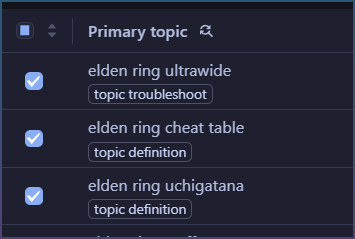
Each page you select in a group = 1 task

They share settings and can interlink with each other.

This is simple bulk page pipeline creation.

Simple as it gets.

When the task is finished running, they all get put into draft.

When you start it all pages appear as running…

Draft status

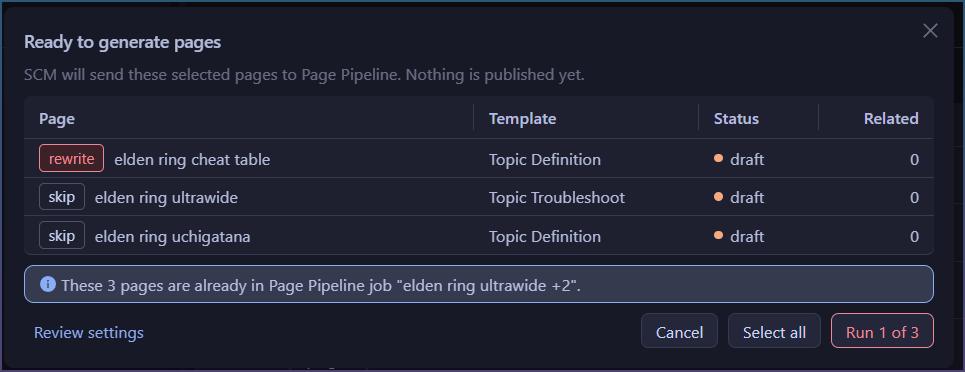
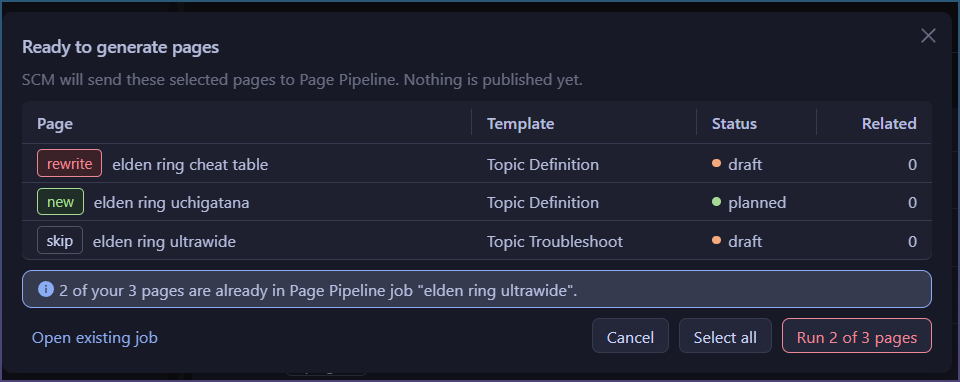
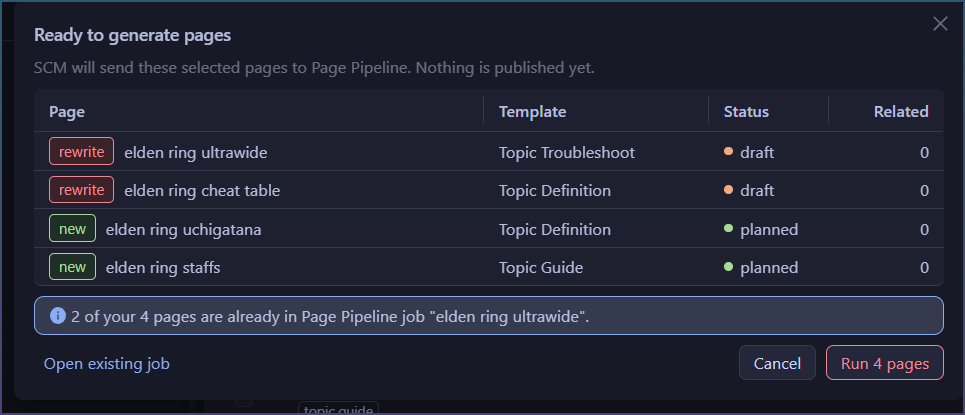
If you select any of these pages again, you get the ‘rewrite’ modal.

Just selecting 1 page allows you to regenerate it.

Draft tracks generated article

If you delete the generated article, it goes back to the last used status, ie most likely back to planned or new.

I made a decision here that any page going through page pipeline, can’t stay in draft status if the actual page content is destroyed.

You can merge tasks by selecting posts

You don’t really need to know about ‘tasks’.

But selecting pages together allows them to be interlinked.

Which means if you select 2 pages they will both need to be recreated no matter what task for the links to be used.

SEO Workspace will track pages that ran together,

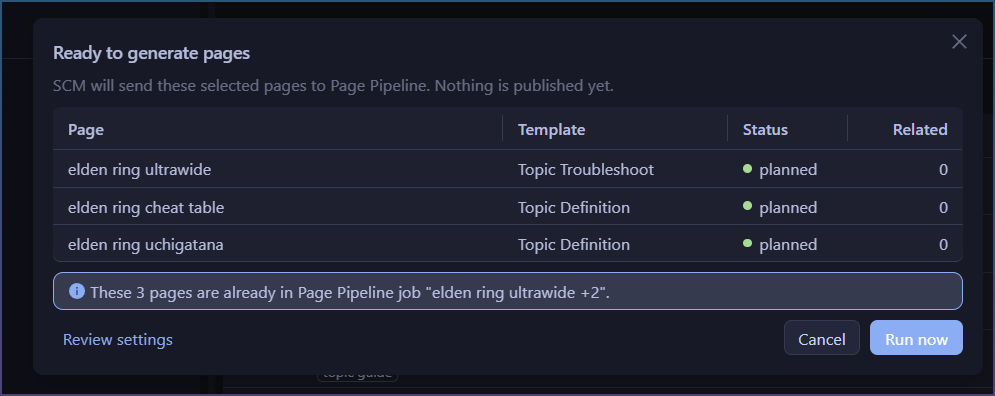
If you try to interlink 2 pages together, but forget to add a page from that task, it will show up as “skip”

Forgot to create a page?

No problems, the SEO Workspace, can help you keep track of runs.

If pages was created, but now you want to interlink a new page it will rewrite old pages with the new links.

Closed BETA invites have been sent.

I will do a larger BETA invite for everyone soon.

July 13 update

  • Gemini added to Agent Chat. Thinking, tool calls, live model picker.
  • OpenAI picker now lists live models. Unneeded thinking settings hide automatically.
  • New /compact command. Better context visibility and cleaner agent activity.
  • Chat fixes: spaces type correctly, slash commands stay out of messages, failed tool details collapse, New session easier to reach.
  • SEO Workspace: paste/import keyword lists, choose grouped pages or one page per keyword.
  • Faster topic clustering with real progress indicator.
  • Site Scan and Search Console empty tabs now guide setup. GSC sign-in retry fixed.
  • Imports easier to audit. Keyword cleanup tracked separately. Data history clearer.
  • Document editor readability improved. AI draft links now verify page topic first.
  • Mac scraper beachball fix.