Firstly you can just create meta tags in your articles.
SCM will detect those when posting.
Then a plugin (link below) is installed on your WP install to move the meta tags into the head tag.
1) Import your articles into post uploader
SCM will try to detect any <meta name> tags inside your post body
eg
<meta name="priority" content="My Awesome Post Title">
<meta name="notes" content="This post explains how to use meta tags in WordPress.">
When you import the articles into SCM, look at the Meta column.
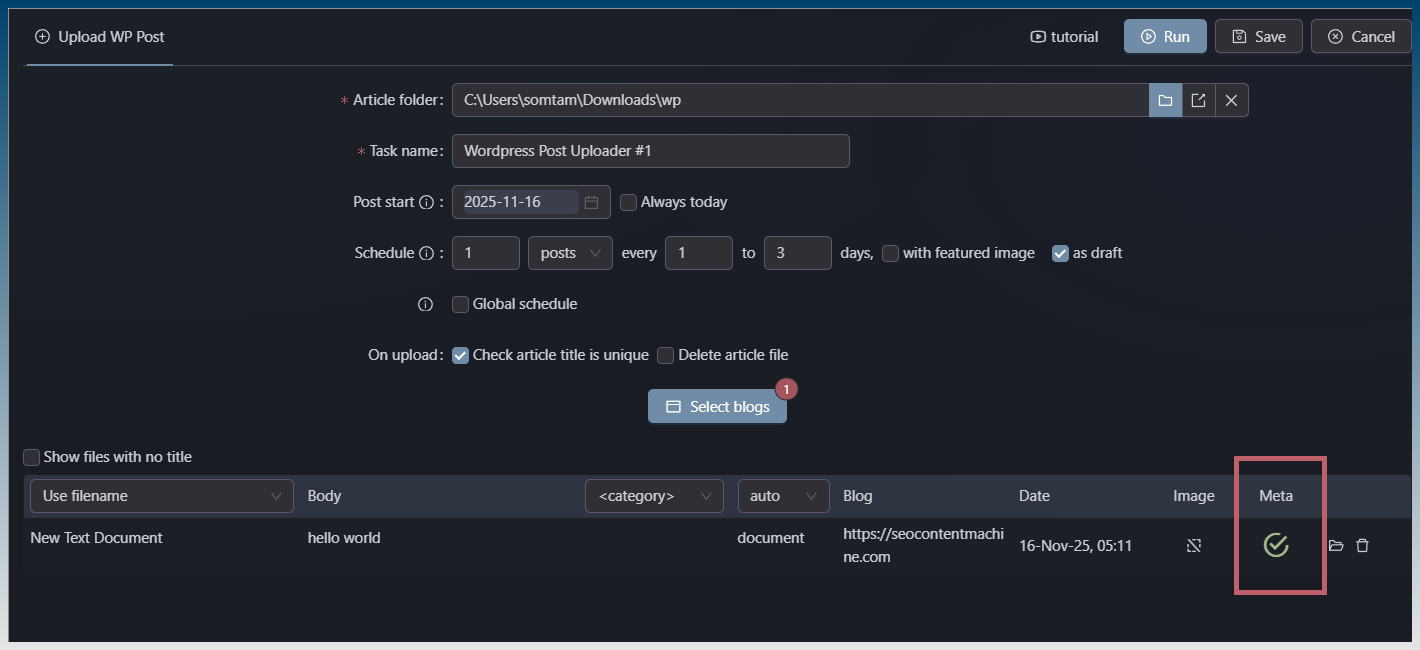
Correctly detected meta tags in your post have a checkmark.
The tooltip tells you the values.

Now you can upload the post to WP.
Inside WP, your post appears like this.
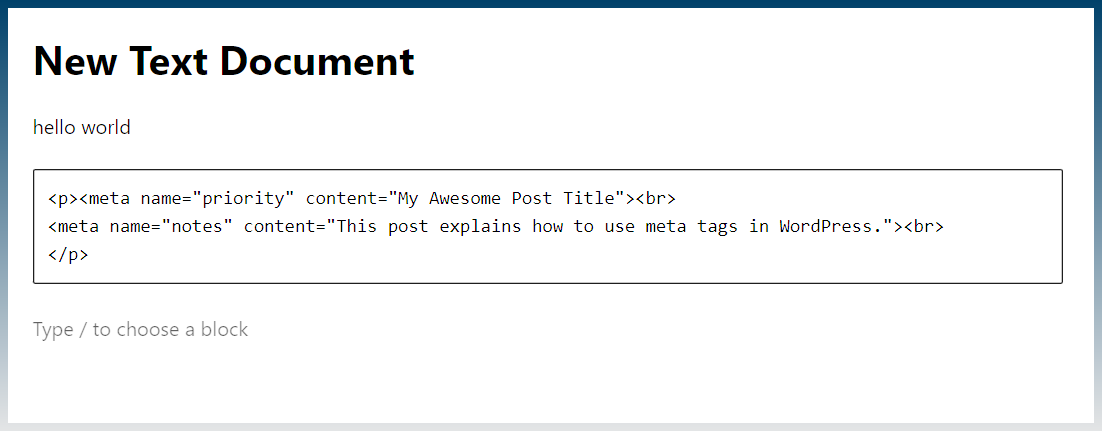
Meta tags are inside body as expected.
2) Install the plugin
Upload the following plugin to your WP install.
meta-to-head.zip (2.5 KB)
Activate the plugin.

View source to verify your meta tags have been moved.
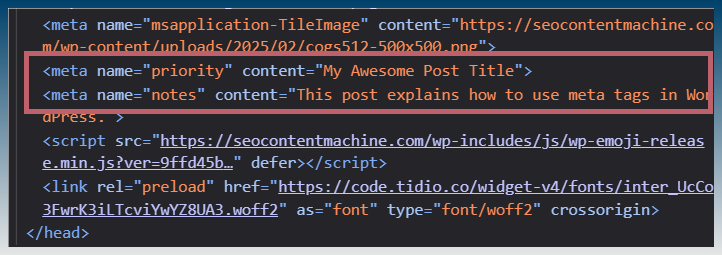
If you want to know what this plugin does exactly, here is the readme.
=== Hoist Body Meta Tags Into Head ===
Contributors: seocontentmachine.com
Tags: meta, html, seo, head, body, dom, cleanup
Tested up to: 6.8
Stable tag: 1.0
License: GPLv2 or later
License URI: GNU General Public License v2.0 - GNU Project - Free Software FoundationMoves any tags that appear inside the into the automatically, ensuring valid HTML structure and improved SEO compatibility.
== Description ==
Some themes, plugins, or page builders incorrectly output
<meta>tags inside the<body>of a page.
This breaks HTML standards and can cause SEO, validation, and compatibility issues.This plugin automatically detects any
<meta>tags inside the<body>, removes them from the content, and moves them cleanly into the<head>section using a safe DOM parser.What it does:
- Scans the final rendered HTML of each front-end page.
- Finds any
<meta>tags inside the<body>.- Moves them into the
<head>automatically.- Cleans up the body markup to avoid duplicates.
- Works with any theme or plugin, including page builders.
- No configuration required.
This is especially helpful if a plugin or template inserts SEO, Open Graph, or verification meta tags in the wrong place.
== Installation ==
- Upload the plugin folder to
/wp-content/plugins/, or install via the WordPress plugin uploader.- Activate the plugin from the Plugins menu.
- View your site’s source code — any
<meta>tags previously in the<body>will now appear in the<head>.No setup or configuration is needed.
== Frequently Asked Questions ==
= Why are meta tags appearing in the body? =
Some themes and plugins incorrectly echo
<meta>tags during content rendering instead of usingwp_head, which causes them to appear inside the<body>.= Does this plugin modify the database? =
No. It only adjusts the final HTML sent to the browser.
= Will it work with page builders like Elementor, Divi, Bricks, etc.? =
Yes. The plugin runs on the final HTML output and works regardless of how the markup was generated.
= Does this affect admin pages or REST API? =
No. It runs only on front-end page loads.
== Screenshots ==
None
== Changelog ==
= 1.0 =
- Initial release (internal version).
I re-did the old process of converting meta tags to custom fields and then posting those.
Instead, you just post your article as is and the plugin will move the meta tags for you.
It also means it works retro actively and on any other pages you have.