Bulk Edit is now available from the task list menu.
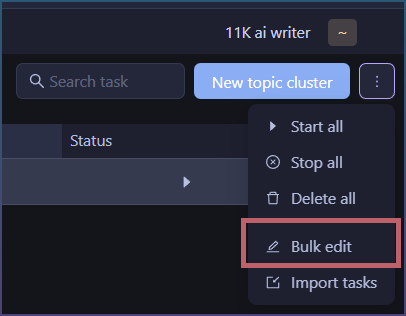
This lets you edit selected task settings across the currently filtered task list. Use filters first to narrow the affected tasks, then open More > Bulk edit.
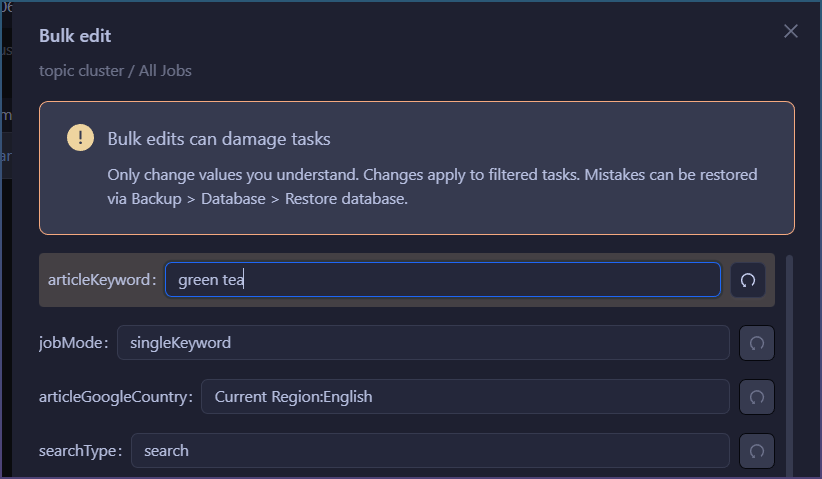
Bulk Edit loads settings from the first visible task and shows editable task parameters in a form. Changed fields are highlighted, so you can clearly see what will be applied.
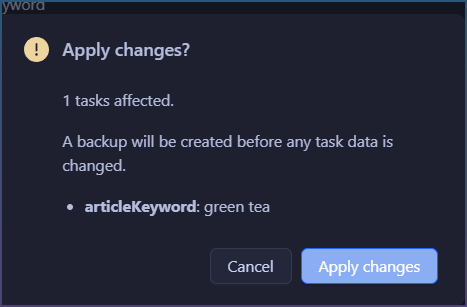
Before changes are saved, SCM shows a confirmation with:
- number of affected tasks
- changed parameters
- new values
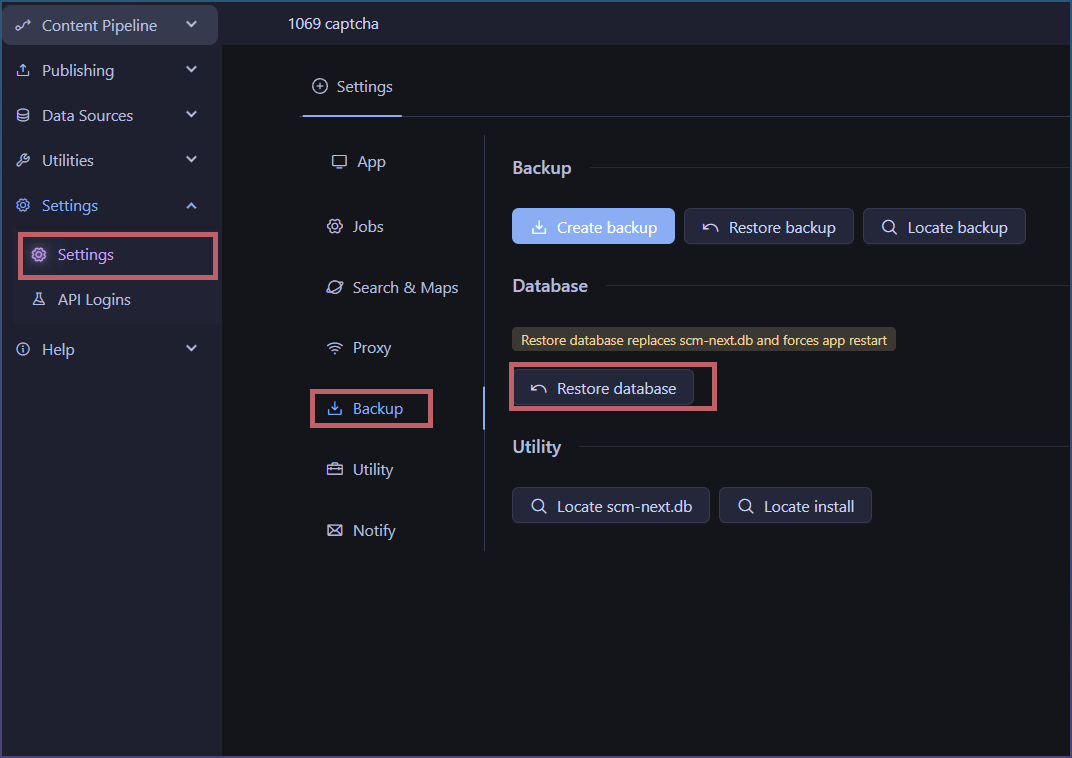
For safety, SCM creates a database backup before applying changes. If you make a mistake, restore the backup from:
Settings > Backup > Database > Restore database
Notes:
- Bulk Edit applies only to the current filtered task list.
- Only changed fields are saved.
- Some task-specific fields are hidden because they are not suitable for bulk editing.
- Use this feature carefully. Changing advanced task data can break tasks if values are invalid.