how do i use a form to send the name of the task and search terms to a new project
Can you give me more info on what you want to do, screenshots will help
i want to make a ui in lovable.dev send a webhook to n8n with the search term and project name to scm then show a link to a google sheet in lovable.dev
i dont know how the api works im not fluent in json
I can help you with this.
What task do you want to give search term?
if you use n8n you can use the find node to get a list of all tasks and their IDs
Breakdown the process step by step for me and include screenshots.
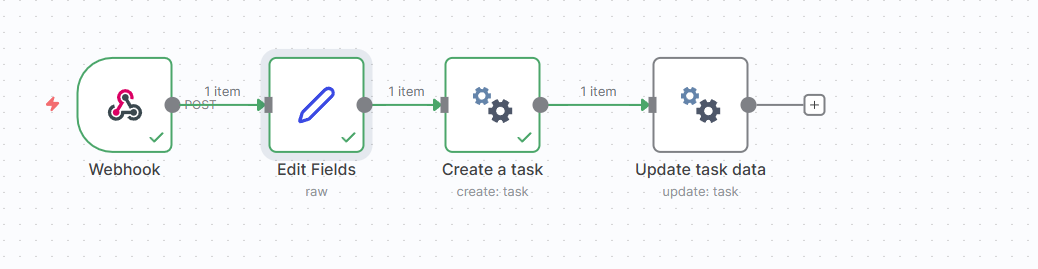
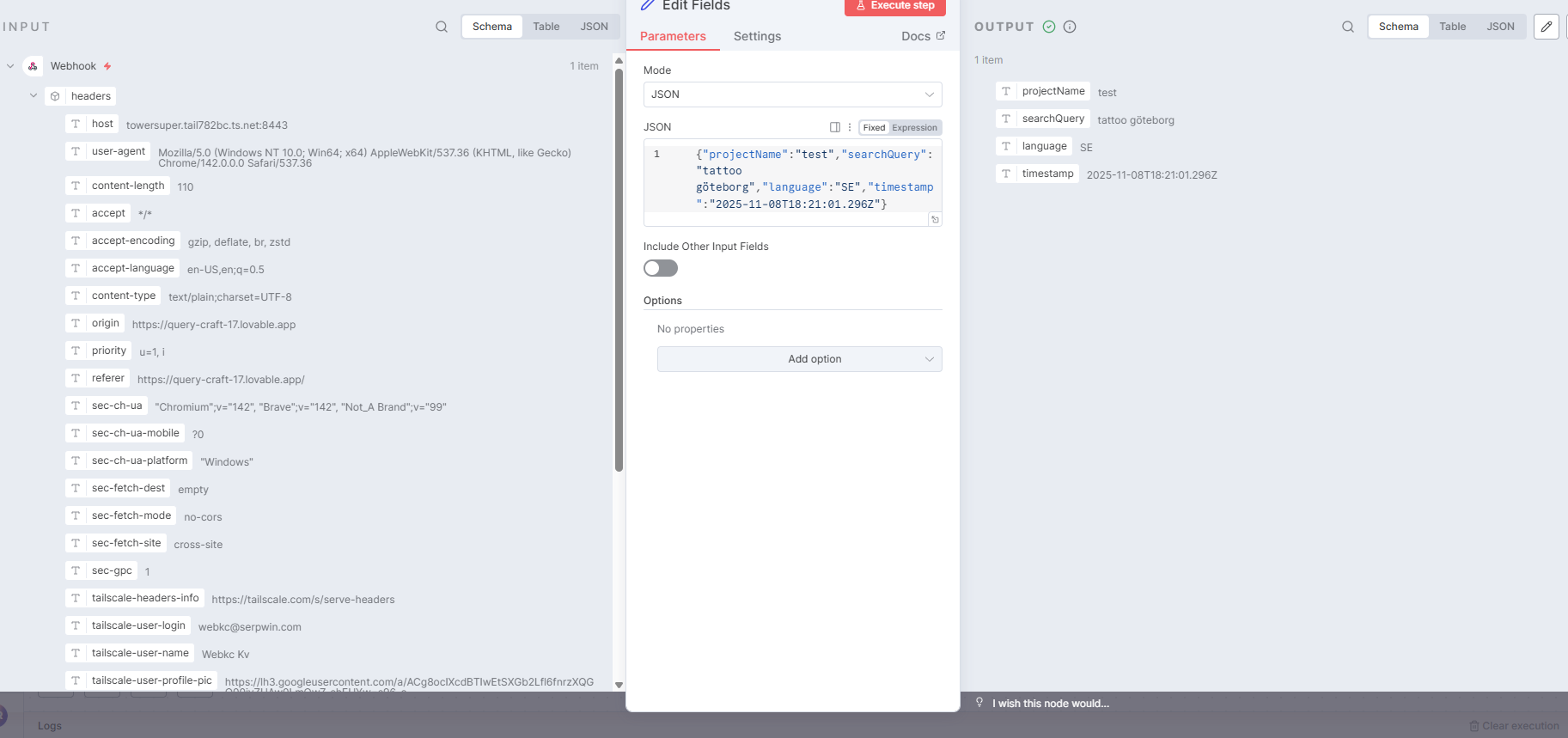

there is no visable option where to put search query
After you create the task you get given a data object. Like this:
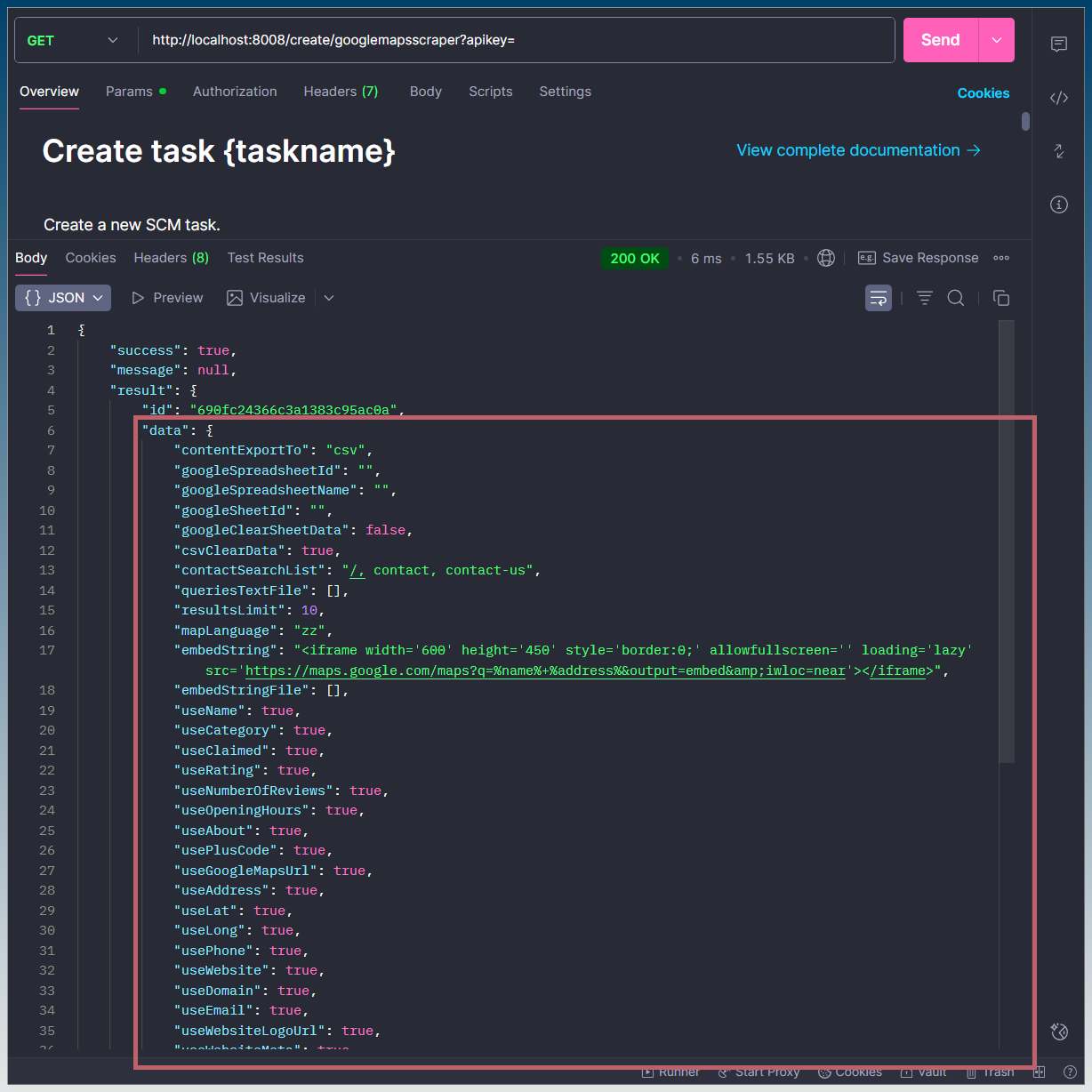
To do the update you need to edit this object and pass it back to the update.
You can pass back only the items you want to change
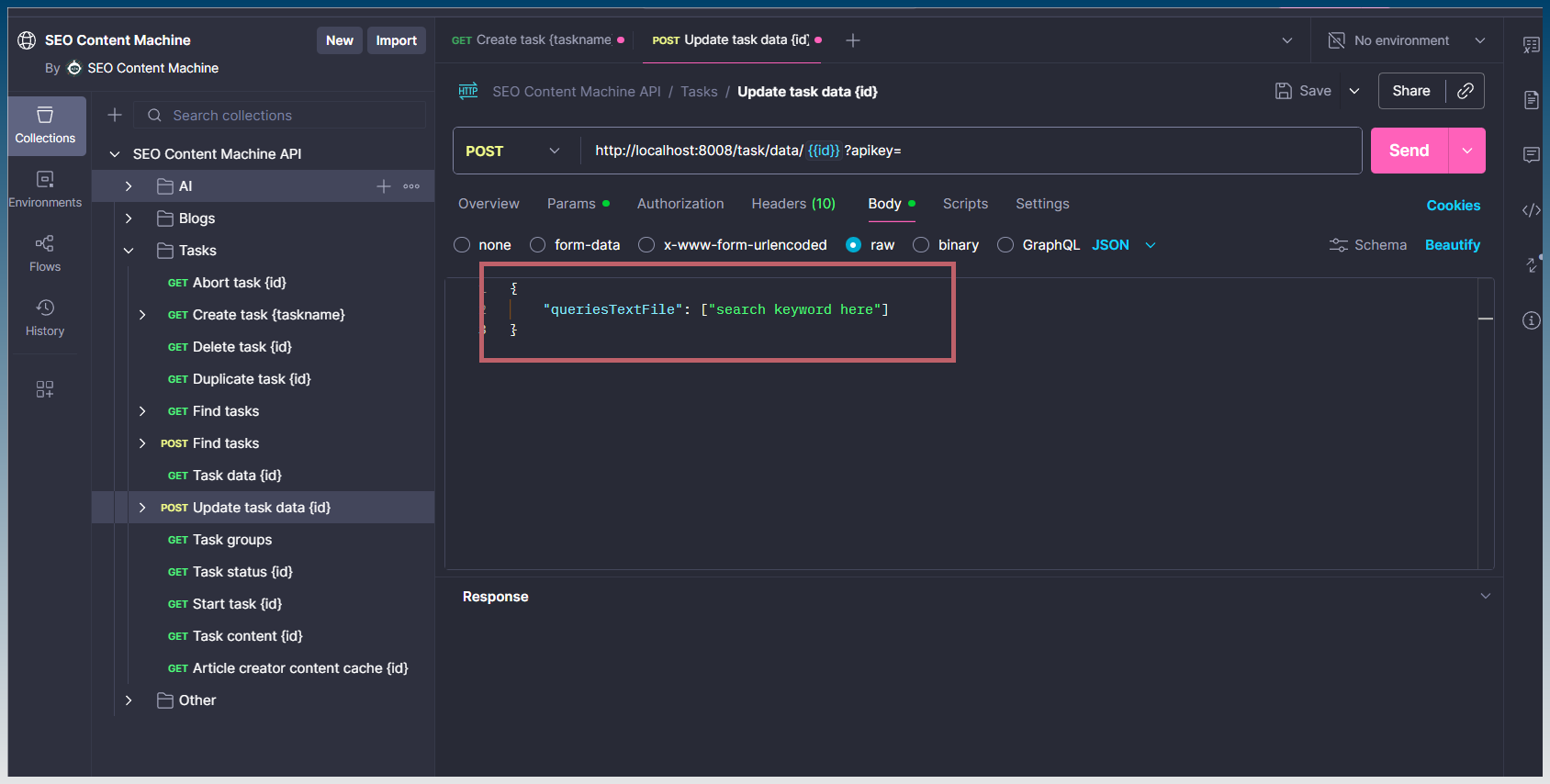
You are using n8n but its the same idea.
Task ID you have already but the text box just paste in this, (or whatever you need to change)
{
    "queriesTextFile": ["search keyword here"]
}
It works when you see this:
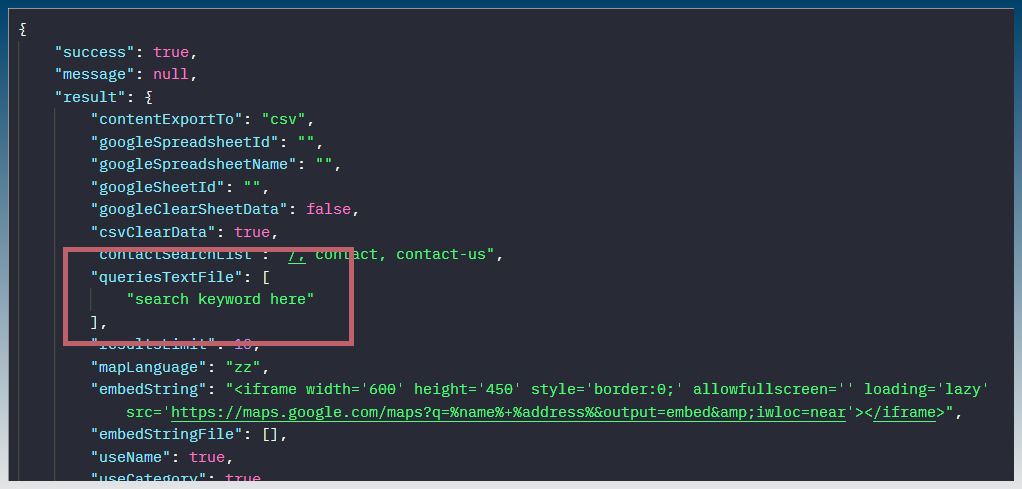
To make it easier, you can also copy task data directly in SCM window now.

thanks first bit done
Awesome! let me now what you need next
getting this error starting a flow from n8n it cant uppload to google sheets. if i start manually it works
— Finished Error: TypeError: Google sheets, Cannot read properties of undefined (reading ‘columnCount’) at Object.writeToGoogleSheet (C:\Users\karlw\AppData\Local\Programs\scm-next-plus\resources\app.asar\out\main\chunks\write-to-google-sheet-DtGQ18Y7.js:35:15) at process.processTicksAndRejections (node:internal/process/task_queues:95:5) at async GoogleMapsScraperTask.appendGoogleSheet (C:\Users\karlw\AppData\Local\Programs\scm-next-plus\resources\app.asar\out\main\chunks\google-maps-scraper.worker-Dx9xNVxm.js:134:5) at async GoogleMapsScraperTask.execute (C:\Users\karlw\AppData\Local\Programs\scm-next-plus\resources\app.asar\out\main\chunks\google-maps-scraper.worker-Dx9xNVxm.js:107:11) at async MessagePort. (C:\Users\karlw\AppData\Local\Programs\scm-next-plus\resources\app.asar\out\main\chunks\worker-base-Bsh0hX4r.js:92:32) —

Did you select the Google sheet inside the App?
You said manual run works right?
I just tried it and no error.
Can you download postman and run the API call directly and see if the error still happens?

Can you double check your worksheet and sheet is selected?

FYI the error appears here in the code:
    if (sheet.columnCount < header.length) {
      await sheet.insertDimension("COLUMNS", {startIndex: 0, endIndex: header.length})
    }
Which seems to suggest that either the sheet doesn’t exist anymore or the spreadsheet is gone?
It could also be a temporary error with net connection.
could be that im using wrong accout
Possible, go through the entire process of selecting sheet etc again.
fixed it 
this is gold for cost effective cold outreach
Would you mind sharing the fix?
You doing Google maps to spreadsheet right? With n8n pulling search terms from external data source?
got the values correct and made sure i was loged in on right account. so no real fix.
yeah google maps to spreadsheet.
id share the json file, but i cant post links