Plan affiliate buyer pages from 1 product niche in SEO Content Machine. Type a niche, and SCM researches what people ask before they buy and groups it into pages.
Why use this?
- A new niche gives you hundreds of possible pages. The hard part is knowing which 10 to write first.
- Every row is tagged as a review, a comparison or a listicle, so the page you write matches the question the buyer asked.
- The agent picks a first page with buying intent and tells you why it picked it.
- You test 1 page before you scale to the rest of the plan.
Requires a WordPress site to publish to.
Notes
- This workflow is for sites where visitors compare products before they buy.
- The goal is to plan the right pages before you create any content.
- The example in the video is the niche “robot vacuums”.
Start from a niche
A workspace holds the plan for 1 site.
- On the SEO Workspace screen click ‘New SEO Workspace’.
- For a product niche, choose ‘Affiliate’.
- Type in the niche eg “robot vacuums”.
- Click ‘Find opportunities’.
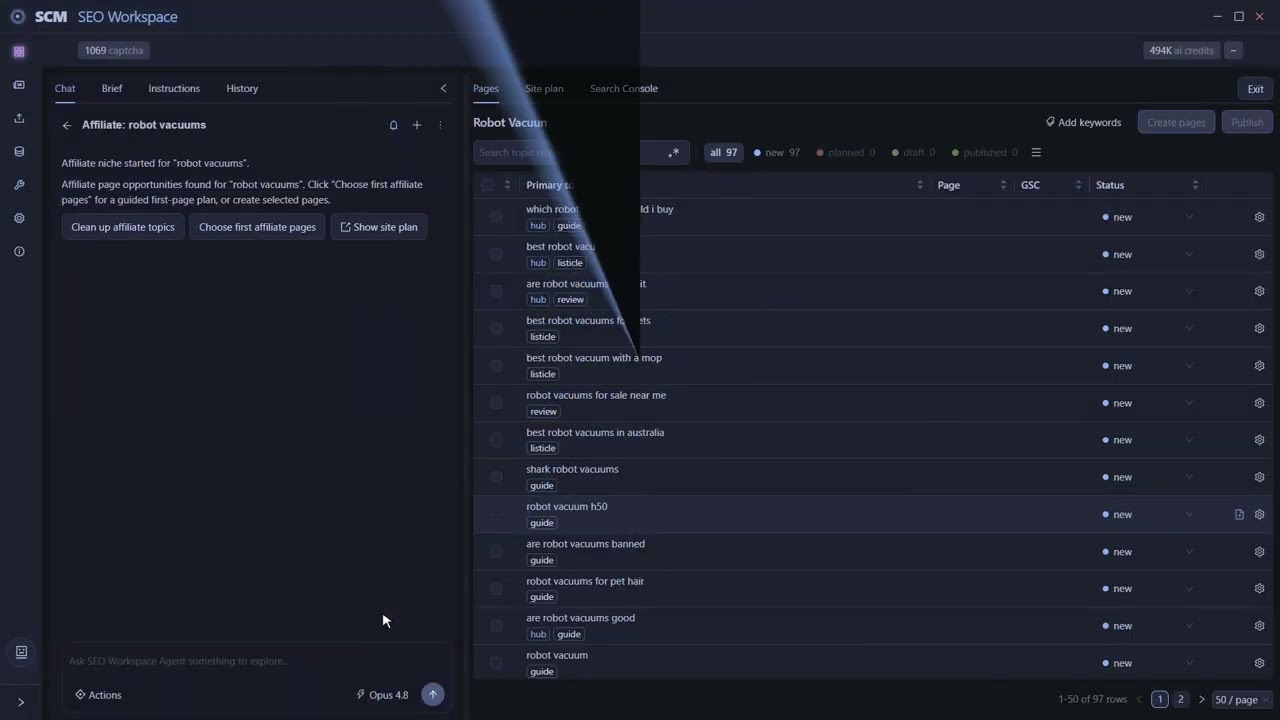
SCM looks for topics using search suggestions and online results, then groups related searches into page opportunities. The bar at the top shows progress. Research takes a few minutes, so leave it running.
Read the research table
When research is done the table is full of topics, and each row is 1 page the site could have. The tags on each row show the kind of page that search needs:
- A review evaluates 1 product.
- A comparison helps someone choose between products.
- A listicle gives buyers several options to compare.
This is the first planning lesson. Match the page to the question. A person who searches “X vs Y” wants a comparison, and a review of X alone will lose them.
Let the agent pick where to start
The table has far more pages than you should write first.
- Click ‘Choose first affiliate pages’.
- The agent looks for a page with commercial buying intent and marks it ‘planned’.
- Read the chat. It explains which page it chose and why, so you can disagree and pick another.
Try the Affiliate workflow in the free 14-day trial
Check the site plan
Open the ‘Site plan’ tab to see the niche as connected groups of pages. The hub covers the broad buying question for a topic. Supporting pages answer narrower questions and link back to the hub.
You now have a site structure to build toward. Each page you write has a place in it.
Write the first page
- Back on ‘Pages’, click the planned status filter.
- Tick the page you want written.
- Click ‘Create pages’. The dialog shows what SCM will write.
- Open ‘Review settings’ if you want to check the instructions before writing starts.
- Click ‘Create’. SCM drafts in the background.
Review it and publish to WordPress
- When the row shows ‘draft’, filter by ‘draft’ and click the page icon to read it.
- Check that the products fit the buying question and that the headings are useful.
- Edit the draft right there.
- Click ‘Publish’ and pick the WordPress blog.
- Set ‘Status’ to ‘Publish’, then click ‘Publish’ to send it. The row moves to ‘published’.
Start with 1 useful page, see how it does, then go back to the plan for the next one.
FAQ
How many pages should I write first?
Start with 1. The agent marks a first page with buying intent, and you test that page before you scale.
What page types does SCM plan?
Reviews, comparisons and listicles. The tag on each row shows which type that search needs.
Does SCM publish the pages on its own?
No. SCM publishes a page to WordPress only when you click ‘Publish’.
Which sites can I publish to?
WordPress. SCM does not publish to Webflow, Shopify or Ghost.
Which AI writes the drafts?
You choose. Use SCM AI credits, your own AI keys or a local model.
What does it cost to try?
The trial is free for 14 days and includes 100,000 AI credits. Prices are in What is SEO Content Machine (SCM) and what does it cost.