A devlog. What was built?
The Site plan
So this is the last big UI piece for SEO Workspace.
It started out as a quick POC to solve the half baked ‘internal link’ feature.
But had some nice un intended benefits.
Before
If you used older BETAs you may have seen internal link icons appearing as you clicked on pages to create.
Behind the scenes…
- Used BM25 to find related pages
- Picked those links randomly
- Sent them to Page Pipeline
- But output was basically “random related links.”
Not wrong.
But skips the entire important idea of Hubs and pages (ie Local SEO)
The problem
Three things were missing.
-
No visibility.
- You only ever looked at one page’s links.
- Never the whole site.
-
No understanding.
- Hard to tell if a topic was complete.
- Hard to spot orphan pages.
- Hard to know if a hub had grown too large.
-
No hubs.
- Everything was just a list of pages.
- But nobody thinks about building a site as a list.
- You think in terms of topics, silos and supporting pages.
The other problem
While using SEO Workspace to refresh content on SCMs own site.
Real example:
- GSC and AI tells me top 6 pages that are near 1st page
- Six pages marked for Refresh.
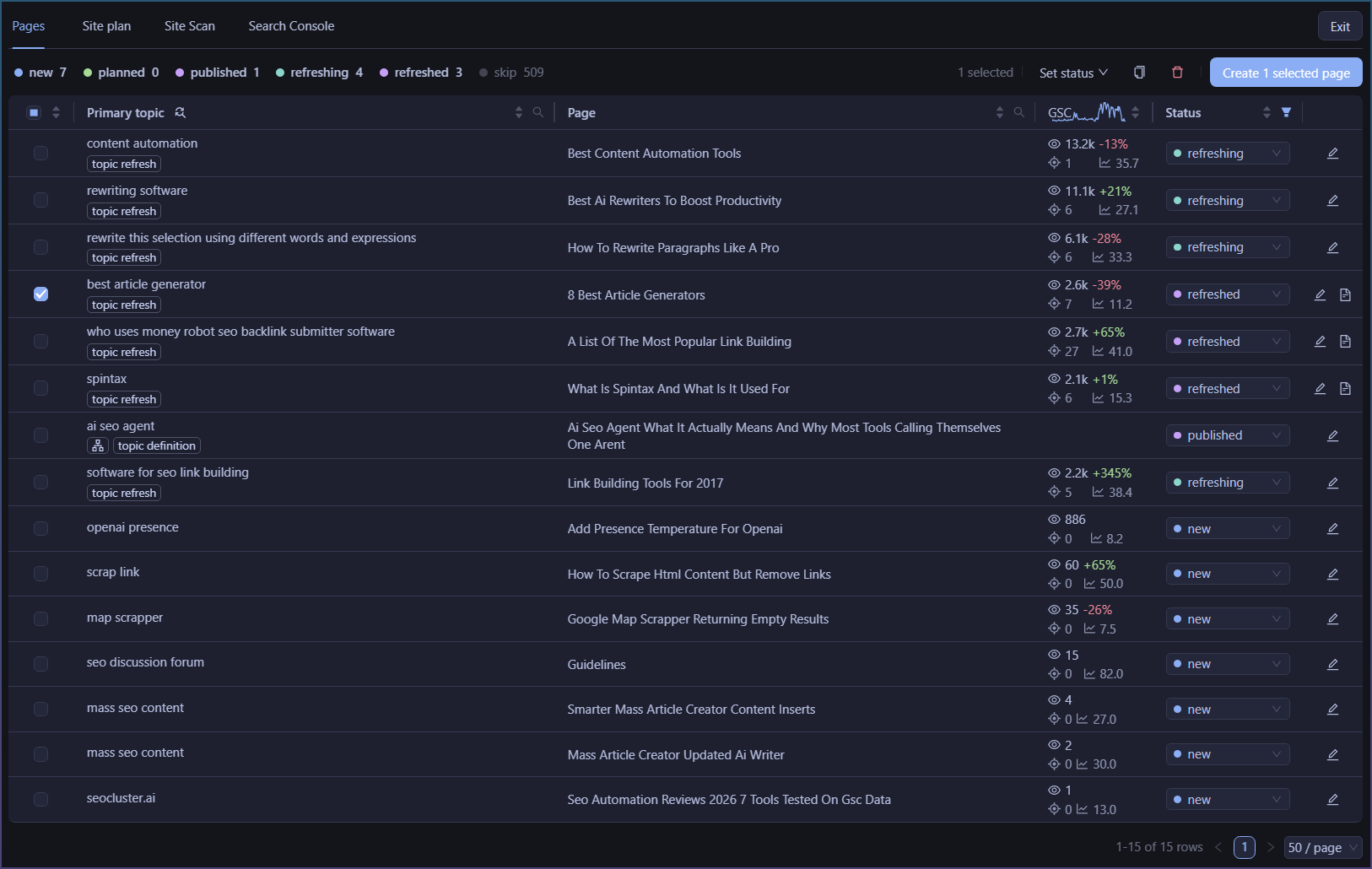
- However new GSC syncs add fifteen new pages to the table
Now everything is mixed together.
Refreshing.
Draft.
Planned.
One giant inbox.
Was very hard to keep track of anything.
I kept playing filter football to hide and show things to keep focus.
Turning off things…

The POC
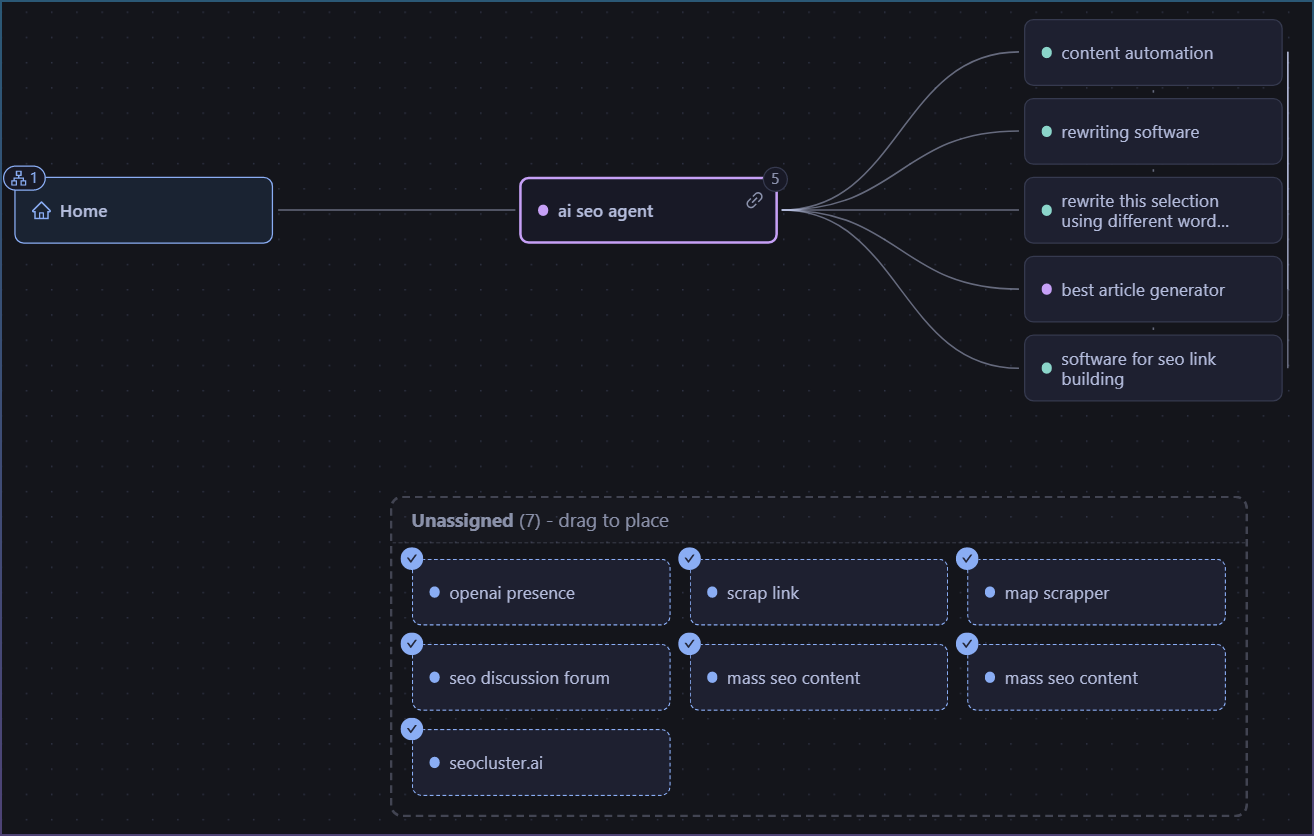
Once I had the working site plan canvas working,
I could do this instead.
Organize my refreshing work under 1 hub.
Keep new things on a ‘todo’ for as long as I needed to.
The real feature
It wasn’t actually an internal linking feature.
It was a way to think and see your site as hubs instead of rows.
Once I got the link graph feature in front of me, the internal links part was a freebie.
Link graphs. Two things it solves.
1. Internal linking
- Parent pages.
- Supporting pages.
- Visual hierarchy.
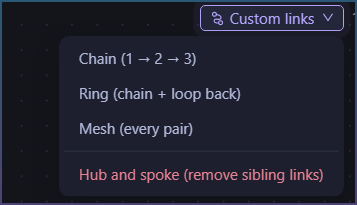
- Draw extra links where needed.
You know you want hubs, pages, circles etc, but you can’t do that by clicking on rows in a table. Although I did try, by giving you candidate pages to checkbox against etc. But it was impossible to ‘draw a circular’ link graph like that.
So structure wants something visual. Once you can draw it out, the link structure can be used later in page creation easily.
Need complex rings, silos or chains, now its easy.
2. Organising work
The page site plan is the perfect project planner.
Instead of
120 pages in one table
you get
Local SEO
- Refreshing
- New pages
- Drafts
AI Agents
Programmatic SEO
Each hub becomes its own work area.
No filter gymnastics.
No mental bookkeeping.
The takeaway
I started out by trying to solve the internal link issue with hubs, silos, circular link wagons.
What I actually built was a visual way to organise an entire website.
Internal linking ended up being almost a side effect.
You can opt in any time for hubs and pages.
If you want to start building and tracking internal links, this is the easiest and only way to visualize and track it.